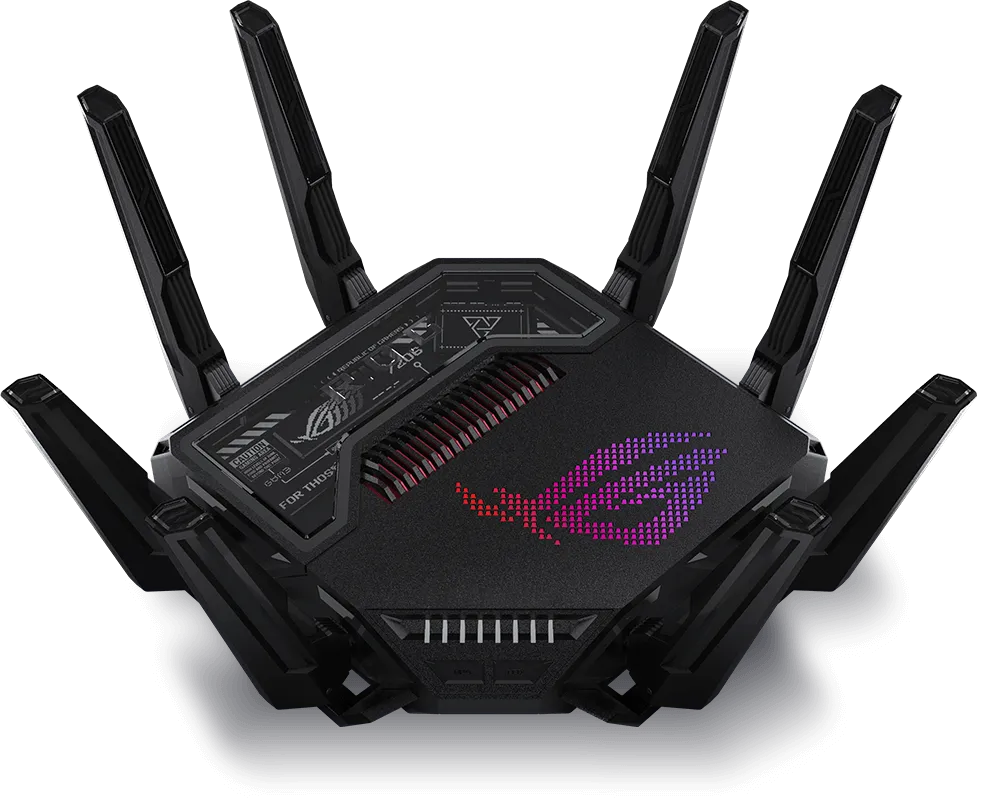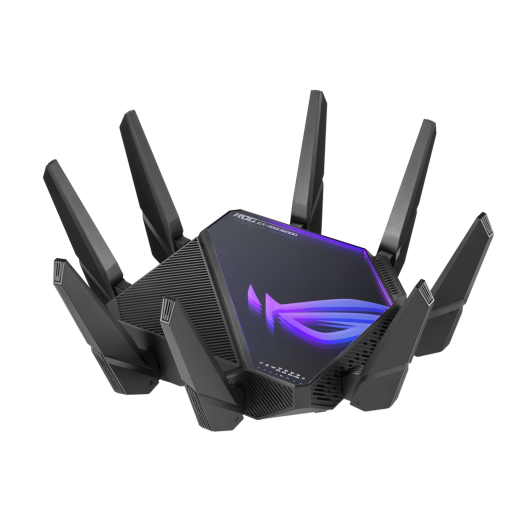
The ASUS ROG Rapture GT-AXE16000 is a quad-band Wi-Fi 6E router with two 10 Gbps WAN/LAN ports. Those features can be useful for a home with suitable clients or fast local storage, but they do not automatically improve every internet connection. Plan the complete path between the devices that need the speed.
Understand the four-radio layout
ASUS’s model specification lists one 2.4 GHz radio, two 5 GHz radios and one 6 GHz radio. Each has a four-stream transmit/receive configuration. The AXE16000 class combines their advertised physical rates; it is not a 16 Gbps internet speed for one device.
| Radio | Advertised maximum | Important boundary |
|---|---|---|
| 2.4 GHz | 1,148 Mbps | Four-stream rate under specified conditions; most small clients do not use all four streams. |
| 5 GHz-1 | 4,804 Mbps | Wide-channel operation depends on client and regional support. |
| 5 GHz-2 | 4,804 Mbps | Its role can depend on the AiMesh backhaul configuration. |
| 6 GHz | 4,804 Mbps | Needs a compatible 6 GHz client or mesh node and permitted regional operation. |
Wi-Fi 6E extends Wi-Fi 6 operation into 6 GHz. This model is not a Wi-Fi 7 router with 320 MHz channels or multi-link operation. A Wi-Fi 7 client can use supported compatible connections, but cannot enable Wi-Fi 7 features that this router lacks.
Additional spectrum can help distribute devices and avoid some existing congestion. It is not a zero-interference guarantee, nor a promise that 6 GHz covers the whole house better than lower bands. Walls, distance and the receiving device matter.
Ports and physical size
The wired connections are a 2.5 Gbps WAN port, two configurable 10 Gbps WAN/LAN ports and four Gigabit LAN ports. ASUS also lists one USB 3.2 Gen 1 port and one USB 2.0 port. Confirm the role and negotiated rate of each connection; a fast router cannot upgrade a Gigabit network card automatically.
Published hardware includes a 2.0 GHz quad-core processor, 2 GB DDR4 RAM and 256 MB NAND flash. The specified dimensions are 354 × 354 × 193 mm, so allow suitable shelf space and ventilation. Avoid choosing placement solely to hide the unit in a cabinet if that worsens coverage or cooling.
A USB port is useful only for supported applications and devices. It does not establish that a connected storage drive will perform like a dedicated NAS, and USB labelling alone does not predict file-transfer speed through the router.
Assign the WAN port deliberately
For an internet connection that fits the 2.5 Gbps WAN path, using that port can leave both 10 Gbps ports available on the LAN. A compatible NAS and workstation could then connect through the two faster LAN links, subject to their own interfaces, storage and application limits.
If the upstream connection needs a 10 Gbps port, configure one supported 10G port as the primary WAN. That consumes one of the two faster ports, leaving the other for an appropriate LAN device or switch. It does not make the four Gigabit LAN ports multigigabit.
Follow ASUS’s WAN-port selection instructions for the installed firmware. Record the current setting, select the intended primary WAN interface and confirm the upstream device’s actual link. Menu presentation can change, so avoid assuming a guessed “Port Assignment” path exists in every release.
Do not turn on dual-WAN load balancing just because the router has several fast sockets. Multiple WAN service arrangements need their own configuration and testing. A NAS connected to a WAN-assigned port is not the same as a NAS on the household LAN.
Check a local file-transfer path
For a NAS-to-workstation test, list the path explicitly: workstation interface, cable, router LAN port, second LAN port, NAS interface and storage. Check link status at both ends. A 10 Gbps label at one socket does not prove the other end negotiated that rate.
Use a representative large transfer and observe the applications and storage involved. Small files, encryption, disk performance and other users can change the result. Compare with an appropriate baseline, and report the measured result with its conditions rather than describing the port’s nominal rate as a benchmark.
If performance is disappointing, inspect the slowest part before replacing the router. A Gigabit USB adapter, a link negotiated below the expected speed or slow disks can constrain an otherwise fast path. An internet speed test answers a different question from a local NAS copy.
AiMesh requires compatible additional nodes
The GT-AXE16000 can act as an AiMesh router or node. Buying one unit does not create a multi-node system or guarantee coverage in every room. Check compatible node models, firmware and available backhaul paths before planning a mesh.
The product overview describes use of a 5 GHz band for wireless backhaul and alternative arrangements with compatible Wi-Fi 6E nodes. A node without 6 GHz support cannot use a 6 GHz backhaul. Separate the bands available to clients from the band reserved for the actual mesh path.
Ethernet backhaul can help where cabling is available. Place a wireless node where its upstream link remains good, then test the weak room with the same client. Shared network names and roaming assistance do not guarantee that every client moves to the strongest node immediately.
Gaming and VR: measure the relevant symptom
Gaming prioritisation can help manage competing household traffic, but it cannot remove latency in the ISP or game server. Compare an idle-network session with a session during a large upload or download. Record latency, packet loss and the connection used; do not infer “lag-free” performance from a gaming brand or speed class.
For wireless PC VR, confirm the headset’s band support and use a suitable wired path from the gaming computer. Test the intended room and streaming settings. No fixed sub-three-millisecond result or bitrate can be promised for every headset, codec and workload.
Firmware and choosing the right feature set
ASUS lists AiProtection Pro and supported VPN functions, including WireGuard, for the current model specification. Check the installed firmware, configure access carefully and keep updates current. Security filtering complements account and device protection rather than guaranteeing freedom from threats.
Asuswrt-Merlin is a separate third-party firmware project. Its supported-device list should be checked before any firmware change. Preserve configuration and a recovery route; installing it is not a prerequisite for basic networking or evidence that every VLAN feature is available.
Our GT-BE25000 guide covers another option. Compare the features your clients can use and the local price, without assuming identical real-world throughput between different routers. For a smaller home or an ordinary Gigabit workload, a simpler device may already meet the need.