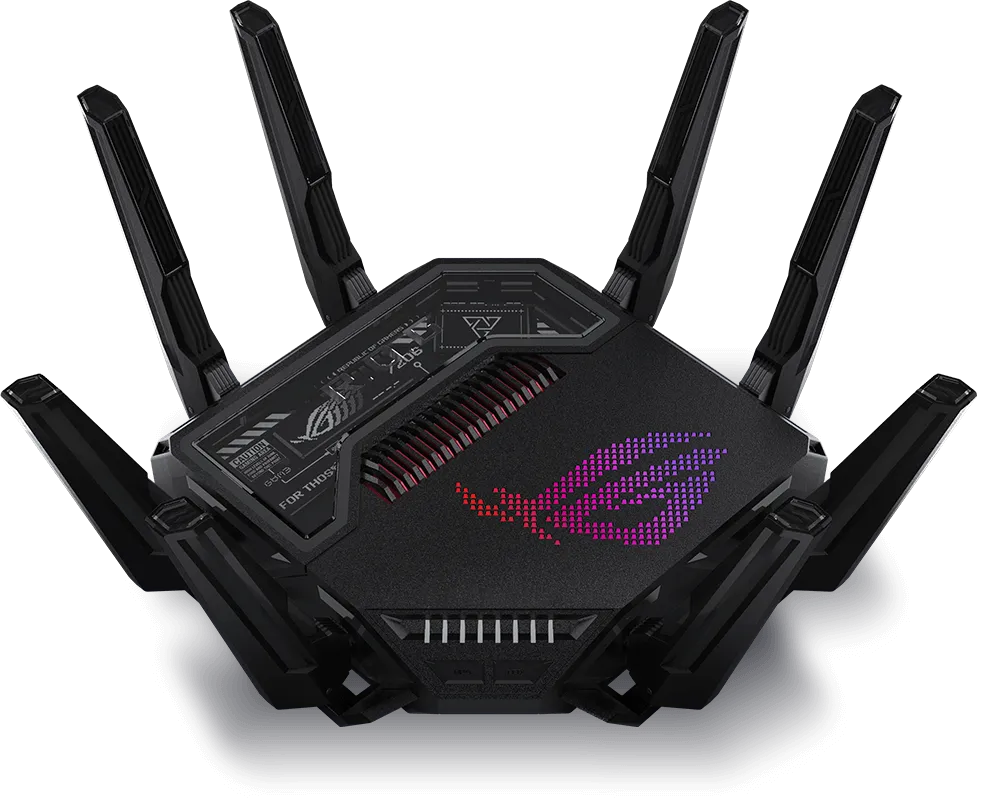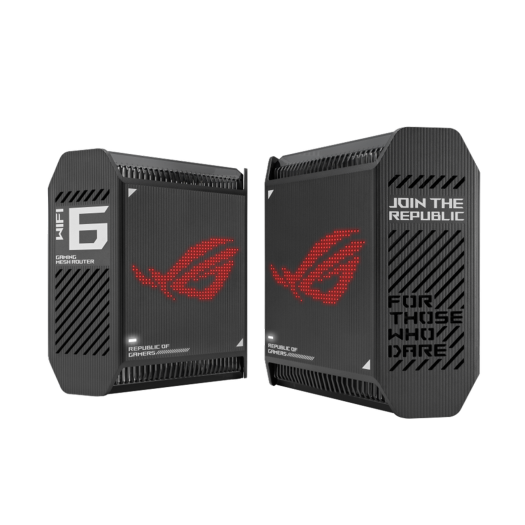
The ASUS ROG Rapture GT6 is a tri-band Wi-Fi 6 mesh system with a clear gaming identity: ROG styling, configurable Aura RGB lighting and tools for prioritising game traffic. I see its combination of coverage, features and design as an attractive option for gamers and busy households. Whether it fits your home depends on the backhaul path, your clients and the wired connections you need.
Wi-Fi 6, or 802.11ax, supports efficiency features such as OFDMA and MU-MIMO. They can help compatible devices share airtime, but no Wi-Fi generation guarantees congestion-free operation or zero gaming lag. Wi-Fi 6 is also no longer the newest generation; the GT6 should be judged on what it supplies rather than that label.
Verified GT6 Specifications
The figures below come from ASUS's GT6 specifications. They describe advertised capabilities, not measured application throughput in a particular house.
| Feature | Specification |
|---|---|
| Wireless bands | 2.4 GHz plus two 5 GHz radios; Wi-Fi 6, with no 6 GHz radio. |
| Advertised radio rates | 574 Mbps at 2.4 GHz; 4,804 Mbps on each 5 GHz radio. |
| Radio configuration | 2x2 at 2.4 GHz; 4x4 on both 5 GHz radios, up to 160 MHz where permitted. |
| Ports per unit | One 2.5 Gigabit WAN, three Gigabit LAN, one USB 3.2 Gen 1x1. |
| Processor and memory | 1.7 GHz tri-core; 512 MB DDR4 RAM and 256 MB flash. |
| Antennas | Nine internal antennas. |
| Dimensions and weight | 172.3 x 78.1 x 176.75 mm; 880 g per unit. |
What AX10000 and Tri-Band Mean
The three advertised radio rates add to 10,182 Mbps, rounded into the AX10000 product class. A phone or laptop does not combine all three into a 10 Gbps download. Its own spatial streams, channel width, signal conditions and selected radio limit its connection, and useful throughput is lower than the negotiated wireless rate.
The important feature for wireless mesh is the second 5 GHz radio. It supplies an inter-node backhaul option separate from the main client radio. A client connected to a satellite still depends on that satellite's path to the primary router. If the backhaul crosses difficult walls or floors, a fast local client link cannot compensate for a weak onward connection.
ASUS promotes the expanded 5.9 GHz UNII-4 spectrum for additional 160 MHz backhaul options, but its product page explicitly says regional regulations can restrict both UNII-4 availability and 160 MHz operation. This is part of the 5 GHz range, not Wi-Fi 6E's 6 GHz band. It is not universally available or inherently immune to every source of interference.
Confirm your region, firmware and permitted settings before making a purchase around that feature. A narrower channel may sometimes be more consistent in a crowded environment. Look at the client link and the node link separately when testing changes, because they solve different parts of the connection.
Coverage, Placement and Design
ASUS advertises coverage up to 5,800 square feet for its mesh offering. Treat that as a planning claim, not a promise that every multi-storey building has no dead zones. Check which pack the retailer supplies; GT6 specifications list both one- and two-unit variants. Do not attribute a multi-node coverage figure to every individual unit.
The internal antenna arrangement and ASUS's Smart Antenna feature are intended to improve the node connection. They do not make walls transparent. Place a wireless satellite where it still receives a useful upstream signal, rather than at the very edge of the existing dead zone. Keep units ventilated and away from enclosed metal cupboards.
The ROG chassis and Aura lighting make the GT6 a statement piece, which is part of its appeal to me. The physical size also deserves attention: leave space for the power supply, cables and airflow. An unobtrusive network installation may have different priorities from a visible gaming setup.
Wired Connections and LAN Aggregation
The port arrangement is one 2.5 Gbps WAN plus three 1 Gbps LAN ports per unit. A fast incoming internet connection can benefit multiple devices, but a single device on an ordinary Gigabit LAN connection remains constrained by that connection. This is an important consideration if your homelab depends on multi-gigabit NAS transfers.
LAN aggregation can combine two compatible links into a logical connection. It requires support and configuration at both ends; plugging in two ordinary cables is not sufficient. ASUS's aggregation FAQ illustrates multiple computers sharing extra NAS bandwidth, with theoretical figures rather than measured guarantees. Do not assume one file transfer gains a combined 2 Gbps simply because two links are present.
That FAQ also distinguishes the primary AiMesh router from a node: the documented aggregation capability is not automatically copied to satellites. Check the actual operating mode and current supported settings. Plan port use before dedicating interfaces to a NAS, backhaul or switch.
The Gaming Features in Context
ASUS describes three acceleration levels: gaming-device/port priority, Game Boost adaptive QoS, and WTFast game-server routing. OpenNAT is a separate feature for game port-forwarding profiles; it is not the definition of that third routing level.
- Device priority: The marked gaming port and supported ROG utilities help identify priority devices. This is useful when competing traffic exists, not a claim about bypassing every software or hardware queue.
- Game Boost: Prioritising game packets can address competition within the router's control. It cannot remove game-server load, distant network congestion or a weak wireless connection.
- WTFast: An alternate route may help some supported games and locations. ASUS's product material states trial limits and optional paid upgrades; it is not a free, unlimited reduction in ping for every game.
OpenNAT can simplify a supported forwarding profile. It cannot guarantee an open NAT result if the upstream connection uses carrier-grade NAT or another router still blocks the path. First identify your WAN arrangement and the game's actual connectivity problem. Opening ports unrelated to that need adds complexity without fixing radio interference.
Security and Maintenance
The GT6 includes AiProtection Pro powered by Trend Micro and supports WPA3 Personal. Learn why WPA3 is important. ASUS markets the network security subscription as included, but threat filtering does not guarantee every device or download is safe. Keep endpoint software and router firmware maintained, and review privacy terms for features that use external services.
Use a strong administrator password, appropriate wireless authentication and a configuration backup before significant changes. The specification's operating-mode caveats matter too: enterprise wireless authentication is listed for single-router operation, with an AiMesh restriction. Check the required feature in the mode you intend to use.
Comparing Mesh Options
If you are comparing the GT6 with ZenWiFi XT8, XT9 or newer systems, use the current regional specifications rather than assuming that a larger AX number doubles a laptop's speed. Compare radio roles, the intended backhaul, port speeds, pack size, firmware support and the cost of the complete installation.
For a wired homelab, Ethernet ports and the path to your storage may matter more than RGB or gaming profiles. For a home without cabling, the satellite's wireless link may be the deciding factor. Check whether your intended clients can use the advertised channel width before paying for an advantage they cannot negotiate.
Who Is It For?
My positive view of the GT6 is strongest for someone who wants a gaming-focused mesh system and will use its coverage, prioritisation and styling together. Its premium positioning and footprint remain trade-offs. Determine whether your current problem is Wi-Fi coverage, local congestion, a wired bottleneck or the internet service before choosing the remedy.
Conclusion
The GT6's combination of tri-band Wi-Fi 6 and ROG features makes it an appealing option in my view. Match that appeal to a realistic placement and port plan, and check performance with your own clients during both idle and busy periods. Those observations will tell you far more about smooth gaming than the aggregate AX10000 rating alone.