Before installing services in a home lab, it helps to understand the environments they run in. Our introduction to containers explains the general idea. We prefer Docker for many application installations because its packaging and deployment workflow is easier for those tasks. That is a practical preference, rather than a rule that every service belongs in Docker.
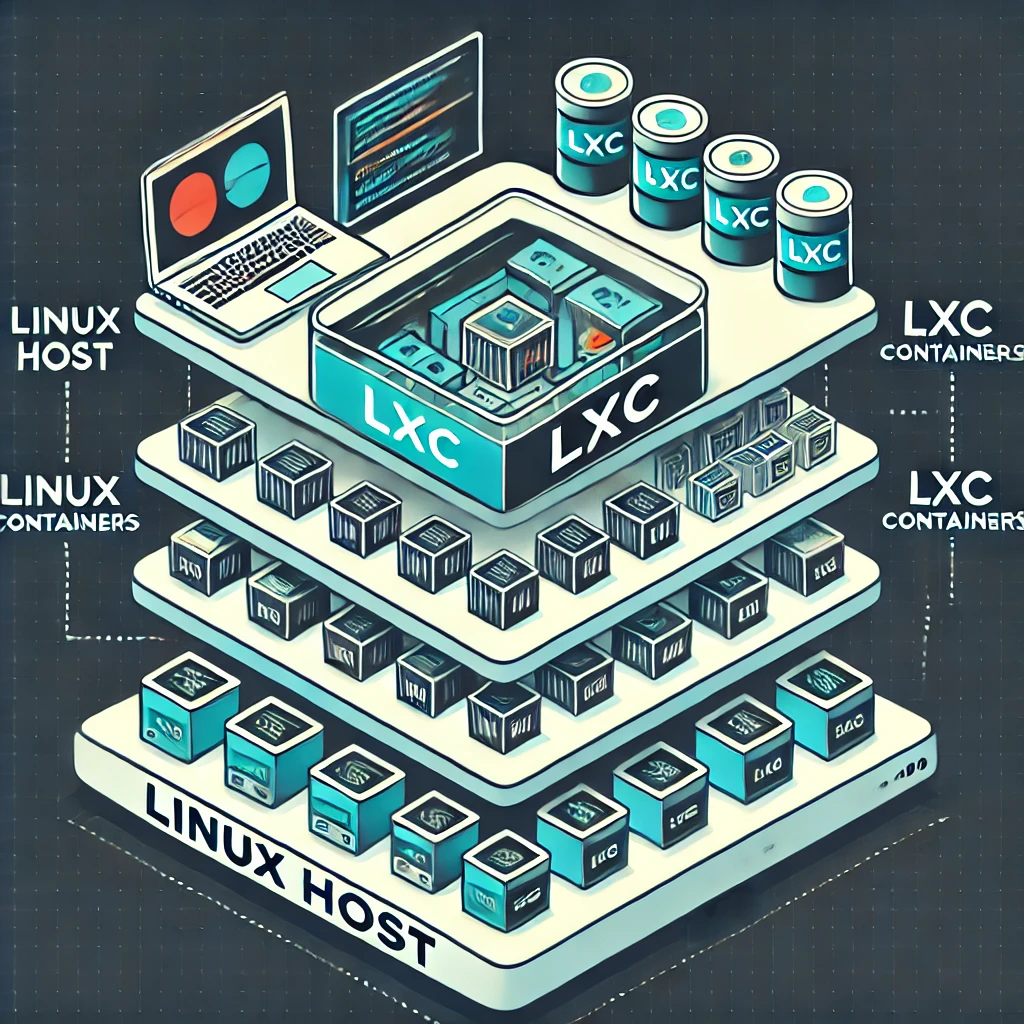
Linux Containers, or LXC, offer another useful approach. In Proxmox VE, they commonly provide a Linux system environment that you can administer much like a small server. They share the host's Linux kernel rather than booting a separate kernel as a virtual machine does.
What Is an LXC Container?
Imagine separate rooms in one house. Each has its own contents, but the building's structure and utilities are shared. An LXC container similarly has its own processes, filesystem view and configured networking, while relying on the host kernel and hardware resources.
A system container can contain a distribution's userspace, package manager and service manager. It is not a bare-metal installation and it is not a complete independent operating system with its own kernel. For example, a Linux distribution inside a container still uses the host's kernel rather than the kernel its ordinary installer might supply.
This distinction matters when software expects special kernel modules or a different operating system. Proxmox LXC containers run Linux userspace; they cannot provide a Windows or FreeBSD kernel. A virtual machine is the appropriate comparison when a workload needs its own kernel.
How Isolation and Resource Limits Work
LXC's technical introduction describes kernel namespaces, control groups, capabilities, security profiles and syscall filtering. Namespaces separate views of resources such as processes and networking. Control groups help account for and limit resources. Additional restrictions reduce what container processes can ask the host to do.
Sharing a kernel usually reduces overhead compared with booting a separate guest OS, but applications still need CPU time, memory, storage and I/O. A database with a large workload does not become inexpensive merely because it runs in a container. Set sensible limits and monitor the host as well as each guest.
Isolation is also a configured boundary, not a promise that one workload can never affect another. Excessive disk use, storage delays, shared services and a host failure can affect several containers. A host kernel vulnerability can matter across those boundaries, so keep both the host and the container's packages maintained.
LXC, Docker and Virtual Machines
| Approach | Common workflow | Main boundary |
|---|---|---|
| LXC system container | Administer a Linux userspace with packages and services | Shares the host Linux kernel |
| Docker application container | Deploy an application image and configure its persistent data | Container isolation, with the underlying host environment still important |
| Virtual machine | Install and administer a guest operating system | Runs its own kernel through virtualized hardware |
These are common patterns, not strict limits on the number of processes. LXC can support application containers, and a Docker container can run more than one process. For maintainable deployments, however, an application-image workflow often separates components such as the frontend and database into different containers.
Our Docker preference remains useful for applications with well-maintained publisher images and clear upgrade instructions. An LXC system container is attractive when you want a small Linux server with several related services or a distribution package manager. A VM offers a stronger separation boundary and supports workloads that need a different kernel, though its isolation still depends on configuration and host security.
Where LXC Fits in a Home Lab
- Small services: run a supported Linux package without installing it directly on the hypervisor.
- Learning: practise userspace administration, service management and network configuration.
- Testing: keep an application's configuration separate from another guest, while remembering shared-host and network dependencies.
- Several managed environments: administer lightweight guests through Proxmox's storage, network and management interfaces.
Choose based on application support, access requirements, recovery needs and your ability to maintain the result. A trusted internal network does not automatically justify granting a container privileged host access. Conversely, a VM can be the simpler choice when a container workaround would require several weakened restrictions.
Privileged and Unprivileged Containers
Proxmox defaults to unprivileged containers at creation. User namespaces map the container's root identity to an unprivileged host identity. The exact mapping is configuration-dependent; a commonly seen host UID such as 100000 is not the same thing as the standard nobody account.
A privileged container does not provide that same user-namespace mapping for root. Other restrictions may still apply, but its boundary is weaker. Do not interpret unprivileged as immunity to kernel exploits, or privileged as meaning every process automatically has unrestricted access to the host. Prefer the default unless a documented requirement justifies a different design.
File permissions require attention when sharing host data. A UID inside an unprivileged container may map to a different UID on the host. Check ownership and the necessary access rather than resolving every permission error by enabling privileged mode or making a directory writable to everyone.
Storage and Backups in Proxmox
A storage-managed mount point and a host bind mount are different. Proxmox can include suitable managed volumes in a container backup when configured to do so. The contents of bind mounts and device mounts are excluded from vzdump container backups, even though the container configuration refers to them.
For example, attaching a host media directory does not mean a backup of the container also contains the media. Back up that external data separately and document its permissions and mount dependencies. Check the Backup option on managed mount points and verify what the job actually includes.
A useful restore test recreates the application and its data in an isolated environment, with any required external storage available. Avoid restoring a duplicate network identity directly onto the live network. A successful archive creation alone does not prove the complete service can be recovered.
Inspect the Actual Container
The Proxmox host's pct command can list and inspect containers. This Bash example selects an ID from your own list rather than changing a guessed container or mount path:
pct list
read -r -p 'Container ID from the list to inspect: ' ct_id
if [[ ! "$ct_id" =~ ^[0-9]+$ ]]; then
  printf '%s\n' 'Enter a numeric container ID.'
else
  pct config "$ct_id"
fi
Review its privilege setting, network, resources and mount points before deciding on a change. These commands inspect configuration; they do not create a container, add a host directory or enable nesting.
Nested Docker and Newer OCI Support
Docker inside LXC introduces another configuration layer. Nesting and feature permissions can expose additional host interfaces, and compatibility depends on the host, runtime and storage. It should not be enabled universally from a copied example.
The Proxmox 9.2 documentation also describes OCI application-image support as a technology preview, converting images onto its LXC stack. That is a newer option, separate from the traditional system-container explanation above. The same current guide continues to recommend nested containers in a QEMU VM for use cases requiring maximum isolation and live migration. Check your installed release's documentation before adopting a preview workflow.
Conclusion
LXC is a useful way to run and learn about Linux environments with low virtualization overhead. Its value comes from understanding the shared kernel, privilege mapping, resource limits and actual backup coverage. Preserve a clear recovery plan and choose Docker, LXC or a VM according to the workload.
Explore the original TurnKey Linux reference, current Proxmox Container Toolkit guide and Docker's container explanation for further reading.