We are Raspberry Pi fans, so an official accessory that also works with other devices is worth a closer look. Raspberry Pi launched its 45 W USB-C Power Supply on 7 April 2025, adding higher-voltage USB Power Delivery profiles and a longer cable. It is a nifty option for a Pi desk and compatible phones, tablets or laptops, provided their power requirements match.
The important detail is that 45 W is not the power available to a Raspberry Pi at 5.1 V. The supply offers up to 5 A at that voltage, or 25.5 W. The larger headline rating describes other negotiated profiles. Understanding that distinction helps you decide whether this supply is useful for your setup or whether the official 27 W model already meets the need.
The Available Output Profiles
The current official specification lists five profiles. Power is voltage multiplied by current; these are maximum output capabilities, not five simultaneous outputs.
| Profile | Maximum calculated power | Meaning |
|---|---|---|
| 5.1 V, 5 A | 25.5 W | The relevant high-current profile for Raspberry Pi 5 |
| 9 V, 5 A | 45 W | Available to a compatible device that negotiates it |
| 12 V, 3.75 A | 45 W | Available to a compatible device that negotiates it |
| 15 V, 3 A | 45 W | Available to a compatible device that negotiates it |
| 20 V, 2.25 A | 45 W | Useful for compatible higher-voltage devices, including some laptops |
A connected device selects a supported power arrangement; a higher-capacity supply does not force every device to consume its maximum output. USB Power Delivery provides negotiated power management. The receiving device's requirements and supported profiles still matter.
What Changes for a Raspberry Pi?
Raspberry Pi's release announcement says Pi users receive the same relevant supply modes as before: 5.1 V/3 A for Pi 4 and 5.1 V/5 A for Pi 5. A Pi 5 does not switch to 20 V to take advantage of the 45 W label. Nor does replacing a suitable official 27 W supply increase the CPU's clock speed or automatically allow more bus-powered accessories.
The 27 W product specification also gives 5.1 V/5 A, or 25.5 W, for its main output. Its higher-voltage profiles are lower-powered than the new supply's. The upgrade is therefore particularly interesting if the same charger must also serve another compatible USB-C device.
If your existing Pi installation is stable on a suitable supply, the 45 W model is a choice for versatility rather than a required performance upgrade. If you are replacing an unsuitable supply, better power delivery can resolve power-related problems, but cannot cure unrelated software, storage or cooling faults.
The USB Peripheral Budget
The Pi 5 hardware documentation distinguishes the input supply from downstream peripheral limits. With a compatible supply detected as capable of 5 A at approximately 5 V, the board raises its USB peripheral current limit from 600 mA to 1.6 A. That is an aggregate budget, not 1.6 A for each socket, and the documentation notes that it is shared with the fan header.
Both a suitable 27 W supply and this 45 W supply provide the relevant high-current profile. More available current at 9 V or 20 V does not change the Pi's downstream USB circuitry. Plan for the actual peripherals, including startup demand from drives, rather than adding their advertised average consumption alone.
For a storage-heavy project, check the drive enclosure's power requirements and the HAT's instructions. An NVMe HAT may draw through a different board power path from a USB drive, so their budgets are not interchangeable. Where high-demand USB devices exceed what the Pi can provide, use a suitable externally powered hub or separately powered enclosure.
Phones, Tablets and Laptops
The higher-voltage profiles broaden this adapter's usefulness beyond a Pi. A device that accepts one of them can draw an appropriate amount of power, up to the profile limit. Before buying it for a laptop, check that model's minimum input requirements and normal charger rating. A USB-C socket does not establish that a 45 W adapter meets its needs under load.
Likewise, a phone advertising rapid charging may require a particular charging protocol or voltage arrangement. Compare the supported modes rather than assuming that every phone receives its advertised fastest charging rate from any 45 W supply. Charging speed also changes with the device's own battery state and temperature management.
USB-IF guidance distinguishes USB-C's connector from USB Power Delivery and USB data standards. This wall adapter is a power source; its connector does not turn it into a data link, display dock or faster USB controller.
Cable, Plug and Power Planning
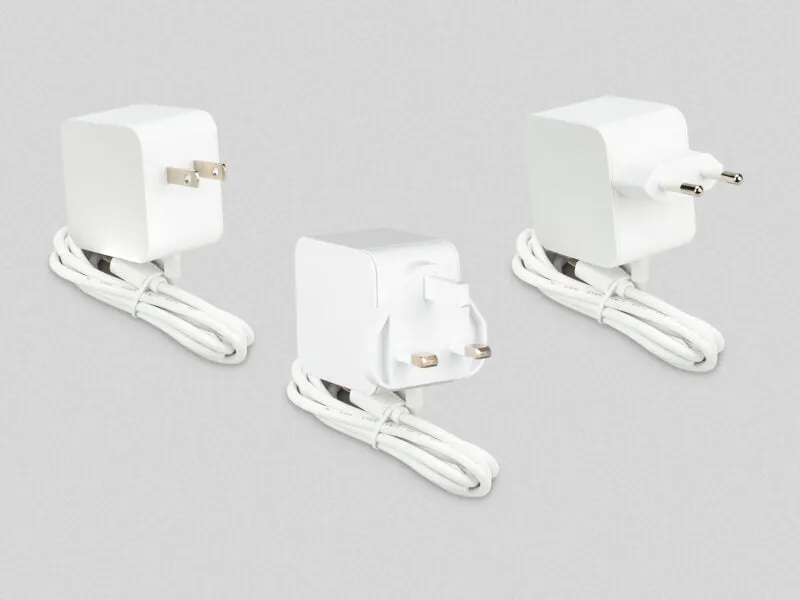
The product specification lists a 1.5 m, 17 AWG cable and 100–240 V AC input, with region-specific mains plug variants. Choose the appropriate plug for your socket. The longer lead is convenient when placing a board or laptop on a desk, but an added extension or adapter introduces another connection to evaluate.
For a compact desktop, separate what the Pi powers from what needs its own supply. A monitor, powered hub or external drive may have independent requirements. A charger connected to the Pi does not distribute power to every item nearby simply because its maximum rating is larger.
For a cluster, this is one USB-C output, not a multiport distribution system. Several boards need an appropriate power arrangement for each node or a deliberately designed distribution solution. Do not treat 45 W as a blanket guarantee for multiple Pi boards, motors or external graphics hardware.
Checking Power Problems
Begin with the board's documented supply and a minimal peripheral setup. Add devices gradually and observe whether issues appear at startup, during disk activity or during a sustained workload. A drive disappearing under load deserves investigation rather than an immediate assumption that all USB devices are unreliable.
On Raspberry Pi OS, vcgencmd get_throttled reports current and previously recorded conditions such as undervoltage and throttling. The official utility documentation explains the bit flags. A historical flag is not the same as a condition currently active, and a temperature-related limit is not proof of a faulty supply.
If removing a high-demand peripheral changes the symptoms, check that peripheral's power arrangement and consider a powered hub. Keep the distinction between supplied power, board limits and actual workload clear. A successful boot alone does not establish reliable operation with every accessory attached.
Product Brief Document
The product brief provides the supported output profiles and physical information. Keep it alongside the receiving device's specification when planning compatibility.
Official product brief PDF download | Official product information and approvals
Choosing the Supply
I like the broader usefulness of this official supply: the same accessory can support a Pi and a compatible higher-voltage device at different times. Its longer cable is also welcome. For a Pi alone, compare it with a suitable 27 W supply rather than expecting the headline wattage to unlock extra board performance.
The original launch price was US$15; check the current regional price, taxes and availability before ordering. Buy for the voltage/current profiles, connector and intended devices. Those details are more useful than assuming compatibility with every future board or every accessory.
Read the Official Release Statement | View on the Official Raspberry Pi Store