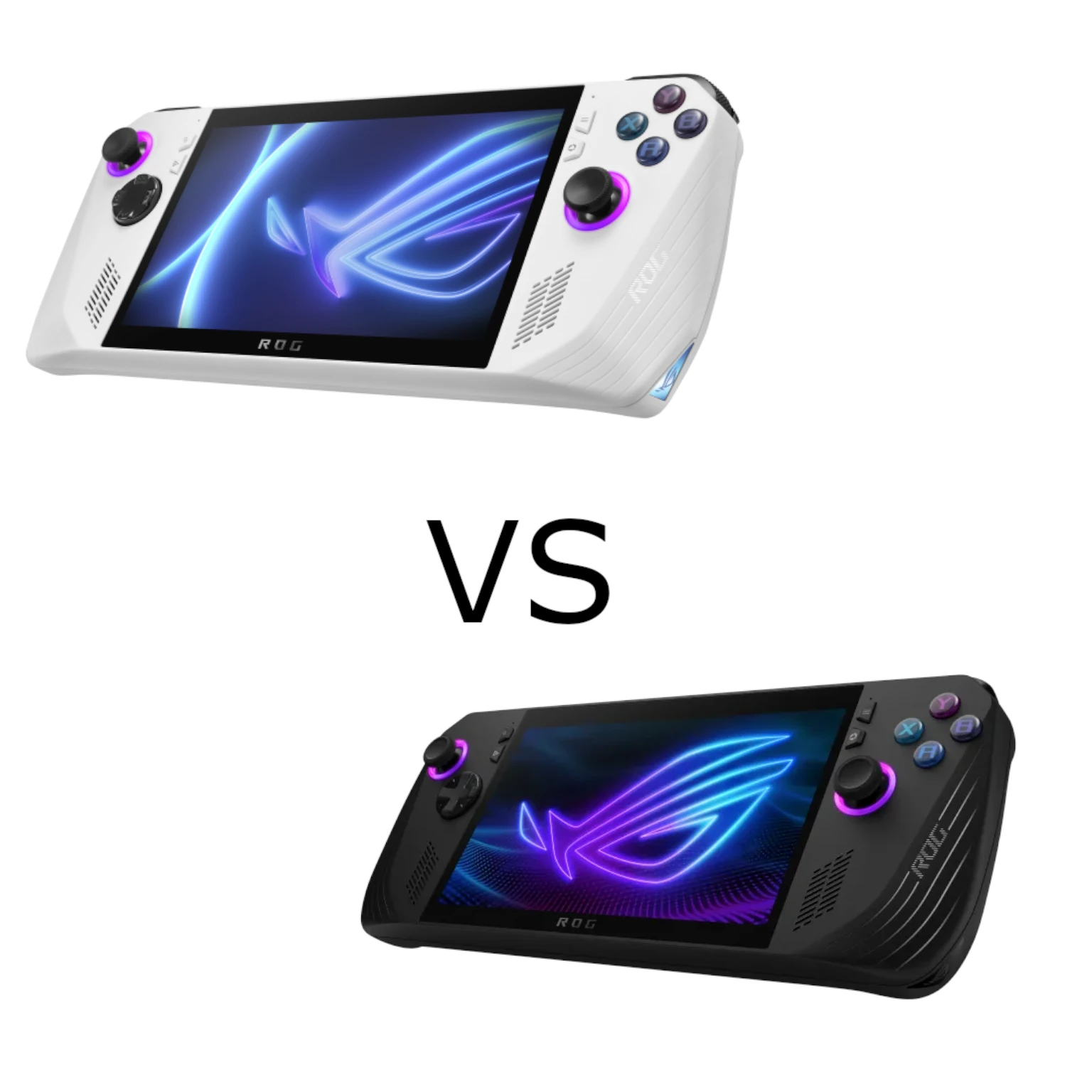
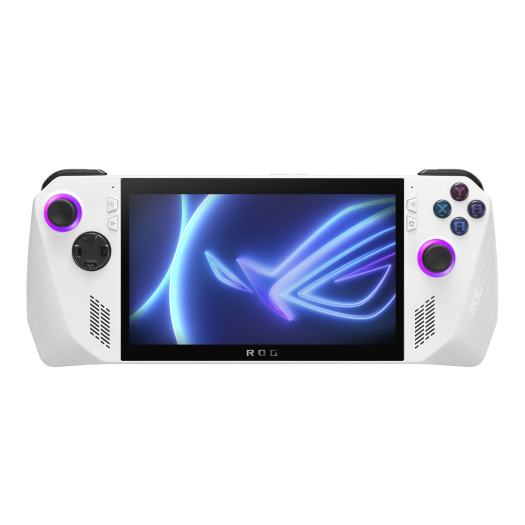
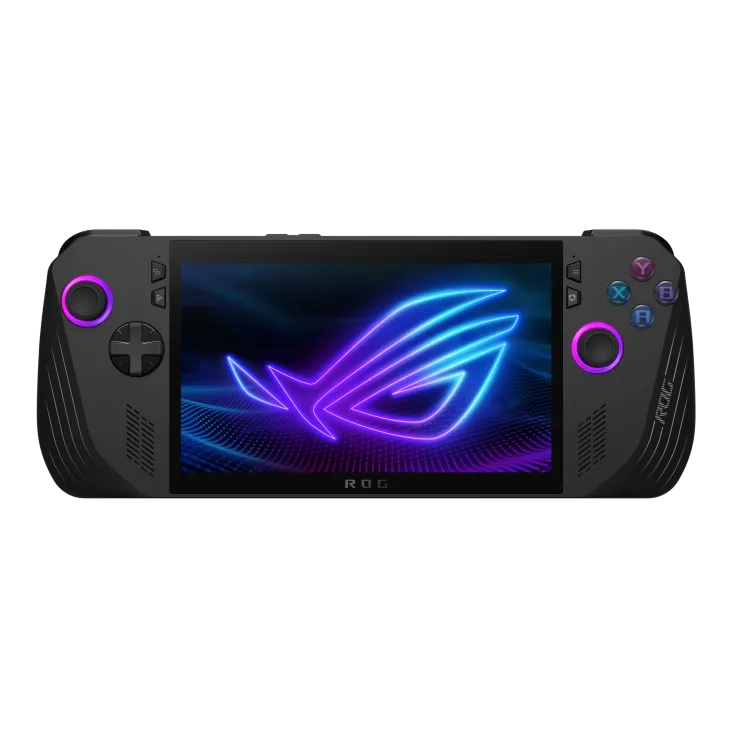
ASUS's ROG Ally and ROG Ally X bring PC gaming into a handheld format. They run Windows and combine a touchscreen with gamepad-style controls, giving you more software choices than a single console ecosystem. The decision still depends on the games you enjoy, your budget and how often you play away from a socket. A cheaper Ally can be an appealing entry point; the Ally X is worth a closer look when battery capacity, memory and convenient connections matter.
This comparison covers the original 2023 ROG Ally and the 2024 ROG Ally X. Check those model years carefully when shopping, because later ROG Xbox Ally products are separate models. Also check whether an original Ally listing has the Ryzen Z1 or Z1 Extreme processor: they are different configurations, not interchangeable names.
First choose the right processor comparison
AMD's Ryzen Z1 has six CPU cores, twelve threads and four RDNA 3 graphics compute units. The Z1 Extreme has eight cores, sixteen threads and twelve RDNA 3 compute units. Both use RDNA 3 graphics. An Ally X compared with a base Z1 Ally therefore has a processor difference; an Ally X compared with the original Z1 Extreme Ally uses the same processor model.
For the Z1 Extreme comparison, the Ally X's improvements are mainly around that shared chip: more and faster memory, a larger battery, storage changes, controls and connectivity. These can affect the experience, but they are not proof of a fixed frame-rate advantage at every power setting. Compare the same game, resolution, graphics settings, driver version and operating mode when reading performance results.
Shared features and important specifications
Both models provide a seven-inch 1920 × 1080 touchscreen, up to 120 Hz refresh and FreeSync Premium variable refresh rate. A 120 Hz display can show frequent updates when a game produces them; it does not guarantee that a demanding game runs at 120 frames per second. The built-in controls, audio jack, microSD reader and wireless networking make them versatile portable PCs.
| Feature | 2023 Ally Z1 Extreme | 2024 Ally X |
|---|---|---|
| Processor | Ryzen Z1 Extreme | Ryzen Z1 Extreme |
| Memory | 16 GB LPDDR5-6400 | 24 GB LPDDR5X-7500 |
| Battery capacity | 40 Wh | 80 Wh |
| Launch storage / SSD format | 512 GB NVMe / M.2 2230 | 1 TB NVMe / M.2 2280 |
| USB connectivity | One USB-C USB 3.2 Gen 2 in the XG Mobile combo interface | One USB 3.2 Gen 2 USB-C and one USB4 USB-C with Thunderbolt 4 compliance |
| Weight | 608 g | 678 g |
| Cooling | Dual fans | Redesigned dual fans and additional ventilation |
The table uses the comparable Z1 Extreme original and the Ally X launch configuration. ASUS now lists additional regional storage configurations, so confirm the exact SKU rather than assuming every box contains the same SSD. For broader background, see the ROG Ally article and ROG Ally X article.
Memory and storage: what the extra capacity means
The integrated graphics shares system memory rather than having a separate physical bank of dedicated VRAM. Ally X has 50% more total memory than the original's 16 GB. That offers more room for games and the operating system, but it does not guarantee freedom from stutter. Game requirements, background applications, settings and software behaviour still matter.
For example, reserving 8 GB from a 24 GB pool leaves 16 GB for other uses before further overhead. That arithmetic is not a recommendation to use the same allocation for every game. Start with the supported settings and check the title's behaviour, rather than assuming the largest fixed graphics allocation always produces the best result. The memory is onboard, so choose the capacity as part of the device purchase.
Both SSDs can be replaced with suitable drives, but their physical formats differ. The original uses compact M.2 2230 NVMe storage; Ally X uses the longer M.2 2280 format. Check the vendor's upgrade guidance and exact drive fit before purchase. Do not assume every high-capacity 2280 SSD has suitable thickness, power and thermal characteristics. Keep a backup of local files and saves and plan the OS reinstall or migration before opening the device.
Battery capacity and realistic playtime
The change from 40 Wh to 80 Wh is a major reason to consider Ally X for portable use. Twice the rated energy capacity can provide longer playtime under comparable conditions, but actual runtime depends on the whole device's power use and the battery's condition. Screen brightness, game load, frame-rate limits, wireless activity and the selected power profile all affect the result.
An APU's power setting is not the complete handheld's battery drain. Divide capacity by total measured consumption only as an estimate, with room for usable-energy and conversion differences. Check results for your actual game and intended settings rather than relying on a universal hours-per-charge claim. For a used original Ally, battery wear can also change the practical comparison.
If you usually play near a socket, the larger battery may be less valuable than the purchase-price difference. If you travel, include the charger or power bank and its cable in the carrying weight and cost. Confirm the required USB Power Delivery capability; a charger that fits physically does not necessarily supply the intended power profile.
Ports, docks and external GPUs
Ally X's second USB-C port makes it easier to connect an accessory while charging. Its USB4 port supports compatible Thunderbolt devices, whereas the other USB-C port is USB 3.2 Gen 2. The ports are not equivalent for every dock or external GPU. Match the accessory to the appropriate connection and check charging, display and driver compatibility.
The original's proprietary XG Mobile interface is absent from Ally X. If you already own an accessory using that connection, do not assume it plugs directly into the new device. A compatible USB4 external GPU setup also involves an enclosure, graphics hardware and software; it is an additional investment rather than a free desktop-performance upgrade. Consider whether a docked handheld is actually the setup you need.
Controls, cooling and Windows use
ASUS redesigned the Ally X's grips, rear buttons, joysticks and D-pad. Those changes are appealing for longer gaming sessions, but comfort depends on your hands and posture. The extra 70 grams is also worth feeling in person if possible. Hall Effect triggers listed in the specifications should not be confused with a claim that the launch model's joysticks are Hall Effect sticks.
Both handhelds have dual-fan cooling. ASUS describes revised fans and a third exhaust vent on Ally X; this does not establish a guaranteed noise level or permanent freedom from hardware faults. Keep the vents clear, and when buying used check controls, charging, ports and the microSD reader rather than relying on a cooling redesign as proof of every component's condition.
Windows offers access to multiple PC game stores, but a game still needs suitable hardware, drivers and usable input support. Some interfaces are easier with a keyboard and mouse. Updates, launcher logins, storage management and background tasks are part of ownership. Try the games you care about at realistic settings and confirm how their saves and offline access work before travelling.
Cloud gaming can reduce the local rendering and storage workload, but requires a supported service, game and region. Subscription entitlements vary, and an included PC Game Pass offer is not automatically a cloud-gaming subscription. Network quality affects streaming responsiveness. Check current service requirements and treat local installed play and streaming as different use cases.
Which one would I buy?
The original Ally remains an attractive budget choice for lighter games, cloud use or play close to wall power, provided the exact configuration and condition meet your needs. The Z1 Extreme version also deserves consideration for demanding games at suitable settings. Compare it separately from the lower-spec Z1 version when weighing a discounted or used offer.
I would favour Ally X when the larger battery, extra memory, storage format and two USB-C ports justify the local price premium. Those improvements support the more demanding portable-gaming use case that makes it appealing, but do not promise every new game at its highest settings. An existing Z1 Extreme owner can decide whether these practical changes solve a problem they actually have.
Check the official 2023 Ally page and official 2024 Ally X page against the exact SKU, warranty, accessories and price. Both can be excellent choices; spend on the features that improve the way you intend to play.