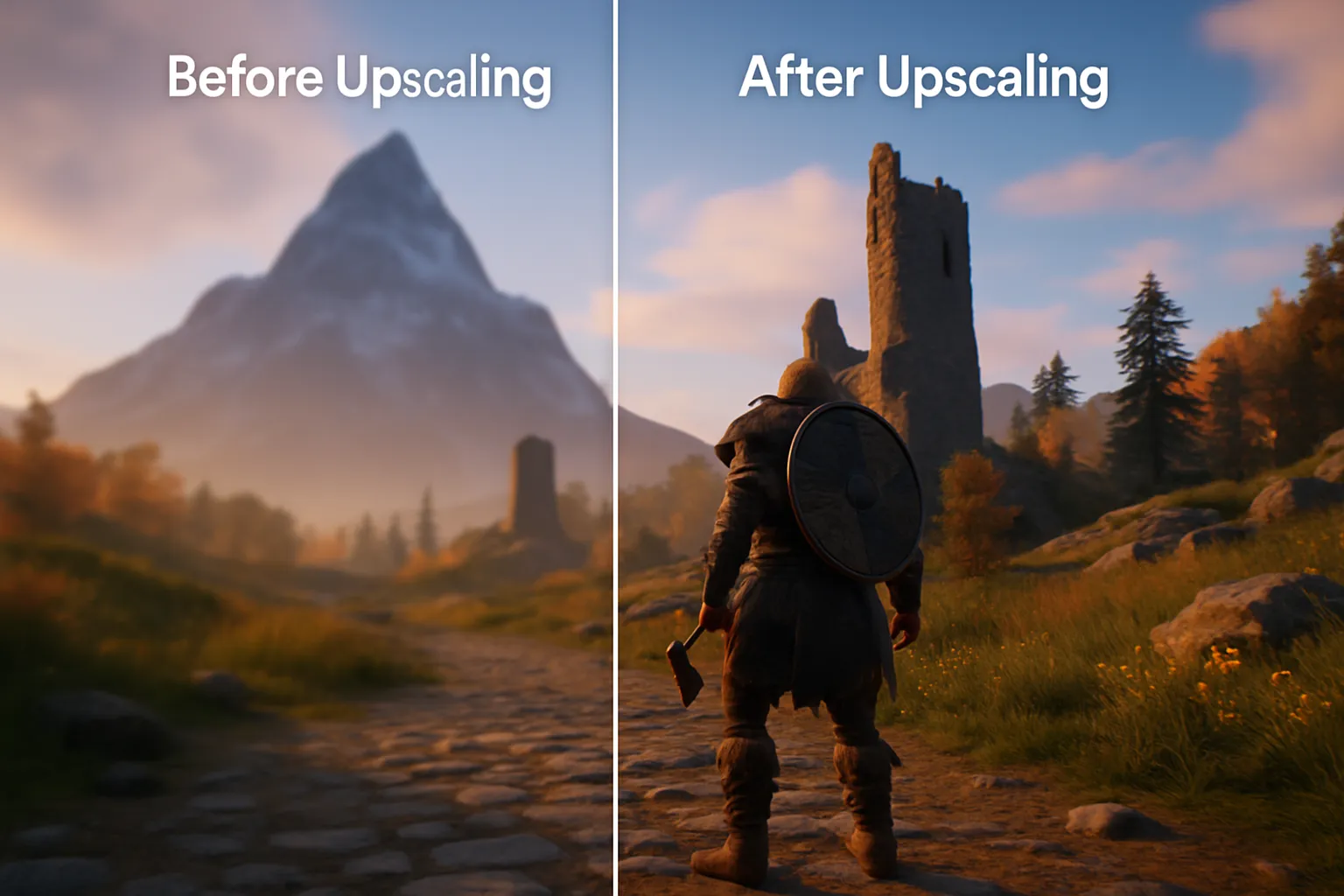
In modern gaming, GPU upscaling technologies allow graphics cards to render at lower resolutions and then intelligently scale images up to higher resolutions, often boosting performance with an image-quality trade-off that depends on the game, preset and implementation. The main upscaling solutions are Nvidia’s DLSS, AMD’s FSR, and Intel’s XeSS, each employing unique algorithms - AI reconstruction and spatial or temporal filtering, depending on the particular version - to deliver crisp frames. DLSS leverages dedicated Tensor Cores on GeForce RTX 20/30/40/50 series cards, FSR offers broad compatibility across AMD and competing GPUs, and XeSS runs on supported GPUs, including Intel Arc and compatible integrated graphics; it is not a CPU upscaling path. These upscaling technologies have revolutionized gaming by enabling smooth 4K and beyond gameplay while maintaining high frame rates, making them indispensable in modern video game development.
What Is GPU Upscaling?
GPU upscaling, also known as resolution enhancement, is the process of increasing the apparent resolution of an image or video by intelligently filling in missing pixels to match a higher display resolution. Unlike basic upscaling, which simply stretches and duplicates pixels, advanced GPU upscaling algorithms analyze image data to generate new pixel information that preserves detail and reduces artifacts. This allows games to run at lower internal render resolutions, easing the load on the GPU and resulting in higher frame rates without dramatically compromising visual fidelity.
How Does Upscaling Work in Broad Terms?
Upscaling works by taking a frame rendered at a lower resolution and using algorithms - ranging from spatial filters to machine learning models - to predict and generate data for additional pixels to create a higher resolution image. Some advanced upscalers also incorporate temporal data from previous frames, using motion vectors to align and combine pixel information over time for smoother, more consistent images. The complexity of these algorithms varies: simple spatial upscaling applies filters over neighbouring pixels, while AI-based upscalers employ neural networks trained on high-resolution images to infer missing detail and reconstruct sharper visuals.
Types of Upscaling
DLSS
Deep Learning Super Sampling (DLSS) is Nvidia’s proprietary AI-driven upscaling technology that uses dedicated Tensor Cores on RTX GPUs to upscale lower resolution frames to higher resolutions in real time. DLSS renders the game at a reduced resolution, then a trained neural network analyses spatial and temporal data - including motion vectors and information from past frames - to reconstruct a high-resolution image with enhanced detail and reduced aliasing. Since its introduction in 2018, DLSS has evolved through multiple versions - DLSS 1, DLSS 2, DLSS 3 (which added Frame Generation), and DLSS 4 (launched alongside GeForce RTX 50-series GPUs in 2025) - adding or refining features whose image-quality and performance results depend on the game and implementation. DLSS is available on all GeForce RTX 20, 30, 40, and 50 series GPUs introduced in 2025, with Frame Generation supported on 40 series or newer, and Multi-Frame Generation exclusive to the 50 series.
FSR
FSR is AMD’s family of upscaling and frame-generation technologies. The open-source FSR 1, 2 and 3 implementations support a range of GPUs, while later machine-learning features have their own hardware requirements. FSR 1.0 performs edge reconstruction using spatial filtering, while FSR 2 and later versions leverage temporal data and advanced algorithms for higher image quality, and FSR 3 introduced Frame Generation for smoother gameplay. FSR 1 is spatial, whereas FSR 2 and FSR 3 upscaling use temporal reconstruction; FSR 3 frame generation is a separate feature. Compatibility differs between these implementations and must be checked for the game, graphics API and driver. FSR 4 introduced ML-based upscaling, so the older cross-vendor compatibility claim must not be applied to every later FSR feature.
XeSS
Xe Super Sampling (XeSS) is Intel’s AI-based upscaling solution that employs deep learning models to reconstruct high-resolution images from lower-resolution inputs in real time. XeSS analyzes neighbouring pixels and motion-compensated data to infer missing details, potentially reducing rendering cost while reconstructing the output image. It is fully supported on Intel Arc GPUs with XMX AI accelerators, has supported integrated-GPU implementations, and can run on other supported GPUs through its cross-vendor shader implementation - extending support to a broad ecosystem of hardware. Preset scaling changes by XeSS version: Intel revised several ratios in XeSS 1.3 and added native anti-aliasing and additional presets. Identical names across different upscalers do not necessarily mean identical input resolutions.
GPU Compatibility
DLSS Super Resolution uses supported GeForce RTX hardware. Frame Generation and Multi Frame Generation have narrower requirements than upscaling, so a game advertising “DLSS” does not imply every feature runs on your card. FSR compatibility likewise depends on whether you mean the older spatial/temporal implementations or current ML features. XeSS-SR is GPU-based: check the supported graphics API, shader capabilities and driver, rather than the processor's marketing generation alone.
Impact on Gaming
Upscaling has fundamentally changed how games are developed and played, allowing developers to target higher resolutions like 4K or 8K without requiring prohibitively powerful hardware to maintain smooth frame rates. By offloading the heavy rendering workload and applying intelligent reconstruction, upscaling boosts performance, enabling richer graphics settings and smoother gameplay even on mid-range systems. This has led to more immersive gaming experiences, with features like real-time ray tracing becoming viable at higher resolutions when paired with upscaling technologies. As a result, upscaling is now a standard feature in modern game engines and GPU driver suites, and its continued evolution - such as AI-powered FSR 4 and DLSS 4 - promises further performance gains and quality improvements in future titles.
Conclusion
GPU upscaling technologies such as DLSS, FSR, and XeSS work by rendering games at lower resolutions and using sophisticated algorithms - from spatial filters to deep neural networks - to reconstruct high-resolution images with minimal performance cost. DLSS offers cutting-edge AI-driven upscaling on Nvidia's RTX hardware, FSR provides broad compatibility and free adoption for various cards, while XeSS brings AI upscaling to Intel Arc and beyond with flexible hardware fallbacks. These upscaling solutions have transformed gaming by enabling high-fidelity visuals at accessible performance levels, paving the way for more detailed and immersive experiences on a wider range of hardware. As GPU makers continue to refine these technologies and integrate new features like multi-frame generation and AI-powered enhancements, upscaling will remain crucial for pushing the boundaries of visual quality and performance in future games.
Version Changes: Check Each Feature Separately
DLSS 4 introduced transformer-based reconstruction and, on RTX 50-series hardware, Multi Frame Generation. The original DLSS 4 launch supported up to three generated frames per rendered frame; current DLSS 4.5 documentation describes dynamic generation and up to five. Super Resolution and generated-frame support are distinct, and an older supported RTX GPU does not acquire Blackwell's multi-frame capability simply by updating a reconstruction model.
AMD's current product page calls the ML feature FSR Upscaling and lists RX 7000 and RX 9000 support, while its broader Redstone feature suite has separate requirements. FSR 4 began with RX 9000 hardware; that launch boundary should not be treated as a permanent limit for every newer ML upscaling release. Use the current supported-hardware table and game list rather than an unofficial modification as proof of supported operation.
Intel's XeSS 2 suite separates Super Resolution, Frame Generation and Xe Low Latency. Cross-vendor support for XeSS-SR does not automatically establish support for every frame-generation path. Its developer guide identifies graphics API and GPU capability requirements, including a Shader Model 6.4 cross-vendor implementation and DP4a-related requirements; the inference runs on graphics hardware, not CPU instruction execution.
Upscaling, Generated Frames and Latency
Upscaling reconstructs one displayed image from a lower-resolution rendered input. Frame generation creates additional images between rendered frames. A high displayed FPS counter with generation enabled does not mean the game simulation or input sampling runs at that rate. Generated frames can improve perceived smoothness while still exposing artifacts, especially around UI elements, rapid movement and newly revealed surfaces.
Latency-reduction features such as Reflex, Anti-Lag and XeLL address another part of the pipeline. They can help reduce queuing in supported combinations, but do not make a low base frame rate respond exactly like the same number of fully rendered frames. Judge the combination through actual controls as well as a counter.
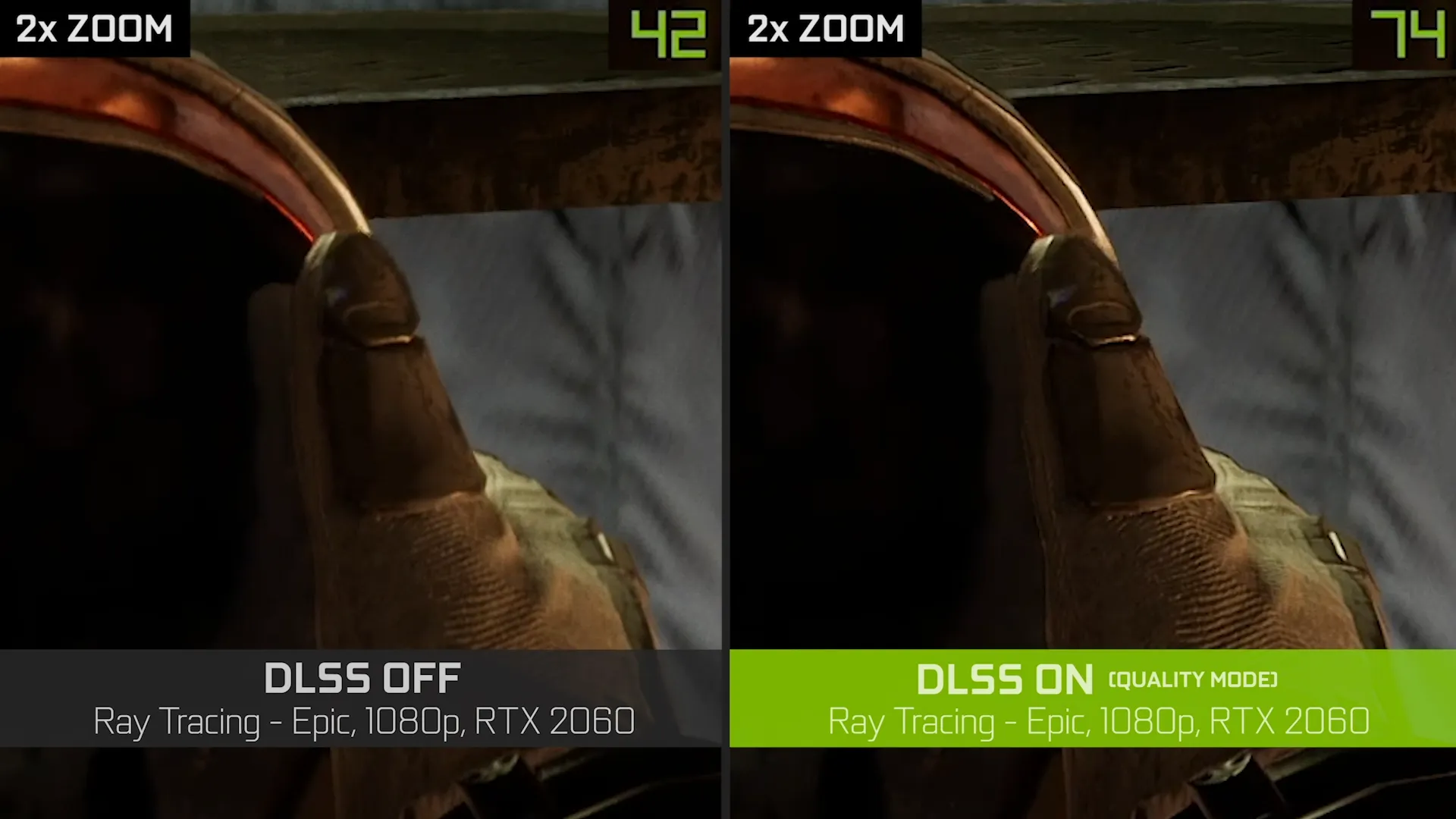
The DLSS image above shows a particular RTX 2060, 1080p ray-tracing comparison labelled 42 and 74 FPS. It illustrates a specific example rather than a performance guarantee for your hardware or a test performed for this guide. Static enlarged crops also cannot demonstrate motion stability.
Choose a Preset Through a Repeatable Test
- Use a repeatable scene at the same output resolution and graphics settings. Measure native rendering first with generation disabled.
- Try the highest-quality supported upscaling preset and compare frame times as well as average FPS. A CPU-limited game may gain little because reducing GPU rendering work does not remove its CPU bottleneck.
- Inspect fine wires, foliage, moving characters, transparent effects and text while moving the camera. Watch for shimmer, ghosting and disocclusion artifacts, rather than judging only a stationary screenshot.
- Lower the preset only if the additional performance is useful and the image remains acceptable at your viewing distance. Check the game's actual internal resolution; Quality and Balanced labels are not universal ratios.
- Enable frame generation separately and assess mouse/controller response, pacing and UI artifacts. A stable base rate helps, but there is no universal 55–60 FPS threshold that guarantees good results in every game.
Native anti-aliasing modes such as DLAA or FSR Native AA use reconstruction at native resolution where available; they are image-quality options rather than the same reduction in rendering resolution. Dynamic resolution can vary the input during play, so record whether it was active before comparing presets.