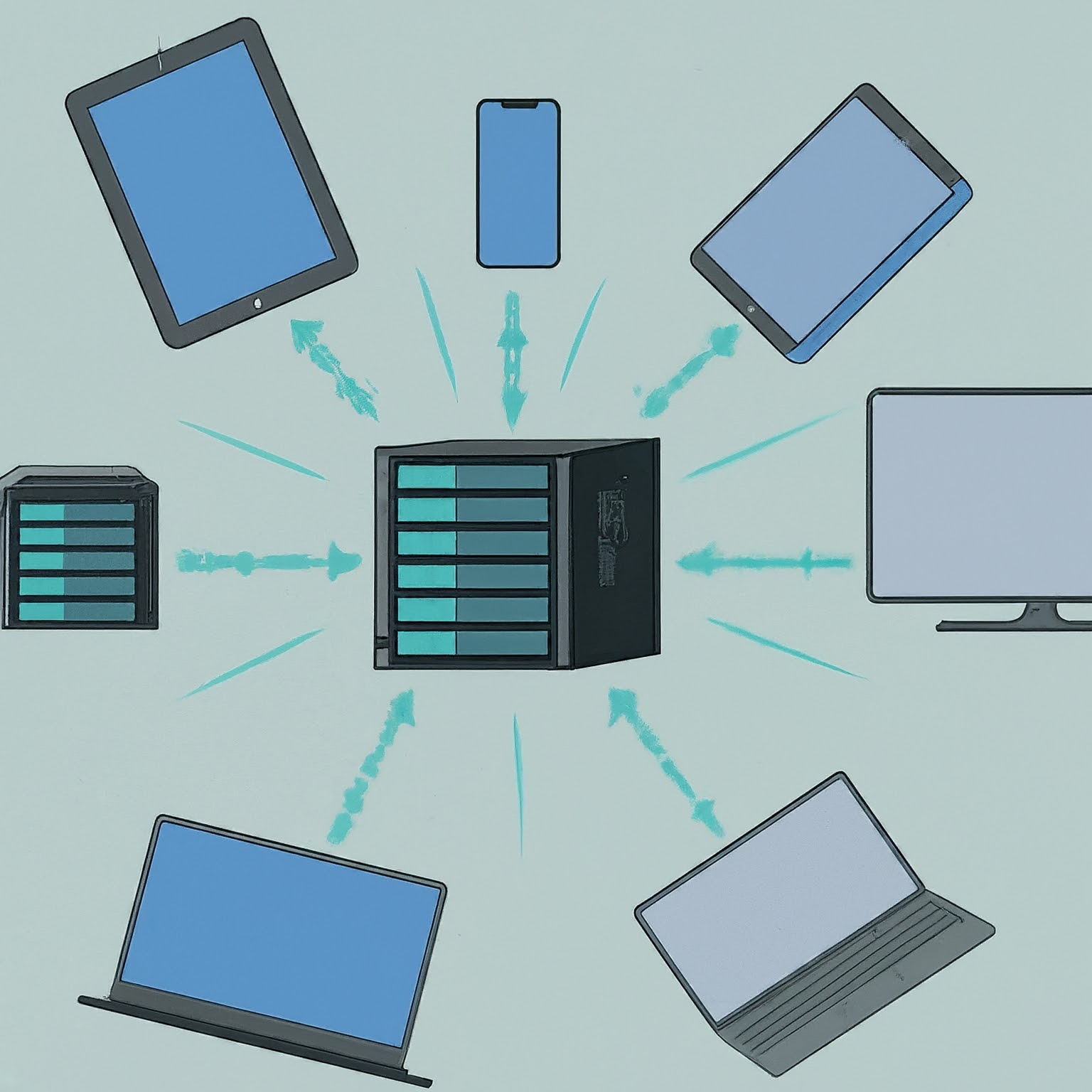
Link Aggregation, often called port bonding or teaming, is a powerful network feature designed to improve speed, redundancy, and overall reliability in certain devices and setups. If you’ve ever wondered why devices like NAS (Network-Attached Storage) systems, mini PCs, or even some motherboards come with multiple Ethernet ports, or how you can combine connections for better performance, this guide is for you!
What Is Link Aggregation?
Link Aggregation combines two or more network connections into a single logical connection. In conventional Ethernet aggregation, compatible ports form one logical interface between the device and its switch or peer. The group can provide aggregate capacity and redundancy. Combining unrelated internet connections through software is a different technique.
Imagine trying to fill a swimming pool with water using a single hose. It might take hours. But if you could connect multiple hoses, the pool fills faster. The analogy describes total capacity. A normal Ethernet aggregate usually keeps each traffic flow on one member, so a single transfer does not necessarily use every hose.
Why Do Devices Have Multiple Ethernet Ports?
- NAS Devices: These often store and share large files. Multiple Ethernet ports allow them to handle more data traffic or failover (a backup if one connection fails).
- Mini PCs: Compact but versatile, mini PCs often handle multiple tasks, such as streaming, file serving, or acting as firewalls. Ports may also serve separate LANs, a WAN connection or different security zones. Their presence does not establish that they should be bonded.
- Motherboards: High-performance PCs, especially for gaming or video editing, may support teaming for certain workloads. A second NIC does not increase the ISP plan or automatically improve gaming latency.
How Does Link Aggregation Work?
LACP (Link Aggregation Control Protocol) helps compatible peers negotiate which Ethernet links belong in an aggregate. The actual traffic distribution is a separate hashing decision made by each transmitting device. Here’s a simplified explanation:
- Setup Multiple Connections: Plan compatible Ethernet ports and a matching aggregation configuration on both ends.
- Aggregate the Links: Use software or hardware settings to bundle these connections into one logical link.
- Traffic Balancing: Data flows across the aggregated links in an optimized manner. If a member fails, remaining members can carry traffic after failure detection. A pause or dropped packets is possible, and the available capacity is reduced.
Considerations When Using Link Aggregation
- Switch Requirements: Many setups need a managed switch that supports LACP for Ethernet aggregation.
- Device Compatibility: Ensure that your device supports Link Aggregation in its operating system or firmware.
- Connection Types: Ethernet LACP, active-backup NIC bonding, SMB Multichannel and a bonding VPN have different requirements. Do not treat them as interchangeable ways to combine Ethernet and Wi-Fi.
- Cost and Complexity: Setting up Link Aggregation might require additional hardware, software, and time investment.
Pros and Cons of Link Aggregation
Pros
- Increased Bandwidth: Can provide more total capacity across suitably distributed flows.
- Redundancy: Remaining members can provide a surviving path when the topology and detection settings support it.
- Load Balancing: Can distribute flows, but does not remove storage, CPU, client or upstream bottlenecks.
Cons
- Complex Setup: Requires compatible hardware and software configurations.
- No Speed Doubling: A conventional single-flow transfer remains limited to one member. Applications using multiple connections may behave differently.
- Limited by Clients: The benefits depend on how well connected devices can utilize multiple streams.
How to Use Link Aggregation
Follow the documentation for the particular switch and operating system. Before changing a management interface, retain the existing configuration and arrange console or another recovery route. A bonding mistake can disconnect the very session used to repair it.
- Confirm support: Check the exact LACP or static-aggregation mode on both ends, member speed/duplex requirements and the supported number of ports. A generic teaming option is not proof of LACP support.
- Plan the logical interface: Match VLAN, tagging and other required settings across members. Put the appropriate IP configuration on the logical interface rather than creating conflicting addresses on member ports.
- Stage the changes: Use the vendor's recommended order for creating the group and connecting/enabling members. Do not join two independent switches into one LACP group unless they explicitly support presenting a shared logical aggregation peer.
- Verify operation: Check that both ends show all intended members collecting and distributing traffic. Confirm management access and inspect per-port counters before testing performance.
Example: Link Aggregation Using Ethernet and Wi-Fi
A bonding VPN such as Speedify can use Ethernet, Wi-Fi or cellular paths to its bonding server, which reassembles traffic before forwarding it onward. That differs from a NAS-to-switch LACP group. The provider documents packet-level bonding that can benefit a single transfer in its bonding modes.
Check the selected mode, subscription, metered-data use and server path before evaluating it. Ethernet and Wi-Fi connected to the same router may still share one ISP bottleneck, so adding their local link rates does not create additional internet capacity. Speedify also documents a local load-balancer mode, which differs from its server-assisted single-socket bonding and seamless-failover features.
Conclusion
Link Aggregation is an advanced feature that provides improved network performance, reliability, and capacity. Its extra capacity can be useful for workloads such as a NAS serving several clients. Whether it helps one large transfer or a game depends on the actual protocol and bottleneck. While the setup can be complex, understanding the requirements and potential benefits can help you decide if it’s right for your needs.
NAS-to-switch Ethernet aggregation and internet-path bonding solve different problems. Choose the mechanism that fits your NAS, PC or switch rather than assuming their principles and capabilities are identical. Link Aggregation empowers users to make the most of their hardware, balancing speed and stability for a more seamless experience.
Two Gigabit Links: More Capacity, Not a Faster Single Flow
Two active 1 Gbps members offer up to 2 Gbps of aggregate link capacity in one direction under suitable distribution. A flow assigned to one member still has that member's limit. Dividing 1 Gbps by eight gives 125 MB/s before protocol overhead; a real file copy is lower and can also be limited by disks, CPU, encryption or the destination. No fixed 112 MB/s result is guaranteed.
The transmitter selects a member using its configured hash, which may use MAC addresses, IP addresses, transport ports or a supported combination. LACP does not prescribe one universal MAC-plus-IP-plus-port setting. Multiple flows can also hash to the same member, so two clients do not necessarily divide perfectly across two cables. Each direction has its own transmitting peer and may use a different policy.
Keeping related traffic on a suitable member helps preserve packet ordering. This is a reason conventional aggregation does not simply alternate every packet of a transfer across cables. However, attributing a fixed dramatic retransmission penalty to every reordered packet or every device goes beyond what the configuration alone establishes.
SMB Multichannel Is a Protocol Feature
SMB 3 Multichannel can create multiple network connections within an SMB session, allowing a single file-copy operation to benefit from multiple paths when the client, server and adapters support the configuration. It does not make one TCP flow twice as fast, and it is not enabled merely by plugging in another cable.
Microsoft's guidance distinguishes ordinary, RSS-capable and RDMA-capable adapters, along with teamed configurations. Capability and link-speed matching affect which paths are selected. Check the NAS vendor's support for its exact firmware and hardware rather than assuming the same settings apply to every NAS or operating system. An ordinary switch can carry independent paths, but its ports and uplinks still need sufficient capacity.
On a supported Windows client, Get-SmbMultichannelConnection during a sustained SMB copy helps show whether multiple connections were actually selected. A checkbox or theoretical sum of NIC rates does not guarantee double throughput; the entire storage and network path must support it. A faster single NIC may be the clearer solution when you primarily need one client to transfer faster.
Linux Bonding Modes Have Different Tradeoffs
| Mode | Main purpose | Important limit |
|---|---|---|
| 802.3ad / mode 4 | Negotiated Ethernet aggregation with a compatible peer | Member speed/duplex and peer configuration must match; per-flow limits remain |
| active-backup / mode 1 | One active member with another available for failover | No combined throughput; detection, topology and network convergence affect recovery |
| balance-alb / mode 6 | Adaptive transmit balancing and IPv4 receive balancing | ARP-based receive behavior and driver requirements are not universal IPv6 balancing |
The Linux bonding guide warns that not every transmit-hash policy meets the same ordering requirements. Choose a policy supported by your peers and traffic pattern; neither layer2+3 nor layer3+4 is automatically best for every network. Active-backup also requires a working common network path and suitable monitoring, not a guaranteed 100-millisecond recovery across arbitrary unmanaged switches.
Test with concurrent flows or clients when measuring aggregate capacity, and record per-member counters. Separately check a single flow so you know its limit. In a controlled maintenance window, test member loss and confirm recovery while avoiding other users' workloads. Those observations establish whether aggregation meets the intended capacity and resilience goal without presenting an invented benchmark.