Linksys has a long place in home networking, from familiar standalone routers to whole-home Velop mesh systems. I continue to regard its focus on approachable networking as a strength: a useful home network should be manageable by the people who depend on it. That positive view does not mean every Linksys model has the same features or support life. For a new purchase, the exact hardware, mesh generation and management options matter more than the logo.
History and Ownership
Linksys's own history dates its founding to 1988 in a California garage. Its goal of making networking accessible to ordinary households remains part of the brand's identity. The corporate timeline needs precise dates: Cisco completed its Linksys acquisition in June 2003, then completed the sale of its home-networking business, including Linksys products, to Belkin in March 2013.
Today, describing Linksys simply as a Belkin subsidiary is outdated. Fortinet's 2025 annual filing states that it acquired the remaining Linksys equity on 31 January 2025 and owns 100 percent. That ownership history is background, not a reason to assume a consumer router includes Fortinet's enterprise firewall features or that every historical product remains supported.
The WRT family also has a notable enthusiast history. Linksys highlights the WRT1900AC's open-source community in its own retrospective. However, an open-source association is not a blanket firmware guarantee across the brand. Before buying used hardware for a project, check the precise model and revision against the software project's current supported devices, installation instructions and recovery requirements.
Choosing a Product Type
| Product type | Useful role | What to check |
|---|---|---|
| Standalone router | A central gateway where one device can cover the required area | WAN/LAN port rates, radio bands and required firmware features |
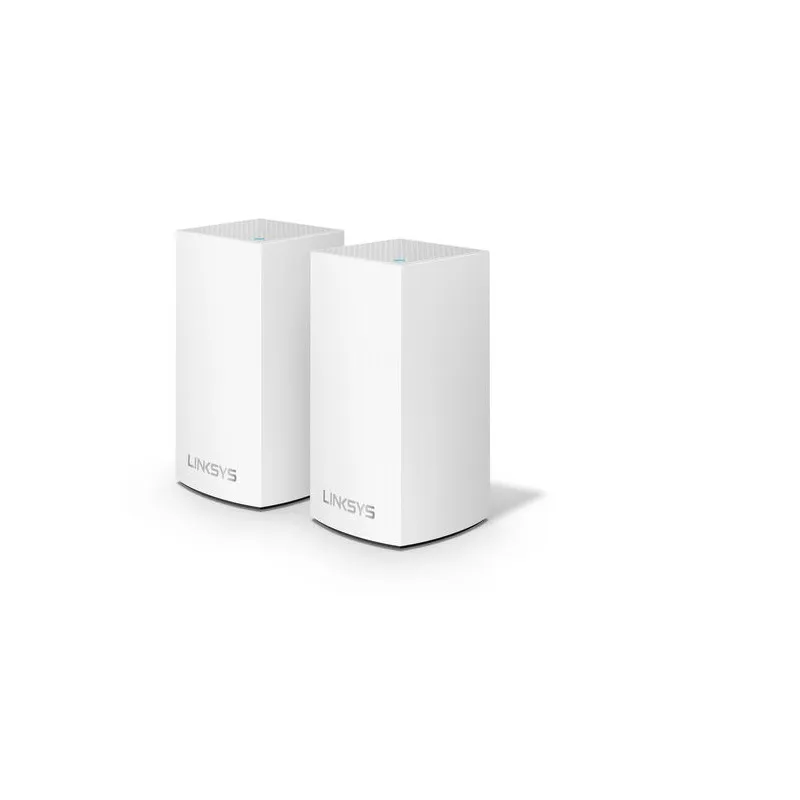
| Velop mesh system | Several coordinated access points for rooms or floors needing additional coverage | Exact mesh technology, compatible nodes and the backhaul path |
| WRT or other older hardware | An existing installation or a deliberately selected enthusiast project | Lifecycle, current software support and exact revision |
| Older powerline products | Networking through electrical wiring where suitable adapters already exist | Actual adapter specifications and present support status |
Linksys did make powerline products such as the PLW400, documented in its archived manual. They should not be treated as interchangeable with a Velop satellite or assumed to be a current retail recommendation. Check current regional availability and support rather than buying an old adapter on the strength of a general brand overview.
Wemo is another separate issue. Its products and support are handled by Belkin; it is misleading to describe them as a company acquired by Linksys. Belkin ended cloud and app support for selected Wemo products on 31 January 2026, with specific local HomeKit/Thread exceptions. Owning a Linksys router does not restore a discontinued smart-device service.
Velop Mesh Compatibility Requires Specific Checks
A mesh system has two connections to think about: the client-to-node link and the node-to-node backhaul. More radio bands provide additional resources, but do not automatically guarantee a dedicated backhaul or a particular satellite speed. Walls, distance and the client's own capabilities still influence performance. Wired backhaul can avoid a wireless hop where the model and topology support it.
Linksys uses names including Intelligent Mesh and Cognitive Mesh. Treat them as relevant compatibility information, rather than assuming any two Velop-branded units work together in every arrangement. Current official support documents describe adding an Intelligent Mesh child to a Cognitive Mesh parent, while recommending the same technology across the network. This is a qualified supported arrangement, not permission to ignore the model list.
The appropriate parent model, firmware and onboarding method matter. Current documentation includes different procedures for supported Cognitive routers and LinksysNOW devices. Read the instructions for your planned combination before changing the main unit. A reset can require rebuilding the network, so record existing settings and arrange a practical maintenance window instead of experimenting during an important call.
Cloud Services and Local Management
Linksys began discontinuing Smart WiFi services for selected products on 26 March 2026. Its notice lists models including WHW01, WHW03 revisions, MX4200 revisions and MR7500, alongside others. It also says cloud services affect Smart WiFi models with cloud accounts more broadly. Check the current notice against your complete model and revision.
The affected routers continue normal network operation, but remote cloud access and some app-dependent functions change. For listed devices on the relevant firmware, app-based setup and adding child nodes are no longer supported; local web management provides the replacement process. Learn the router's local password and supported access address before you need to recover the installation. A cloud-account password and local router password are different credentials.
This is a good example of why product longevity includes software services, not only whether the radios still work. Before buying an older discounted kit, confirm how initial setup, local administration, extra-node onboarding and firmware updates work now. Do not apply a universal app menu or default login address from another Linksys family.
Bridge Mode and Guest Networks
Bridge mode can be useful when an existing router already manages the network. Linksys explains that devices connected through the mesh and the upstream network then share that network. Some controls, including parental controls, priority and other gateway features, are disabled. Choose the operating mode before deciding whether a particular parental-control or filtering feature meets your needs.
Putting a mesh behind a capable firewall does not automatically give each wireless network its own VLAN. The access-point system must support the required separation too. Check the exact guest-network behaviour in your mode, then verify whether a guest client can reach local devices. Do not rely on a different Wi-Fi name as proof of isolation.
Older Smart WiFi Guest Access documentation describes browser-based password entry on a network that appears open in the wireless list. That is different from entering a WPA password when joining Wi-Fi, and an IoT device without a browser may not handle the portal. Confirm the actual guest implementation rather than assuming every guest network is suitable for smart appliances.
Diagnostics and Buying Advice
When a room is slow, compare the main router's connection with the satellite path using the same client where possible. Check the cable's negotiated speed, the node's upstream connection and actual application behaviour. Local file transfers can help separate home-network limits from internet service problems. These are suggested checks; this overview does not present a measured Linksys installation.
Use a supported channel-selection tool when the model's current firmware provides one. Linksys's Channel Finder documentation warns that scanning can briefly disconnect Wi-Fi, so schedule it accordingly and do not assume a universal 60-second scan. Keep nodes in open locations, and check the model's documented light meanings instead of treating solid blue as the online state across every generation.
I still consider Linksys a worthwhile brand to compare for approachable home networking. Assess it alongside other systems using the same pack size, required ports, supported features and local warranty. Reputation is useful background; a suitable model with a support plan and a working backhaul is what makes the purchase valuable. For an existing owner, understanding the current local management and firmware path may be more useful than replacing otherwise working equipment.