
When the Codex agent arrived in May 2025, it offered a powerful new AI software engineering agent designed to transform the way developers work. More than just a code completion tool, Codex acts as a collaborative partner, capable of handling a wide range of tasks across the entire software development lifecycle. Codex is not just an inline tool that can help software developers complete their code, or suggest better code. This is a complete overhaul, the cloud workflow supplied an environment containing the repository so the agent could inspect relevant files and work through a task. Repository access does not mean every file is simultaneously loaded into model context. Let's look at that promising workflow and how the current tools can help developers.
What Is Codex (in a nutshell)?
Codex is an AI coding agent with cloud and local workflows. It can inspect a codebase, change files and use configured tools to work on features, bugs and explanations. A cloud task uses its own configured workspace; the CLI works against your local project. Available models, account eligibility and limits can change, so check the current official cloud guide and your account rather than treating a launch-era model or subscription list as the current product specification.
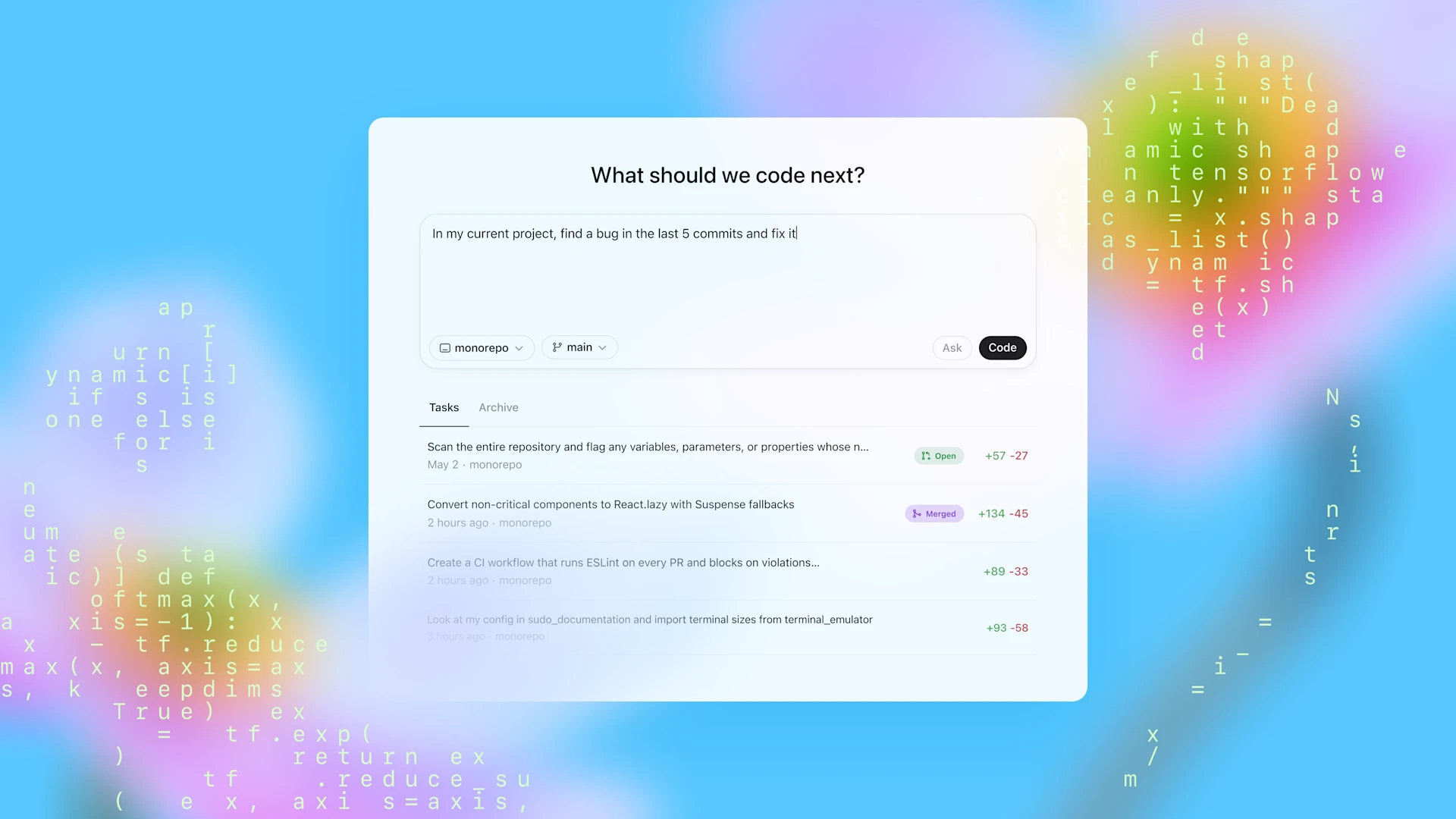
How Codex Works
- Task Submission: Select or prepare a cloud environment with the repository, tools and permitted service access, then describe the task. The pictured launch interface shows Ask and Code; current menus and setup can differ.
- Execution & Monitoring: Codex reads and edits files, runs linters, test harnesses, and type checkers, and you can inspect progress and results. Runtime depends on scope, setup and failures; there is no fixed completion window for every task.
- Verification & Integration: Inspect the changed files and reported checks before committing, opening a pull request or requesting revisions. Logs and references help review what ran, but do not prove every required case was tested.
- Customization: AGENTS.md files within your repo guide Codex on project-specific practices and commands, optimizing performance much like onboarding instructions for a human teammate.
Key Features
- Parallel Tasking: Deploy multiple agents concurrently on independent tasks, akin to managing an engineering squad: ideal for on-call rotations or morning to-do lists.
- Deep Code Understanding: The agent can search and inspect relevant files to follow project conventions. Patch quality depends on context, instructions and verification, rather than a guarantee that a particular model always produces cleaner code.
- Transparent Outputs: Citations of logs and test results provide auditability and foster trust, crucial for safety as AI assumes greater coding responsibilities.
- Integrated CLI: The Codex CLI brings the agent to your local terminal with selectable available models. ChatGPT sign-in and API-key access are different billing paths; API usage is billed separately and a subscription is not a promise of free API credits.
How is Codex Different from GitHub Copilot?
Compare the actual workflow you need rather than treating one tool name as a permanent synonym for autocomplete. Inline suggestions, editor chat and delegated agent work are different modes, and products continue to add capabilities. Ask whether your chosen setup can inspect the repository, edit multiple files, run the project's checks and present a reviewable result.
Codex, on the other hand, functions as a delegated agent that can take on larger, more complex tasks independently. You can assign Codex a higher-level goal, like "implement a login feature" or "fix all the reported bugs in this module," and it will work in its own environment to achieve that goal, including reading and editing multiple files, running tests, and debugging. This allows developers to offload significant tasks and focus on more complex problem-solving and design. While Copilot is integrated directly into your IDE for immediate assistance, Codex can be accessed through interfaces like ChatGPT and the Codex CLI, offering more flexibility for different workflows and custom integrations.
Detailed Functions Of Codex
Codex is designed to accelerate more than just the initial code writing phase. By handling tasks autonomously in parallel environments, it can significantly speed up various aspects of the software development workflow:
- Feature Development: Delegate the implementation of well-defined features to Codex, freeing up developers to work on other parts of the project.
- Bug Fixing: Assign bug reports to Codex, which can analyze the codebase, identify the issue, propose and test a fix.
- Code Understanding: Ask Codex questions about unfamiliar parts of a codebase to quickly get context and explanations.
- Refactoring and boilerplate: Automate repetitive coding tasks like refactoring code or writing boilerplate, allowing developers to focus on more creative work.
- Testing: Codex can write and run tests to help check behavior and reduce the manual effort required for testing.
- Code Reviews and Pull Requests: Codex can propose pull requests with its completed changes and provide verifiable evidence of its actions through logs and test outputs, making the review process more efficient.
- Task Delegation: Assign complex coding tasks using natural language prompts, and Codex will work independently to complete them.
- Isolated Environments: A cloud task runs in a configured sandboxed environment preloaded with your codebase and dependencies. The environment provides a boundary, but access to networks, credentials and connected services still needs deliberate configuration. Local workflows operate under their own filesystem and command permissions.
- Parallel Execution: Codex can handle multiple tasks concurrently, allowing developers to multitask more effectively.
- Code Reading and Editing: Codex can read and modify files within its environment to implement changes.
- Command Execution: It can run terminal commands, including test harnesses, linters, and type checkers, to verify its work and ensure code quality.
- Verifiable Actions: Codex provides logs and test outputs, allowing developers to trace each step it took to complete a task and verify the correctness of its work.
- Guidance via AGENTS.md: Developers can include
AGENTS.mdfiles in their repositories to provide Codex with guidance on codebase navigation, testing procedures, and project standards. - Iterative Problem Solving: Codex can iteratively run tests and refine its approach until it achieves a passing result, similar to how a human developer debugs.
- Integration Capabilities: Codex can be accessed through interfaces like ChatGPT and a command-line interface (CLI), offering flexibility in how developers interact with it.
This ability to delegate and parallelize tasks across the development lifecycle allows developers to manage their workload more effectively and deliver projects faster.
What we would like to be able to do
With the amount of AI Coding assistants we currently have, it is very possible for a software developer to ask the agent to rewrite a specific piece of code or optimise a code flow. This is easily done as the piece of code does not live within the entire context of the whole project. This makes it viable for AI Coding assistants as the amount of overhead processing power needed to process a specific piece of code with knowledge of the entire project, will make the suggestion multitudes more complex and time consuming. However, this time around, Codex can inspect the project files it has access to, searching for the relevant context. Although we can assign bugs to it and it will assess and suggest fixes, we would also like to be able to send the entire codebase to Codex for optimisation. According to OpenAI refactoring is already possible, so will it be possible to assign a feature like "Make the login screen look more appealing for users"? If so, what would this implication be for Search engine optimisation seeing as you would probably also be able to ask for SEO tips and implementations for websites.
Something we are really looking forward to, if it is possible, would be to create a site or app for one device (example computer screen) and then assign the mobile friendly version to Codex for implementation. When it comes to automated testing, simply running existing tests is one thing—the real value is whether the agent can iteratively fix the code when tests fail. Let's be honest, running unit tests is not the most difficult task, so to be able to run tests is not an achievement. But being able to either fix code after tests, or just create unit tests for us would be amazing (show me one Software Developer that likes to create unit tests...)
At the time of our May 2025 introduction, we could not give a hands-on review because our account did not have access to the preview. The Pro subscription price we discussed then was US$200 per month—which felt insane for our budget. We wanted to test it once access reached our Plus subscription and report our own impressions. That launch-day reaction remains a budget opinion, not a claim that those access restrictions still apply. Check ChatGPT pricing and the current authentication guide before choosing a plan; this introduction does not report a test we subsequently performed.
OpenAI Codex Agent vs. Codex CLI vs. GitHub Copilot
The product, local client and selected model are separate parts of the setup. Do not assume that an old model alias, a launch screenshot or an account sign-in option describes every current surface.
| Workflow | Where work happens | What to verify |
|---|---|---|
| Cloud task | A configured remote workspace | Repository, dependencies, network destinations and credentials |
| CLI/local agent | The selected local project and runtime | Writable roots, command permissions and installed tools |
| Editor workflow | The integration's selected project context | Actual edit, command and review capabilities |
Cloud network access is configurable; “network disabled” is not a universal statement about every task. Keep service credentials scoped and separate development from production. A command that passes inside an agent environment can still fail elsewhere if dependencies, platform or environment variables differ.
How to Structure an Effective AGENTS.md File for Codex
One of the most impactful practices introduced alongside OpenAI Codex is placing an AGENTS.md file at the root of your repository. Just like a README onboarding guide for a new human developer, AGENTS.md tells Codex (and other agentic coding tools) exactly how your project is structured, how to run tests, and which architectural rules must never be broken:
# AGENTS.md — Repository Guide for AI Engineering Agents

## Build & Verification Commands
- Install dependencies: `npm ci`
- Run unit tests: `npm test`
- Type-check project: `npx astro check`
- Production build verification: `npm run build`

## Architectural & Coding Standards
1. All routes under `src/pages/` must preserve existing URL slugs for SEO parity.
2. Never add external runtime dependencies without explicit approval.
3. Always run `npm test` and verify zero lint errors before proposing a commit or PR.
Treat this as an example for a repository that actually defines these commands. A concise, accurate AGENTS.md helps the agent follow conventions, but is guidance rather than an enforcement mechanism. Record the commands your project uses, relevant constraints and what successful verification means.
Give the Agent a Reviewable Task
For a responsive login-page change, specify the existing route, supported viewport sizes, accessibility expectations and behavior that must remain unchanged. Ask for a focused change with before/after evidence and the relevant checks. “Make it better” leaves too many choices implicit; “optimize the entire codebase” can create a large diff that is hard to assess.
Keep a checkpoint before the task and review the final diff. Confirm the agent did not change unrelated routes, remove error handling or weaken tests to achieve a passing result. Inspect failed checks and checks that could not run separately from successful ones. For UI work, view the real page at the target sizes; a build alone does not prove a usable mobile layout.
Parallel tasks work best when their file ownership and integration points are clear. Separate environments reduce accidental interference but do not resolve conflicting designs automatically. Integrate the changes deliberately and rerun checks that cover their combined behavior. A generated fix remains a proposal to verify, even when its explanation sounds confident.