We have a few articles on ideas for your homelab, like Proxmox and FreedomBox, and their platform requirements differ. Today we look at umbrelOS on Raspberry Pi. The current publisher documentation focuses on Pi 5 and also provides separate Intel/AMD and virtual-machine installation paths; do not assume one image or procedure suits every device.
What is UmbrelOS?
umbrelOS is a self-hosting platform designed to run on low-power hardware like the Raspberry Pi. It turns your device into a private server where you can run apps for:
- Personal cloud storage (similar to Google Drive or Dropbox).
- Bitcoin and Lightning Network nodes for cryptocurrency enthusiasts.
- Media servers like Plex or Jellyfin.
- Home automation tools like Home Assistant.
- Privacy-focused applications, such as encrypted messaging services.
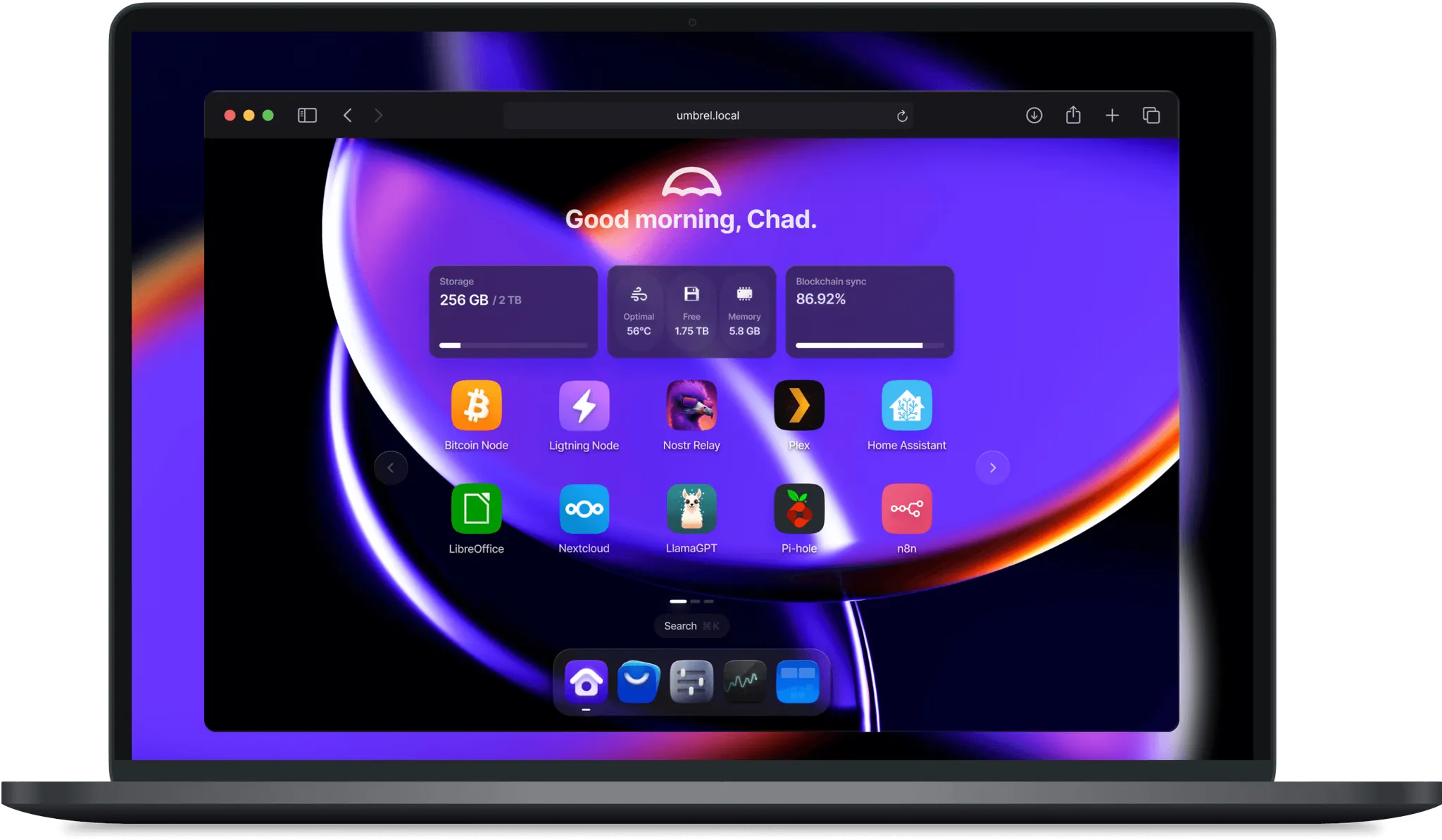
The beauty of UmbrelOS lies in its simplicity. It features a user-friendly dashboard accessible via a web browser, making app installation and management approachable. Users still need to plan storage, accounts, updates and recovery.
Why Umbrel is So Great
- Ease of Use
UmbrelOS simplifies self-hosting with a clean, intuitive interface. The browser interface handles many everyday tasks, while particular apps and troubleshooting can still require more detailed configuration. - Available source and local control
umbrelOS publishes its source under the PolyForm Noncommercial 1.0.0 licence. Read its terms for your intended use. Hosting locally gives you control over your server, but individual apps and optional remote services can still contact third parties. - Community-Driven Development
The Umbrel community is active and supportive, constantly adding new features and apps. Whether you're troubleshooting or exploring new use cases, help is just a forum or Discord chat away. - Modular Design
The Umbrel App Store offers a growing collection of apps you can install in just a click. Want Nextcloud for personal cloud storage or a Bitcoin node? It's all available, and the list keeps expanding. - Low-Cost Entry
A Raspberry Pi can be an accessible starting point when the required storage, power and apps fit the budget. Check the supported model and complete equipment list; current guidance centres on Pi 5.
Alternatives to UmbrelOS (and Why Umbrel Shines)
- Nextcloud
Nextcloud is an application platform rather than a replacement operating system. A compatible Nextcloud app can be one service within umbrelOS, depending on the current catalogue and hardware. - OpenMediaVault
OpenMediaVault starts from NAS administration, while umbrelOS puts app discovery and its browser desktop at the centre. Choose around the storage and applications you need, rather than assuming one interface replaces every other feature. - Docker & Portainer
While Docker provides flexibility, it requires more technical know-how. Umbrel abstracts the complexity, letting you focus on using apps instead of configuring them. - Synology NAS
A prebuilt NAS and a Raspberry Pi server bundle different hardware, support and storage capabilities. Compare the complete cost, including disks, power and backup equipment. Our preference for umbrelOS as an approachable starting point does not establish identical NAS functionality or a universal saving.
Install umbrelOS on a Raspberry Pi
The current path below follows the publisher's Pi 5 guide. umbrelOS 2.0.0 is the stable release checked for this review. Use the Raspberry Pi image for that release, rather than an AMD64 image or an update file intended for an existing installation. The current README and wiki list Pi 5; an older Pi 4 installation needs its own release-matched support guidance, rather than assuming the latest Pi 5 image is interchangeable.
You need a Pi 5, suitable power supply, Ethernet cable, a computer for flashing, and either a compatible NVMe drive/HAT or a suitable USB drive. Choose storage capacity for the OS, apps, your data and growth. A minimum OS figure does not include a media library or every app's database. Also plan cooling and a separate backup destination.
Step 1: Choose the image and target drive
Start from the official Umbrel website or the project README, then follow its current download and Pi-specific instructions. Check the release and the publisher's checksum for the exact compressed or uncompressed file you download. They have different checksums.
Flashing erases the selected drive. Back up existing data and identify the target by device, capacity and connection before proceeding. Remove unrelated removable drives where practical. If using NVMe, confirm that the drive works with the chosen HAT and that you have the adapter needed to connect it to the flashing computer.
Step 2: Flash the selected boot medium
The recommended Pi 5 layout installs directly onto NVMe or USB storage, which umbrelOS partitions for the system and data. Use balenaEtcher with the correct Raspberry Pi image and target. Complete its verification, then safely eject the drive.
The original microSD approach remains a separately documented alternative. In that layout, use a card of at least 32GB and a separate external SSD for data; the SSD is not merely optional. The publisher discourages this layout because of card wear and lower durability. Do not mix its storage assumptions with the direct-drive layout.
Step 3: Connect and power on
Attach the chosen drive to the Pi, connect Ethernet and use a suitable compatible power supply. The publisher recommends the official Pi supply. An early Pi 5 may need a bootloader update for NVMe boot; follow Raspberry Pi's supported bootloader procedure if required.
When booting from NVMe or USB, remove any bootable microSD card that would take priority. For the alternate card-plus-SSD layout, insert the flashed card and attach the required SSD instead. Wait for startup and check the router's client list if the Pi does not appear.
Step 4: Access the dashboard
On a device on the same network, start with http://umbrel.local, the address used in the publisher's Pi guide. The 2.0 release adds automatic HTTPS, so follow the current local onboarding and address behaviour. If local-name resolution fails, find the Pi's LAN address in your router and check that both devices are on a reachable network, rather than forwarding dashboard ports to the internet.
Complete onboarding and create the intended account. The retained dashboard image illustrates the article's earlier interface; new releases can arrange these screens differently. Check storage capacity and install one modest app first, then verify that its data survives a planned restart before filling the server with services.
What You Can Do with UmbrelOS
Once installed, UmbrelOS opens a world of possibilities:
- Run Your Personal Cloud
Use apps like Nextcloudto store and share files securely. - Stream Media
Install Plexor Jellyfinto host your movie and music collection. - Explore Cryptocurrency
Operate a Bitcoin node or use the Lightning Network through the corresponding compatible app; storage and recovery requirements differ from ordinary media services. - Enhance Privacy
Use apps like Matrix or Signal Bridge for their supported messaging workflows; review the actual app’s security and external-service requirements. - Automate Your Home
Integrate devices and sensors with Home Assistant. - Backup and Sync
Use tools like Syncthing to synchronize files between devices. Keep an independent recoverable backup as well, because sync is not by itself protection against propagated deletions.
Platform and app boundaries
umbrelOS is a standalone operating system, not a script to install over any existing Linux distribution. Use its platform-specific image and supported installation path. On Intel/AMD hardware, the current project lists a dual-core CPU, 4GB RAM and a 32GB system drive as minimum requirements, with 8GB or more recommended. Those PC figures do not certify a Pi configuration for every workload.
The 2.0 release adds features such as multiple accounts and a revised storage interface, but some features depend on hardware. The project specifically associates GPU acceleration with supported Intel/AMD machines and Storage Manager/FailSafe with multiple internal drives. A Pi and one USB SSD should not be assumed to provide the same capabilities as a multi-drive PC.
Read each app's requirements and current catalogue entry. Photo indexing, transcoding or a blockchain workload can use substantial storage, memory and processing time. Avoid treating one fixed Bitcoin storage figure as permanently current. A simple first app and a measured workload are more useful than promising that every Pi runs everything perfectly.
Remote access and recoverable backups
The official App Store includes Tailscale. Install it, authenticate the intended devices and confirm the account's access rules before relying on remote access. Test the actual service from outside the LAN. An encrypted path does not promise full LAN throughput: upload capacity, direct versus relayed transport and client conditions still matter. Do not assume every app automatically exposes a working Tor dashboard endpoint.
Current umbrelOS has encrypted backups to supported destinations such as another Umbrel, a NAS or an external drive. In Settings > Backups, choose the destination, inspect exclusions and keep the encryption password somewhere separate and recoverable. The publisher says the destination needs free space at least twice the backup size. An excluded app can be reinstalled during restore without its old data, so check what is actually included.
Test recovery of an ordinary file before relying on the setup. A full restore replaces current account, apps and data with the selected backup state. Apps that manage funds have additional recovery requirements: the publisher warns against running a migrated app from outdated data on the old device. Follow the app's specific supported process instead of treating a generic old disk copy as an interchangeable live instance.
Conclusion
umbrelOS remains an appealing starting point in our view because its visual desktop and app catalogue make self-hosting approachable. The practical value comes from choosing a supported platform, a sound storage layout and a backup you can recover. Start with the services you need and add more after checking their resource and maintenance requirements.
Use the current publisher Pi 5 guide and backup instructions for the corresponding release.