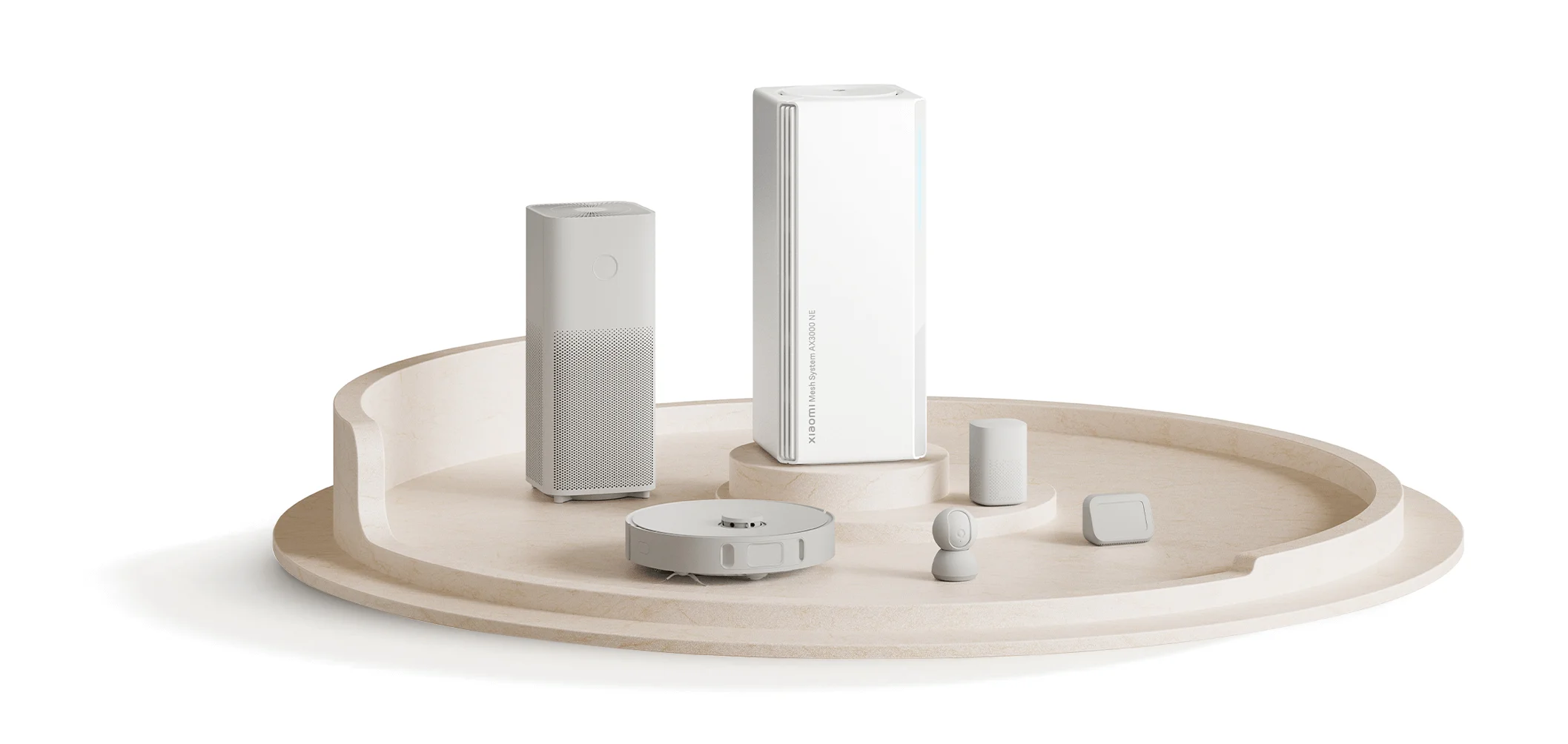
The Xiaomi Mesh System AX3000 NE combines dual-band Wi-Fi 6 with four Gigabit Ethernet ports per unit. Its useful conveniences include factory pairing for multi-unit kits, NFC onboarding for compatible phones and optional password syncing for supported Xiaomi devices. Whether it improves your home network depends on placement, the links between units and your clients.
What Wi-Fi 6 means for this system
Wi-Fi 6 is the 802.11ax generation. It includes technologies such as OFDMA that help share radio resources among compatible clients. It is no longer the newest Wi-Fi generation, and neither its name nor the AX3000 rating guarantees lag-free gaming or a particular download speed.
The AX3000 NE's advertised rates are 574 Mbps on 2.4 GHz and 2,402 Mbps on 5 GHz. Their sum, 2,976 Mbps, is a radio-class figure rather than one device's internet throughput. A client needs the appropriate radio capability and channel width to approach its advertised link rate; usable transfers are lower and also depend on signal, traffic and protocol overhead.
A phone using one band does not receive both figures added together. Likewise, an internet connection cannot exceed its service limit because the router has a larger wireless rating. For a buyer, the important question is what the actual laptop or phone can do in the room where it will be used.
How mesh helps—and what still needs testing
Several units can provide a shared Wi-Fi network across different parts of the home. The link between units is called backhaul. Xiaomi supports wired, wireless and hybrid arrangements, so you can wire some units and use radio links for others.
Wireless coverage is not the same as backhaul quality. A satellite next to your desk may give the laptop a strong signal while its connection to the main unit crosses several difficult walls. Try placing it between the main unit and the weak room, then compare actual transfers. Ethernet backhaul can avoid that radio hop when suitable cabling is available.
Roaming also involves the client. Xiaomi qualifies its roaming features by client protocol support and the household environment. Do not assume that a phone always chooses the physically closest node or that a handover prevents every interruption to a call.
Specifications and useful limits
| Feature | AX3000 NE |
|---|---|
| Wi-Fi | Dual-band Wi-Fi 6; 574 Mbps at 2.4 GHz and 2,402 Mbps at 5 GHz advertised rates |
| Ethernet | Four 10/100/1000 Mbps ports with WAN/LAN auto-sensing |
| Management | Web interface and Mi Home/Xiaomi Home app for Android or iOS |
| Security options | WPA/WPA2-PSK and WPA3-SAE; use options compatible with your clients |
| Conveniences | NFC, LAN port aggregation and supported-device Wi-Fi password syncing |
Check the manufacturer's specification page against the exact regional product offered. The ports are Gigabit, so none becomes a native 2.5G or 10G port through an app setting. The product page supplies the conditions for pairing, onboarding and expansion.
Plan the ports before buying
On the main unit, one port supplies the internet uplink, leaving three for local connections. On a wired satellite, count the backhaul connection before allocating ports to a desktop, TV or network storage. Drawing that simple layout can show whether you need an additional switch.
Xiaomi advertises LAN port aggregation. Treat it as an optional feature that needs compatible configuration at both ends. It does not turn each Gigabit port into a faster port or guarantee that one file transfer doubles in speed. Confirm the supported aggregation mode in the firmware and the other device's documentation before connecting two parallel cables. Without a correctly configured arrangement, duplicate links can create a network problem.
If the aim is a faster NAS transfer, check the client's Ethernet or Wi-Fi link, the NAS ports and storage performance first. An aggregation feature is not a substitute for identifying which part of that path is limiting the transfer.
Pairing and expansion
Factory pre-pairing applies to the two-pack and three-pack: configure the main unit and power the others as directed. A one-pack has no second unit to be pre-paired with. When adding separately purchased routers, follow the app's mesh procedure and confirm compatibility for the exact models and firmware.
Xiaomi's product footnote describes one main router with up to ten satellites under its laboratory conditions. This is an expansion limit, not a recommendation to fill a small house with eleven units. Add a node to solve a measured coverage problem, and check the resulting topology and client connection before adding more.
Coverage illustrations depend on pack size and building layout. A blanket “600 square metres” claim cannot describe every one-, two- and three-pack installation. Dense walls, floors, placement and interference matter more than a floor-area number alone.
NFC and Xiaomi device convenience
NFC onboarding requires an NFC-enabled Android phone with its screen unlocked. It offers a way to join Wi-Fi without typing the password; it is not evidence that the visitor joined an isolated guest network. Confirm the network name and its access policy before using it for visitors.
Wi-Fi password auto-sync and easy device connection apply only to Xiaomi smart devices that themselves support those features. Being visible in the Mi Home/Xiaomi Home app is not sufficient proof. Before changing the network password, list any unsupported bulbs, plugs or other clients that will need manual reconnection and keep their setup instructions handy.
A robot vacuum or smart plug still depends on its own app, service and radio compatibility. Mesh may improve the connection in its location, but cannot guarantee uninterrupted cleaning or cloud availability. Test the particular device after installation and after a planned password change.
Decide with a home test
The AX3000 NE can be a compelling upgrade when you need better coverage and its Gigabit ports and client support match your equipment. Its convenience features make most sense when you actually have compatible phones and Xiaomi devices. The similar AX3000 name on another Xiaomi model does not establish identical firmware, port behaviour or mesh compatibility.
Before replacing a working setup, record an internet test near the main unit and in the problem room using the same client. After installing, repeat those tests and try the activity that prompted the purchase: a work call, stream or local transfer. Note which node the client used and whether backhaul was wired or wireless.
If the main-unit result is good but the satellite result is poor, investigate placement and backhaul before changing the internet package. If both are poor, test the uplink and provider connection. Those comparisons provide a more useful basis for choosing another node or a cable than promises of universal speed, seamless coverage or future-proof networking.