
With our focus on Building your own homelab, we are going to start focusing on actually saving money. Building a homelab can be time-consuming and in some cases, fairly expensive, so we need to start thinking about saving money to even out the cost of our "hobby". One such service would be to self-host our note-taking app, so that we can start saving money there. We have two prominent options in that department. The first is Trilium Next, a continuation of the discontinued Trilium Notes, which we have looked at previously. Today we look at another option: Joplin.
What Is Joplin?
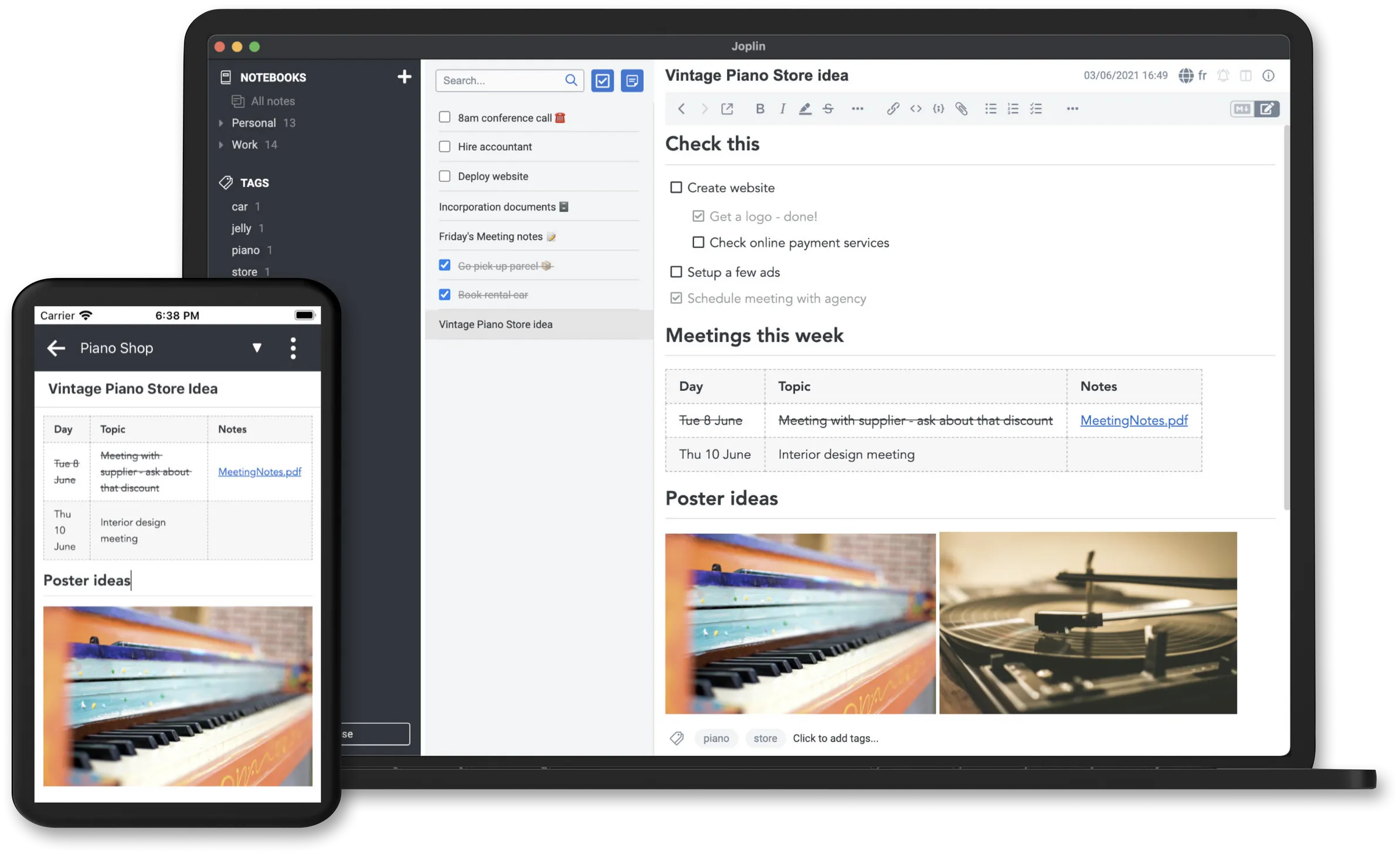
Joplin is an open-source note-taking and to-do application that supports synchronization across multiple devices. It allows users to create notes in Markdown or rich text, organize them into notebooks, and tag them for easy retrieval. Joplin is available on Windows, macOS, Linux, Android, and iOS, ensuring accessibility across platforms.
Key features include:
- Optional end-to-end encryption (E2EE): Encrypts supported synchronised data when enabled and completed across your clients; it is not automatic protection for every local file or export.
- Web Clipper: Save web pages and screenshots directly into Joplin.
- Customizability: Support for plugins, themes, and scripting via the Extension API.
- Synchronization: Sync notes using services like Dropbox, OneDrive, or Joplin Cloud.
- Self-hosted sync: Run an appropriate sync target in your homelab instead of paying for managed hosting. Joplin’s clients are separate applications; a sync server is not the same thing as the desktop or mobile editor.
Joplin might not be the end-all solution for all users, but it is a solid contender for one of the best note-taking apps and most users will find the functionality more than sufficient and amazing.
Cost Savings By Self-hosting Joplin
Many popular note-taking applications offer cloud-based services with subscription fees, which is what we want to avoid.
The current Joplin Cloud plans list Basic at €2.99 monthly or €28.69 annually, with 2 GB storage and a 10 MB per-note/attachment limit. Pro lists €5.99 monthly or €57.48 annually, with 30 GB and a 200 MB per-note/attachment limit. Billing interval and attachment limits matter as well as total space.
The older Evernote and Notion prices in the original comparison are historical, and plan names have changed. Compare your actual paid plan rather than using those old figures as a current saving. Self-hosting avoids a managed-hosting subscription only if you also account for server/storage costs, backups and administration. Existing free sync options may already meet the need.
Embracing Self-Hosting with Joplin
Self-hosting Joplin allows you to:
- Maintain Control: Your data resides on your own server, enhancing privacy. You stay in full control of your data. Deletion can synchronise to other clients, but does not automatically erase every backup, history entry or offline copy. Plan retention and recovery before deleting important notes.
- Customize: Tailor the application to your specific needs with plugins and configurations.
- Save Money: As stated in the section above, we will be saving a fair bit of money depending on which paid service we are replacing.
Setting up Joplin Server is straightforward, especially with tools like Docker Compose and/or Portainer. A dedicated server provides a sync target you operate. Joplin also supports alternatives such as WebDAV, Dropbox and OneDrive, so hosting its own server is optional rather than a prerequisite for using the free clients.
Joplin vs. Trilium Next: A Comparison
| Feature | Joplin | Trilium Next |
|---|---|---|
| Ease of Use | User-friendly interface; suitable for beginners | More complex; geared towards power users |
| Organization | Notebook and tag-based structure | Hierarchical tree structure |
| Customization | Supports plugins and themes | Extensive scripting and automation options |
| Mobile Support | Available on Android and iOS | Touch-oriented mobile web frontend; check any native companion and offline requirements separately |
| Synchronization | Via Joplin Cloud or self-hosted server | Self-hosted synchronization |
| Best For | Users seeking a straightforward note-taking app | Users building complex knowledge bases |
Conclusion
Both Joplin and Trilium Next offer robust, open-source solutions for note-taking and knowledge management. By choosing to self-host, you gain control over your sync service and can reduce managed-hosting costs when the overall budget supports it. Whether you prefer Joplin's user-friendly approach or Trilium Next's advanced features, self-hosting empowers you to manage your notes on your terms. We will be installing Joplin in a future article as part of our Build your own Homelab series, stay tuned!
Visit the official Joplin Website
A fresh Joplin Server example
The server guide separates evaluation with SQLite from a PostgreSQL-backed installation. The following fresh-install example uses verified Joplin Server 3.7.2 and PostgreSQL 16, matching the major version in its upstream example. It is not an in-place database major-upgrade procedure. The server's personal-use licence differs from the clients’ open-source licence; check the server terms or business offering for organisational use.
This layout assumes a reverse proxy on the same host already serves your configured HTTPS URL and forwards to 127.0.0.1:22300. Set JOPLIN_URL in a project .env file to that complete URL, and set JOPLIN_DB_PASSWORD and JOPLIN_ADMIN_PASSWORD to two separate strong generated passwords. For example, run openssl rand -hex 32 twice to produce suitable random values. Protect that file. Compose fails if required values are missing.
services:
  db:
    image: postgres:16-alpine
    restart: unless-stopped
    environment:
      POSTGRES_USER: joplin
      POSTGRES_DB: joplin
      POSTGRES_PASSWORD: "${JOPLIN_DB_PASSWORD:?Set JOPLIN_DB_PASSWORD}"
    volumes:
      - ./postgres-data:/var/lib/postgresql/data
    healthcheck:
      test: ["CMD-SHELL", "pg_isready -U joplin -d joplin"]
      interval: 10s
      timeout: 5s
      retries: 10
  app:
    image: joplin/server:3.7.2
    restart: unless-stopped
    depends_on:
      db:
        condition: service_healthy
    environment:
      APP_PORT: "22300"
      APP_BASE_URL: "${JOPLIN_URL:?Set JOPLIN_URL to your HTTPS URL}"
      DEFAULT_ADMIN_PASSWORD: "${JOPLIN_ADMIN_PASSWORD:?Set JOPLIN_ADMIN_PASSWORD}"
      DB_CLIENT: pg
      POSTGRES_HOST: db
      POSTGRES_PORT: "5432"
      POSTGRES_USER: joplin
      POSTGRES_DATABASE: joplin
      POSTGRES_PASSWORD: "${JOPLIN_DB_PASSWORD:?Set JOPLIN_DB_PASSWORD}"
    ports:
      - "127.0.0.1:22300:22300"
Validate and start the stack:
docker compose config --quiet
docker compose up -d
docker compose ps
For this release, the first administrator uses admin@localhost and the initial password supplied through DEFAULT_ADMIN_PASSWORD. Change its account details and create a separate non-admin sync user through the Users page. Keep initial access private. Older releases may instead start with the documented admin/admin default; do not assume the newer environment option resets an existing account.
A containerised proxy needs a suitable container-network route rather than treating its own localhost as this host's loopback. APP_BASE_URL must match the URL clients actually use. First synchronise a small notebook, including an image attachment, between the intended desktop and mobile clients. There is no universal 5–10-times sync-speed advantage over every WebDAV or object-storage setup.
Enable encryption and verify synchronisation
Follow the E2EE procedure: enable encryption on one primary device, complete its sync, then let the other clients receive the key and enter the required password. Do not independently enable it on several devices at once, which can create extra keys. Keep the encryption password safely; server administration is not a way to recover it.
Test a note and attachment after the second client finishes decrypting and syncing. E2EE concerns the sync representation; it does not replace device protection, HTTPS or encryption of separate backups. Publishing a note is intentionally making content accessible to others, so check the sharing/publication behaviour before sending sensitive material.
The sync guide lists supported targets. Choose by hosting effort, required sharing and compatibility, rather than a universal speed ranking. The original preference for Joplin's notebook/tag workflow versus Trilium's richer knowledge-tree approach remains a usability judgment. Trilium does have a mobile web interface; test the actual mobile/offline workflow instead of treating “limited mobile” as no mobile access.
Clipping, exports and server recovery
The Web Clipper communicates with the desktop application’s local service. Running Joplin Server alone does not start that desktop service. Check a clipped page and its source link in the target notebook before relying on browser capture as your research workflow.
The Backup plugin, bundled in supported desktop versions, needs configuration for each profile. Its JEX exports preserve notes and attachments at the backup point, but do not include note-history revisions. A JEX archive is an ordinary tar-based export, not automatically an E2EE-encrypted backup. Protect or separately encrypt exports and verify a sample import into a separate profile. Re-importing into an existing profile can add duplicates.
Protect the server database with a PostgreSQL-aware backup as well as its configuration. With the default database storage driver, item content is in the database; if you deliberately move content to filesystem or other storage, include that location too. A raw copy of a running PostgreSQL data directory is not a complete, generally valid backup method. Test a separate restore and check an attached file, login and sync before calling the recovery plan ready.