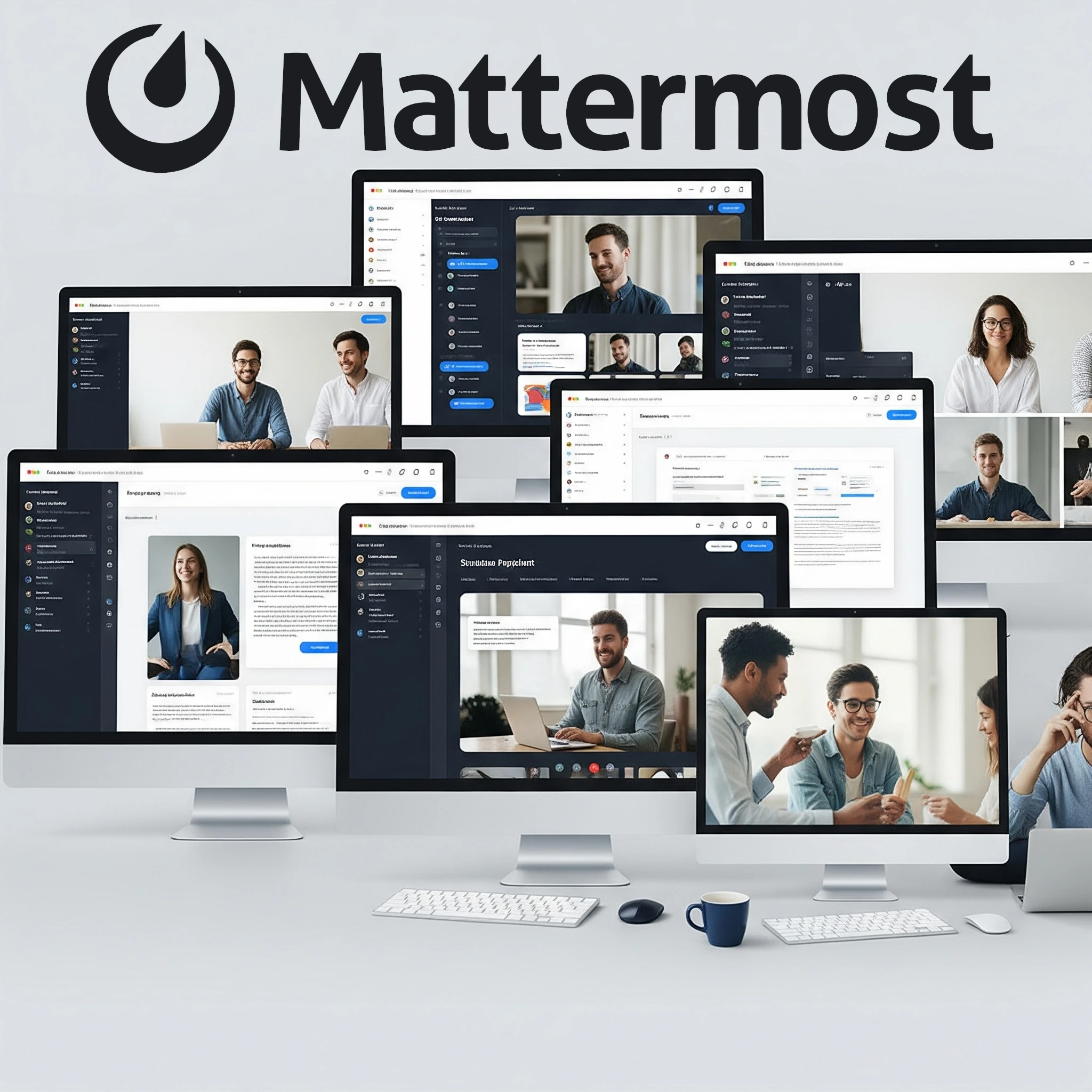
While we are busy with building our own homelab, we are constantly looking for ways to self-host services to save us money and take ownership of our privacy by keeping our data completely within our control. While services like Plex for media and Pi-hole for ad-blocking are common staples, have you considered hosting your own communication platform? If you're looking for a powerful, private, and customizable alternative to SaaS solutions like Slack, then Mattermost deserves a prime spot in your homelab.
What is Mattermost?
Mattermost is an open-source, self-hostable online chat service that provides a secure and flexible collaboration hub for teams and organizations. Think of it as your own private Slack, Discord, or Microsoft Teams, running on your own hardware. Self-hosting gives you control over where the server and stored data run, a useful choice for privacy-conscious individuals and organizations. That control still depends on account permissions, backups, updates and the external services you choose to integrate.
Born out of a need for secure, internal communication, Mattermost is designed for technical and operational teams but is versatile enough for any group looking to streamline communication and workflows. It emphasizes security, privacy, and deep integrations with developer tools, making it a favorite among engineering teams, DevOps, and, increasingly, homelab enthusiasts.
How Does It Work?
Mattermost facilitates communication through a familiar interface:
- Teams: You can create multiple teams, each serving as a distinct workspace. This is useful for separating different projects or groups.
- Channels: Within each team, communication is organized into channels. These can be public (open to everyone in the team) or private (invite-only). This allows for focused discussions on specific topics or projects.
- Direct Messages & Group Messages: For more targeted conversations, users can send direct messages to individuals or create group messages with a selection of users.
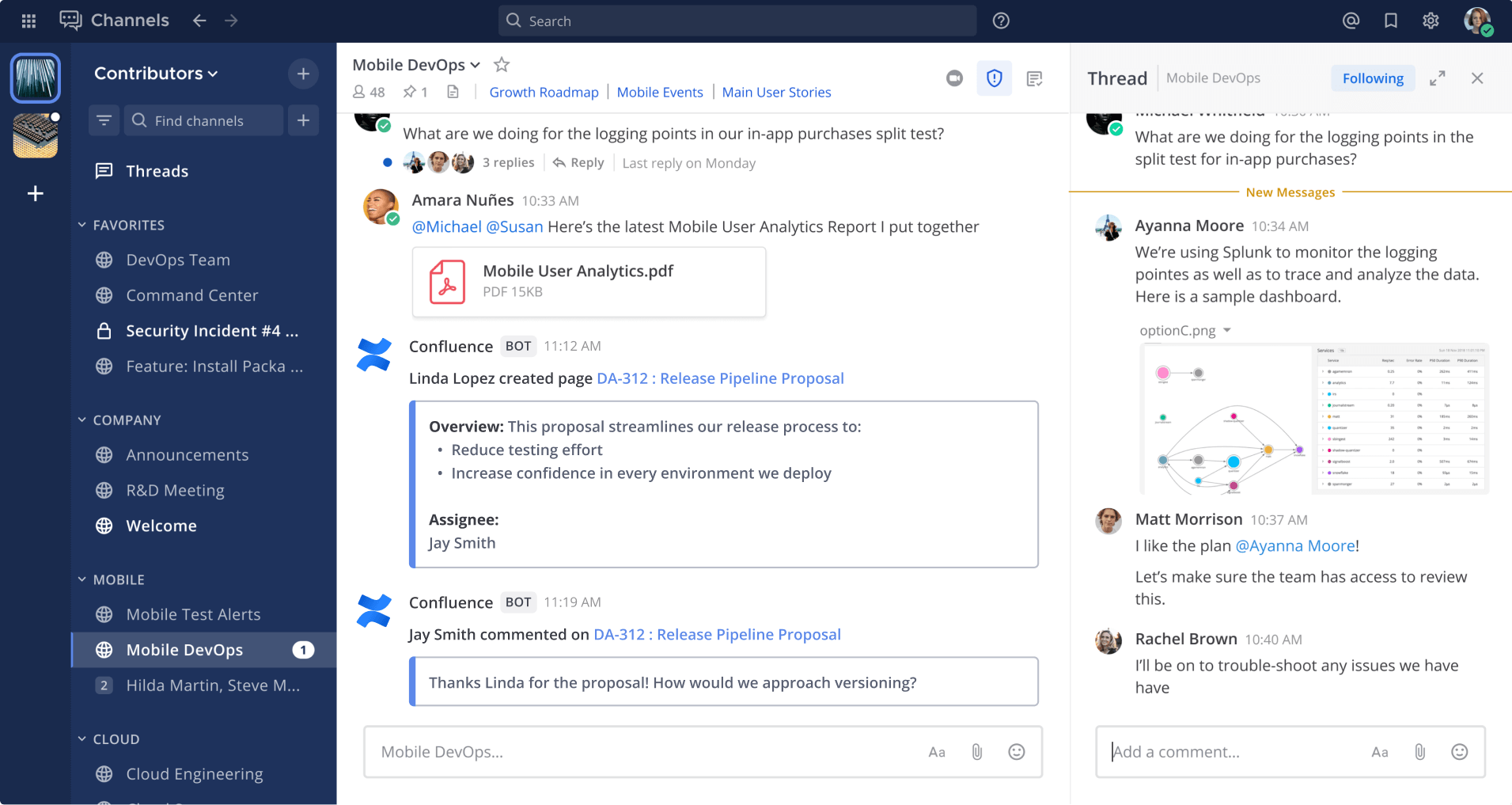
- Threads: To keep conversations organized within busy channels, Mattermost supports threaded replies, preventing important discussions from getting lost.
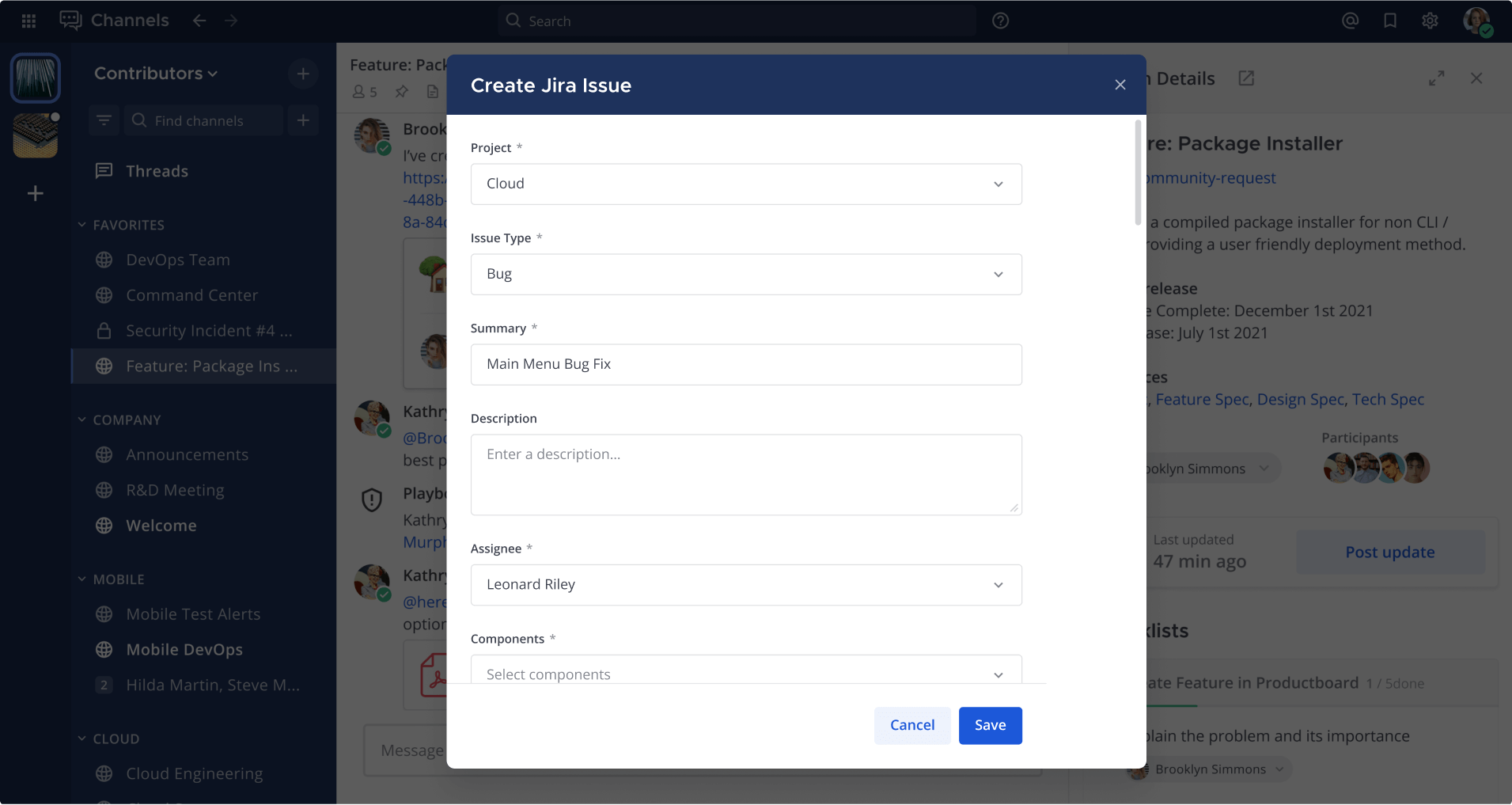
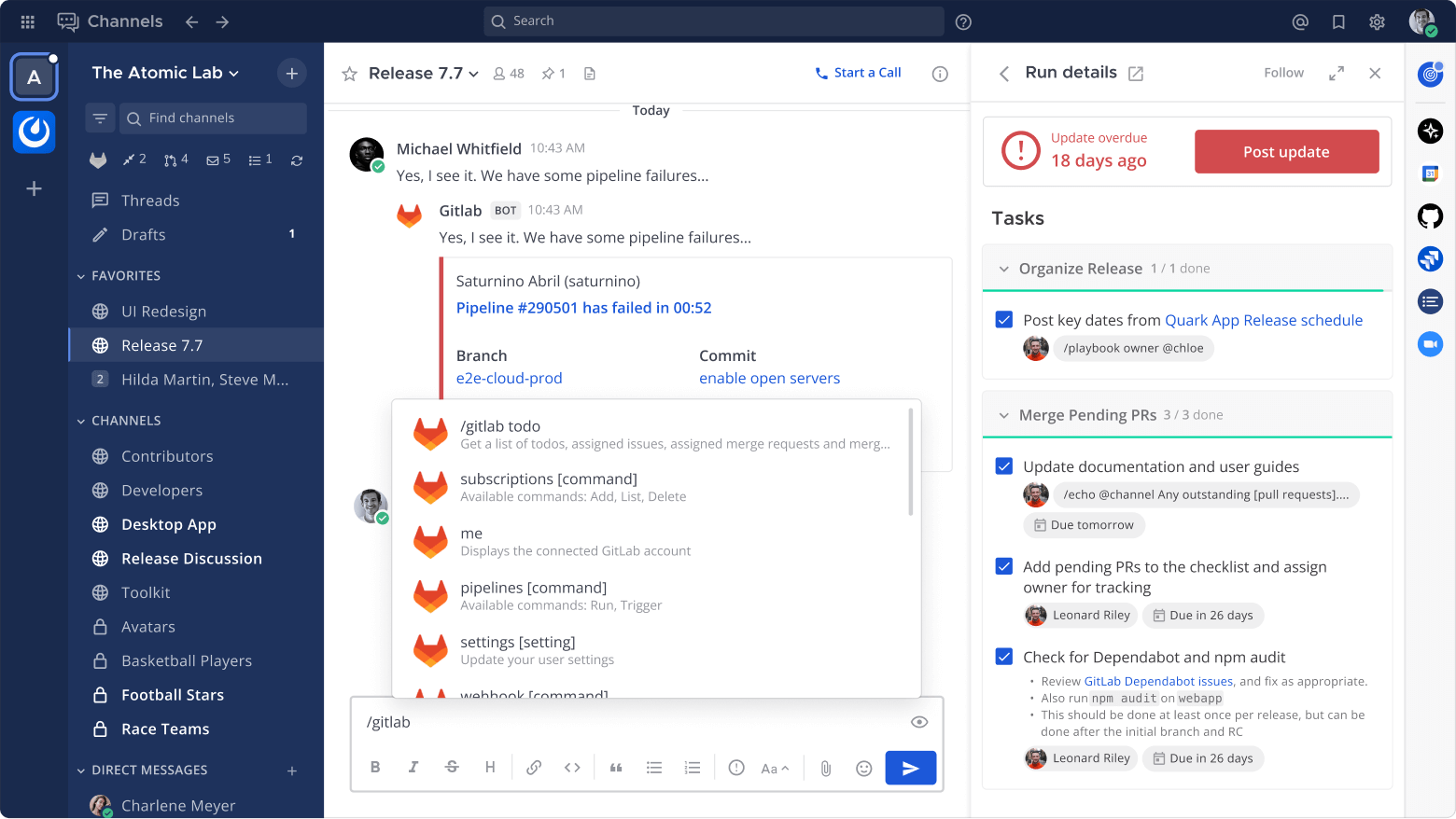
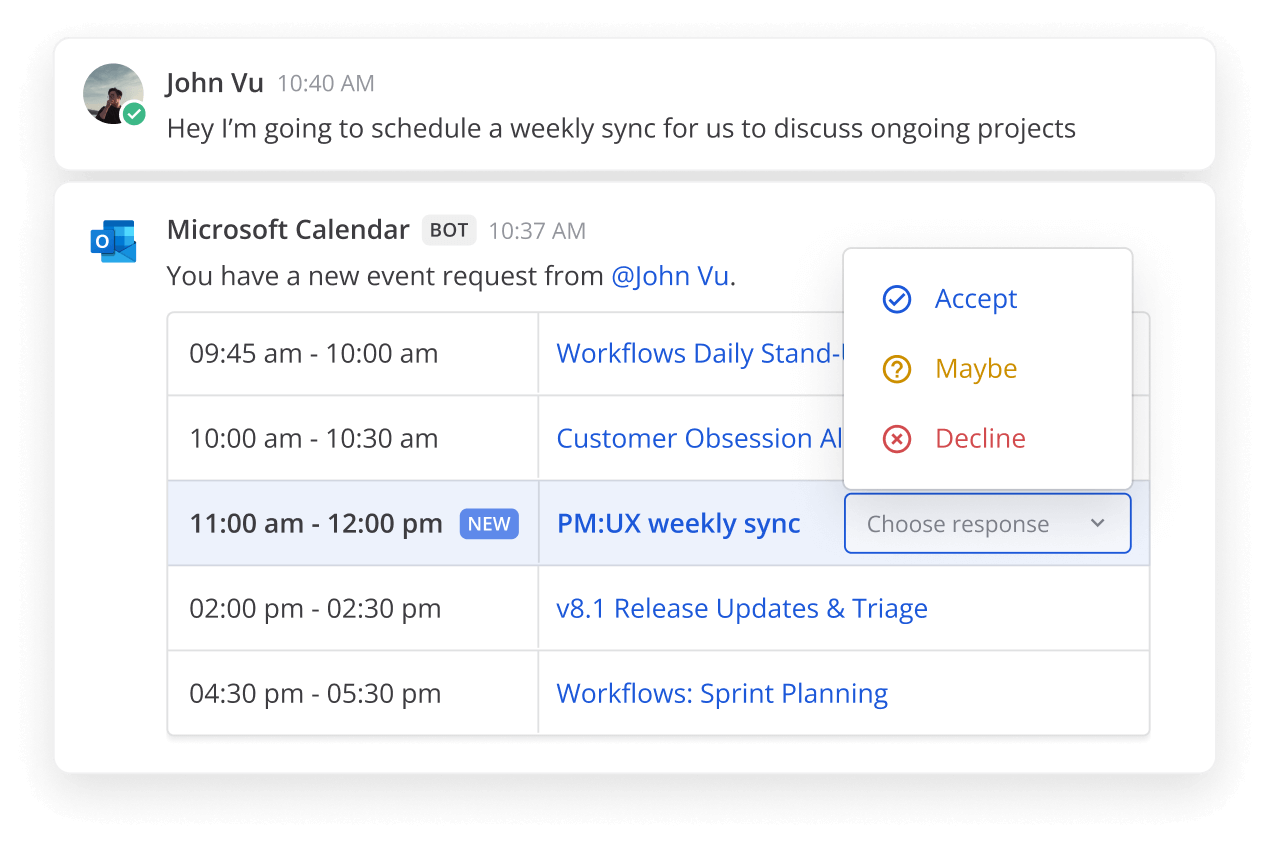
- Integrations: A key strength of Mattermost is its extensibility. It supports a vast array of integrations through webhooks, slash commands, plugins, and APIs. This allows you to connect it to your existing tools and services, from version control systems like GitLab or GitHub to CI/CD pipelines, project management tools, and custom scripts.
- Notifications: Customizable notifications ensure you stay informed about relevant messages and mentions without being overwhelmed.
Essentially, Mattermost provides a centralized platform for all your team's or group's communication, keeping everything in one searchable and archivable place.
The Power of Self-Hosting and Open Core
For the homelab enthusiast, the "self-hosted" aspect of Mattermost is its biggest draw. Unlike cloud-based services where your data resides on someone else's servers, with Mattermost, you are in control. You can keep conversations, files and user data on hardware you administer. Mobile push notifications, linked external services and remotely loaded content can introduce other data flows, so check the actual configuration. Self-hosting provides control; it does not automatically provide end-to-end encryption or make the administrator unable to read server-stored messages.
Mattermost operates on an open core model. This means:
- Team Edition: The vendor-distributed Team Edition binary is MIT-licensed and intended for hobbyists and small groups under 250 activated users in the current offering. Its server source and individual components have their own licensing terms, including AGPLv3 and Apache-licensed components. The source remains on GitHub. Avoid describing every build as uniformly MIT-licensed or promising unlimited users.
- Entry: The Enterprise Edition binary can run in the free Entry mode. Entry and Team Edition are different offerings: Entry limits visible/searchable channel history to the latest 10,000 messages across channels, although older messages remain in the database. It is not a replacement for an unrestricted archive.
- Commercial plans: Paid offerings provide features such as advanced authentication, administration, compliance and support. Check the current plan matrix rather than relying on an old US$10 price or assuming every enterprise feature is included in a free installation.
The beauty of the open core model is that the fundamental, robust collaboration experience is free and open, while organizations with more complex needs can opt for paid features. For homelabbers within its current scope, Team Edition still provides core messaging without a subscription. This article was originally published in June 2025; the v11 changes matter when choosing a deployment today. Confirm the edition in About Mattermost before comparing features. See the publisher's edition guidance.
Mattermost Features
Mattermost is packed with features designed to enhance collaboration and productivity:
- Real-time Messaging: One-on-one and group messaging, channels, threaded discussion and typing indicators. Check the selected edition for any additional messaging features.
- Searchable History: Team Edition provides searchable message history, subject to storage, access and database search behavior. Entry has the history visibility limit described above. Neither edition is a substitute for backups or guarantees that a deleted message is recoverable.
- File, Image, and Link Sharing: Easily share documents, images, videos, and links with previews.
- Rich Markdown Formatting: Format messages with markdown for clear and structured communication, including code blocks with syntax highlighting.
- Emojis and Custom Emojis: React to messages with standard emojis or upload your own custom emojis.
- Audio Calls and Screen Sharing: Mattermost Calls provides audio calling and screen sharing. The free offerings support one-to-one calling within their documented limits; group calling, recording and transcription depend on the plan and deployment. Screen sharing does not imply general webcam video conferencing.
- Playbooks (Workflow Automation): Define repeatable processes and checklists for tasks such as incident response or releases in editions that support Playbooks. Mattermost v11 ended Playbooks support in Team Edition, so check the plan before making it a dependency.
- Multi-language Support: The interface is available in numerous languages.
- Cross-Platform Clients: Access Mattermost via web browser, desktop applications (Windows, macOS, Linux), and mobile apps (iOS, Android).
- Customization: User themes and basic login-page branding are distinct from advanced enterprise customization. In the reviewed v11.10 implementation, Team Edition exposes the basic custom-brand image/text settings without an enterprise feature gate; specific advanced controls still depend on the selected edition.
- Security Features:
- Self-hosted data control
- TLS encryption for data in transit
- Encryption-at-rest (configurable on your server)
- Brute force protection
- Rate limiting
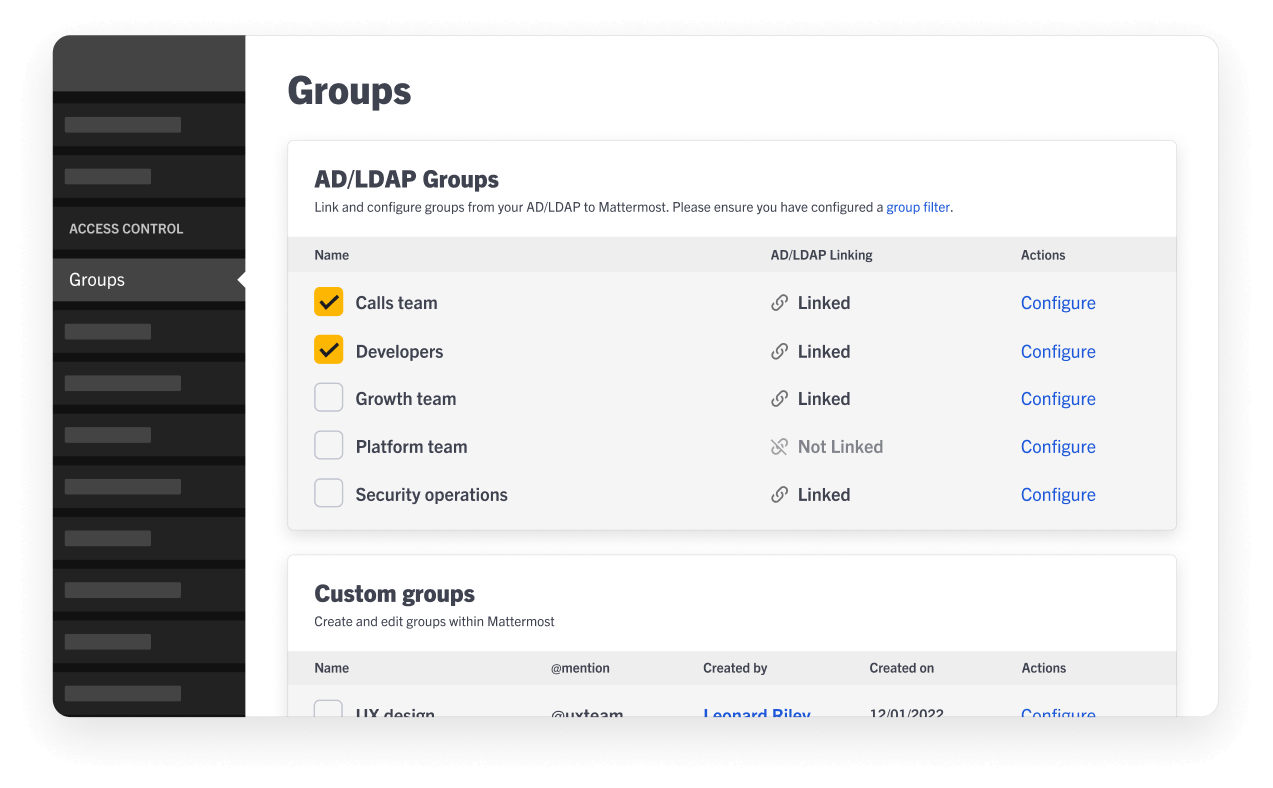
- MFA: Team Edition can enable optional user MFA. Server-enforced MFA for email/password or LDAP accounts is gated by the MFA licence feature in the reviewed v11.10 implementation; the current product documentation lists it for Entry, Professional, Enterprise and Enterprise Advanced. For other authentication methods, enforce MFA at the identity provider. Advanced auditing and compliance exports have their own plan requirements.
The Tech Stack
Under the hood, Mattermost is built with modern and robust technologies:
- Backend: Primarily written in Go (Golang). This provides excellent performance and concurrency, allowing Mattermost to handle many users and messages efficiently.
- Frontend: The web interface uses React and related JavaScript tooling; desktop and mobile clients package the user experience for their respective platforms.
- Database: Use PostgreSQL for new deployments and match its supported version to the chosen Mattermost release. New MySQL deployments stopped being supported in v10, and existing MySQL support ended in v11. MariaDB is not a supported substitute.
- Operating System: It runs as a single Linux binary, making deployment relatively straightforward.
Getting Mattermost Running in Your Homelab
There are several ways to install Mattermost:
- Docker: This is often the easiest and most popular method for homelabbers. Mattermost provides official Docker images, and you can use Docker Compose to manage the Mattermost application server and its database. This approach simplifies installation, updates, and dependency management.
- Linux Server: You can download the Mattermost server as a pre-compiled binary and run it directly on your Linux server. The official documentation provides detailed instructions for various distributions.
- Kubernetes: For more advanced users with Kubernetes clusters, Mattermost can be deployed using a Helm chart.
Proxmox VE Helper Script:
If your homelab runs on Proxmox VE, you're in luck! The amazing helper-scripts.com includes a script to easily install Mattermost as an LXC (Linux Container).
To use this:
- Access your Proxmox VE shell.
- Visit the Proxmox VE Helper Scripts website for "Mattermost".
- You'll find a command to run in your Proxmox shell. This command will download and execute the installation script.
- The script will guide you through the setup process, typically asking for some basic configuration details.
The community helper can simplify deployment, but it is maintained separately from Mattermost. Read the linked script and its current prerequisites before executing it on the Proxmox host, then check which Mattermost edition and release it installs. Keep an eye on this site as we will be doing a step-by-step tutorial in due course.
Conclusion: Take Control of Your Communications
Mattermost stands out as a robust, feature-rich, and highly secure collaboration platform that puts you in the driver's seat. Its self-hosting capability aligns perfectly with the ethos of the homelab enthusiast – offering control over hosting and the satisfaction of running your own services. With its open core model, the powerful Team Edition is freely available, providing a Slack-like experience within its current user and feature scope. Administration and privacy choices remain your responsibility.
Whether you're coordinating projects with a small group, looking for a private family chat server, or simply want to explore the world of self-hosted collaboration tools, Mattermost is an excellent addition to any homelab. Give it a try, and experience the freedom of truly owning your communication platform!
Deploy from the maintained Docker configuration
Use the official container deployment guide and matching Mattermost Docker repository. The stack has separate application and PostgreSQL containers, with an optional NGINX proxy. Choose Team Edition explicitly when that is your intended product; the Enterprise image running in Entry mode has different limits.
Copy the publisher's environment example, set the domain and unique credentials, and choose compatible application/database versions. Prepare the documented bind-mount directories with the expected container ownership; the publisher uses UID/GID 2000:2000 for the Mattermost application directory. Apply ownership changes only to the intended new directory, rather than a broad mm-* wildcard that might match unrelated files.
The official configuration is split across a base Compose file and a selected proxy overlay. For the documented included-NGINX path, after completing its environment, directory and certificate setup:
docker compose -f docker-compose.yml -f docker-compose.nginx.yml config --quiet
docker compose -f docker-compose.yml -f docker-compose.nginx.yml up -d
docker compose -f docker-compose.yml -f docker-compose.nginx.yml ps
These commands assume the matching publisher files and completed setup; they are not a replacement for it. Pin a release you have reviewed before relying on the instance long term. Avoid low, unexplained process limits that can prevent the Go application from creating enough threads. Mattermost's guide specifically cautions against low pids_limit values.
Calls needs its own network checks. In integrated mode, media normally reaches the Mattermost server on UDP 8443, with TCP 8443 as a fallback; the HTTPS proxy handles signaling rather than forwarding the UDP media. NAT, advertised addresses and optional STUN or TURN can affect connectivity. Opening ports alone does not activate the plugin or guarantee a working call. Follow the Calls deployment guide and test from the networks your users actually use.
Back up the database, uploaded files and required configuration with a consistent recovery procedure. A PostgreSQL volume is persistent storage, not an independent backup. Before an upgrade, check the important upgrade notes: v11 removed experimental Bleve search as well as MySQL and Team Edition Playbooks support. Test a restore on an isolated instance before depending on the chat archive.
Comparing Mattermost with other collaboration platforms
Matrix with Element, Zulip and Rocket.Chat are also worth evaluating, but a fixed RAM table cannot establish which will run best in your homelab. Measure the complete deployment, including the database, call service, integrations and backups. Compare the editions you can actually install rather than combining paid features with a free product label.
| Question | What to verify in a trial |
|---|---|
| Conversation organization | Can users find decisions in channels, threads or topics without losing context? |
| Identity and permissions | Does the selected free or paid edition support your required login method and private groups? |
| History and recovery | Are old messages searchable, are uploaded files included in backups, and can a restore be completed? |
| Integrations and calls | Do your chosen alert tools authenticate correctly, and do calls work from both local and remote clients? |
The screenshots illustrate integrations and administration from the product, including features that may require another edition. They should not be read as proof that every pictured feature is included in Team Edition. A useful first homelab trial is one private channel, one trusted webhook and two client accounts; confirm the workflow before inviting a larger group.