We have looked at a few note taking apps as part of our Homelab options, but deciding on the best for building our own homelab can be quite daunting. Apps like Notesnook, Blinko and Joplin are amazing, but there are so many options out there. For us as self-hosting enthusiasts, taking control of our data is one of the most important aspects of building a homelab, other than saving money while doing so. Let's take a look at one more note taking app, Obsidian, a powerful and flexible note-taking app that puts you in charge of your notes. Today, we'll dive deep into the world of Obsidian and explore how you can take complete ownership by self-hosting an alternative to its sync service, Obsidian Sync, right in your own homelab.
What is Obsidian and How Does it Work?
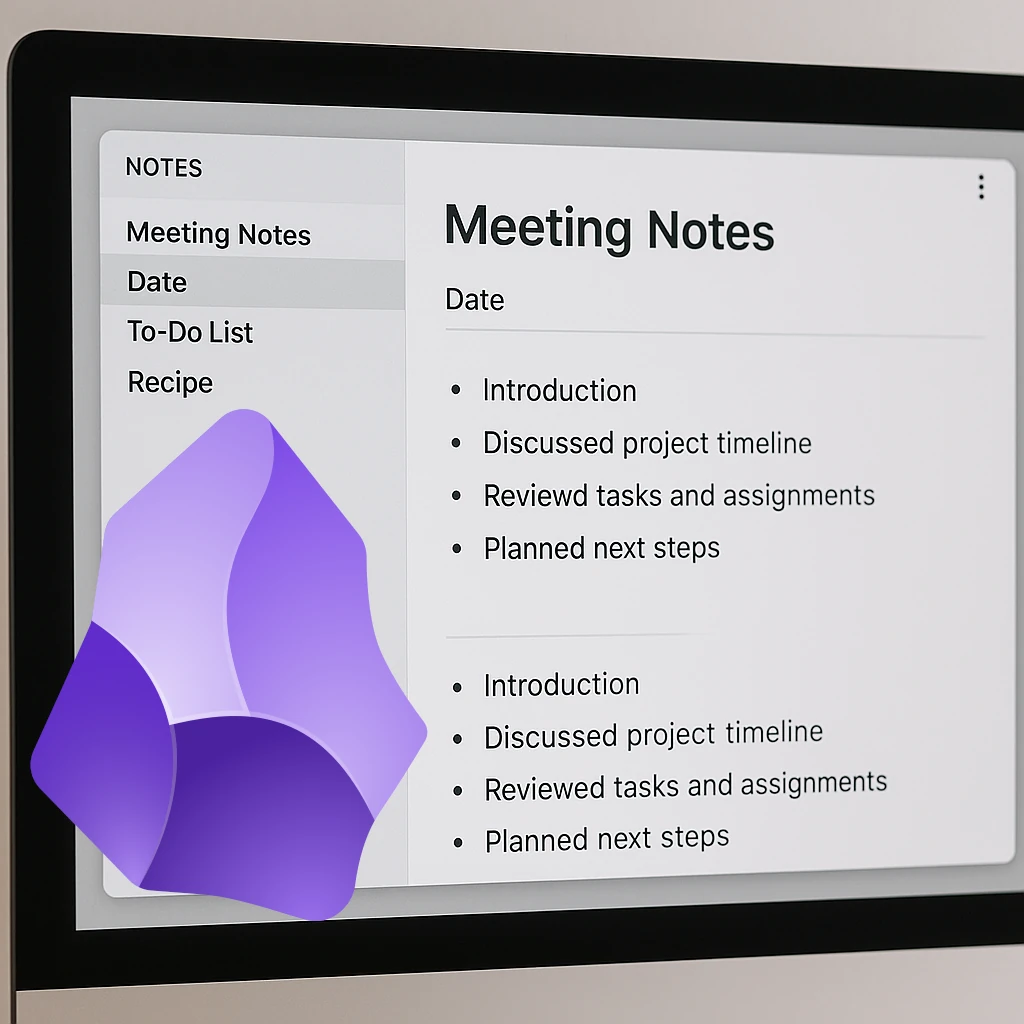
Obsidian is a free and powerful note-taking application built on the concept of a "personal knowledge base." Unlike traditional note-taking apps that silo your information, Obsidian works with a local folder of plain text Markdown files. This simple yet profound design offers unparalleled flexibility and control.
Here's how it works:
- Markdown at its Core: Every note you create in Obsidian is a plain text file formatted with Markdown. This ensures longevity, portability, and compatibility across various platforms and applications.
- Local-First Approach: Your notes live locally on your computer's file system. This means you have direct access to your data, even without an internet connection. It also gives you the freedom to organize your notes using standard file system conventions.
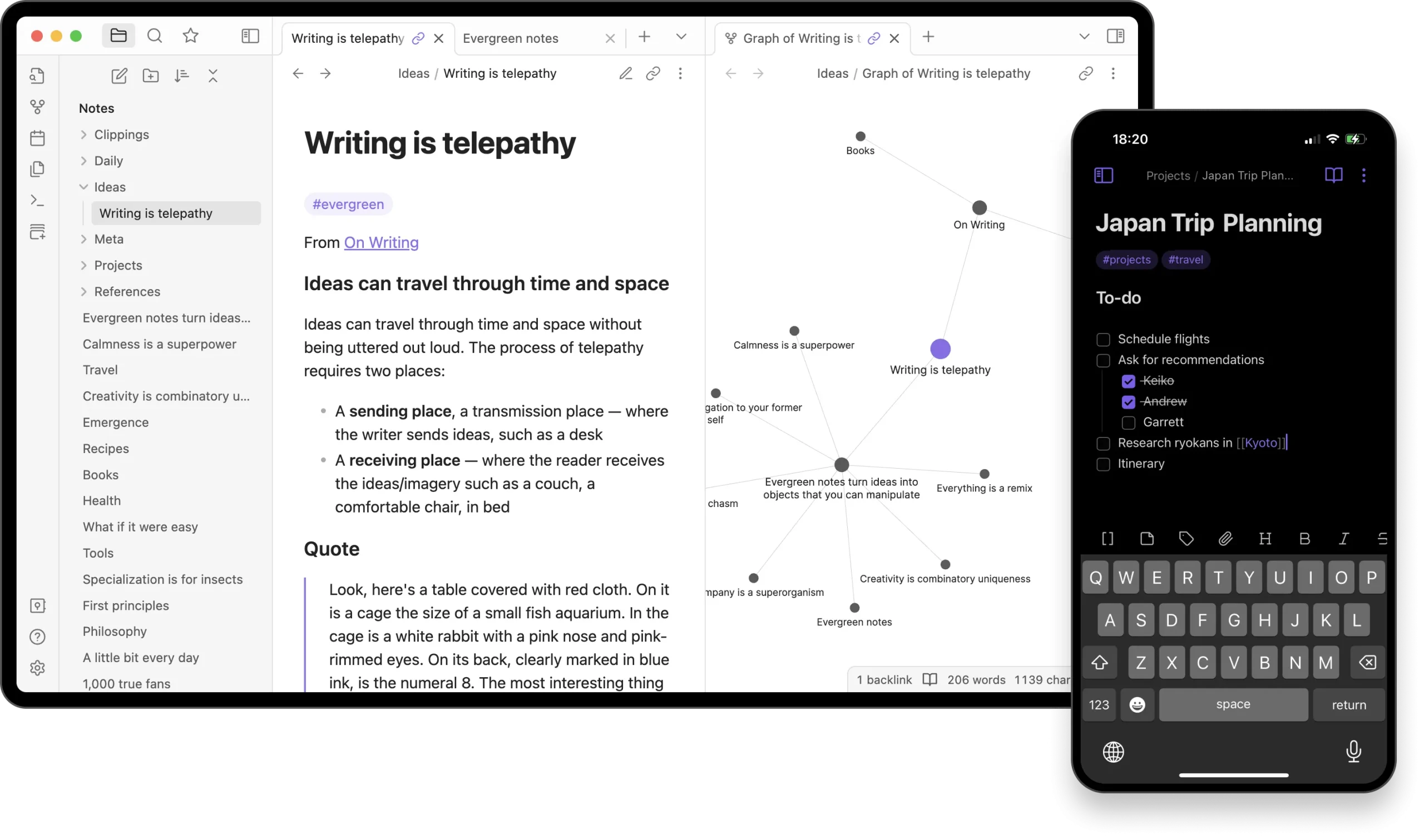
- Internal Linking (Wikilinks): The magic of Obsidian lies in its powerful internal linking system. By using
[[double brackets]], you can effortlessly create connections between your notes. This allows you to build a web of interconnected ideas, mirroring how your brain naturally works. - Graph View: Obsidian visualizes these connections in a dynamic graph view, allowing you to explore the relationships between your notes in an intuitive and insightful way.
- Extensibility through Plugins: Obsidian boasts a vibrant community that has developed a vast library of plugins. These plugins extend Obsidian's functionality in countless ways, from enhanced editing tools and calendar integrations to mind maps and spaced repetition learning systems.
- Themes for Personalization: Customize the look and feel of your Obsidian workspace with a wide array of community-created themes.
Why Choose Obsidian Over Other Note-Taking Solutions?
Obsidian stands out from the crowd for several key reasons:
- Data Ownership and Longevity: Your notes are plain text files under your complete control. You're not locked into a proprietary format or a specific vendor. This ensures the longevity and accessibility of your knowledge.
- Flexibility and Extensibility: The plugin ecosystem allows you to tailor Obsidian to your exact needs and workflow. Whether you're a student, writer, developer, or researcher, you can find plugins to enhance your productivity.
- Powerful Linking and Knowledge Graph: The internal linking and graph view features foster a deeper understanding of your notes and help you discover connections you might otherwise miss.
- Offline Access: Since your notes are stored locally, you can access and work on them anytime, anywhere, without needing an internet connection.
- Community-Driven Development: The active and passionate Obsidian community contributes significantly to its growth through plugins, themes, and helpful support.
Key Features of Obsidian in Detail:
- Plain Text Markdown: Keep notes in portable Markdown files; Obsidian-specific links, plugins and views may need adjustment in another application.
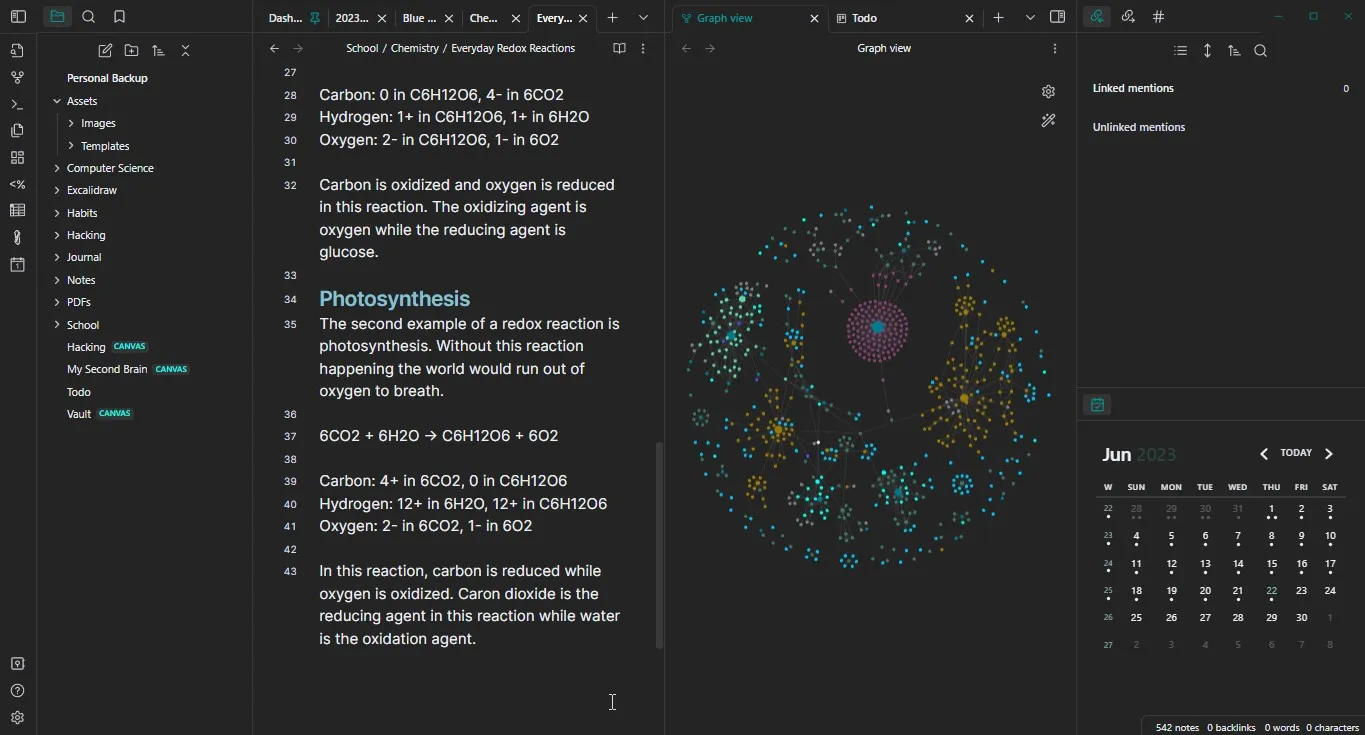
- Backlinking: Automatically see which other notes link to the current note, providing valuable context.
- Internal Link Suggestions: As you type, Obsidian suggests relevant notes to link to, streamlining the connection process.
- Graph View: Visualize the interconnectedness of your notes and explore your knowledge base in a new way.
- Multiple Panes: Work on multiple notes side-by-side for efficient research and writing.
- Customizable Hotkeys: Optimize your workflow with personalized keyboard shortcuts.
- Themes (CSS Customization): Change the visual appearance of Obsidian to match your preferences.
- Plugin Ecosystem: Extend functionality with community or custom-built plugins for features like:
- Calendar Integration: Link notes to specific dates.
- Task Management: Create and track to-dos within your notes.
- Mind Maps: Visualize your ideas in a hierarchical structure.
- Spaced Repetition (Anki Integration): Turn your notes into flashcards for effective learning.
- Advanced Tables: Create and manage complex tables.
- And much, much more!
- Outline View: Quickly navigate the structure of your notes.
- Search Functionality: Find information quickly and efficiently within your vault.
Why Self-Host An Obsidian Sync Alternative?
While Obsidian's local-first nature is a major advantage, the ability to seamlessly synchronize your notes across multiple devices is often crucial for a modern workflow. Obsidian offers an official paid service called Obsidian Sync for this purpose. However, for self-hosting enthusiasts, relying on a third-party service, even one as reputable as the Obsidian team, goes against the core principles of data ownership and control.
Self-hosting an alternative allows you to:
- Maintain Complete Data Ownership: Your synchronized copies can reside on infrastructure you choose. Encryption depends on the method and settings; a local Obsidian vault is ordinarily readable Markdown rather than an encrypted vault by default.
- Reduce Reliance on External Services: Eliminate the dependency on a third-party service for synchronizing your valuable knowledge base.
- Potentially Reduce Costs: Depending on your existing homelab setup, self-hosting might be more cost-effective in the long run.
- Enhance Privacy: Keep your data within the confines of your own network, minimizing potential privacy concerns.
- Learn and Experiment: Setting up and maintaining your own synchronization solution provides valuable learning opportunities in server administration and networking.
What Parts of Obsidian Can You Self-Host?
Obsidian is a local application using a vault folder; storing local files does not require a server. The application is proprietary, even though notes and many community tools use open formats. What we're focusing on here is self-hosting the synchronization aspect, which Obsidian Sync handles officially.
While the official Obsidian Sync service is proprietary and cannot be directly self-hosted, there are alternative solutions that allow you to achieve similar functionality within your homelab.
Options for Self-Hosting Obsidian Sync (Unofficially):
Since there's no official self-hosted version of Obsidian Sync, enthusiasts have explored various workarounds leveraging existing self-hosted services:
- Nextcloud/OwnCloud: These popular open-source cloud platforms offer robust file synchronization capabilities. You can store your Obsidian vault within your Nextcloud or OwnCloud instance, and a compatible desktop file-sync client can synchronize that folder. Mobile applications must be able to access a real local vault; an iOS file-provider view is not automatically a writable Obsidian vault.
- Syncthing: This open-source, peer-to-peer continuous file synchronization program allows you to sync folders between multiple devices without relying on a central server (though you can set up relay servers if needed). It's highly configurable and privacy-focused.
- Git: For the more technically inclined, using Git to manage and synchronize your Obsidian vault can be a powerful option. This provides version control and allows for collaborative editing if desired. However, it requires a deeper understanding of Git workflows.
- Simple File Sync Solutions (e.g., rsync, Seafile): A compatible file-sync service can move a vault between local folders.
rsyncis a copying tool rather than an automatic conflict-aware two-way synchronization system; define direction and deletion behavior before using it.
Brief Overview of How These Workarounds Function:
These methods essentially treat your Obsidian vault as a collection of files to be synchronized. When you make changes on one device, the chosen synchronization tool detects these changes and propagates them to your other connected devices.
The Desire for Official Self-Hosted Obsidian Sync:
While these workarounds are valuable and empower self-hosting users, official support for self-hosting Obsidian Sync would offer several advantages:
- Seamless Integration: An officially supported solution would likely offer tighter integration with the Obsidian app, potentially providing a more streamlined and user-friendly experience.
- End-to-End Encryption: While many of the current workarounds support encryption, an official self-hostable option could offer a documented encryption design and supported integration. No hypothetical design guarantees security; the current hosted Sync service already provides an end-to-end encryption option.
- Optimized Performance: A dedicated self-hosted Obsidian Sync server could be optimized for the specific needs of synchronizing Markdown files and Obsidian metadata.
- Official Support and Documentation: Official documentation and support from the Obsidian team would greatly simplify setup, troubleshooting, and maintenance for self-hosting users.
Reassurance for Self-Hosting Enthusiasts:
Despite the lack of official support, the existing workarounds are robust and actively used by many in the self-hosting community. Tools like Nextcloud, Syncthing, and even Git provide reliable and secure ways to keep your Obsidian vault synchronized across your devices when you choose self-hosted endpoints and review any relay, discovery and plugin services. Git transport encryption does not encrypt the note contents stored in repository history. The flexibility of Obsidian's plain text format ensures compatibility with these diverse self-hosting solutions.
Conclusion: Take Control of Your Knowledge
Obsidian is a remarkable tool for building your personal knowledge base, offering unparalleled flexibility, extensibility, and most importantly, control over your data. For self-hosting enthusiasts, the desire to extend this control to synchronization is a natural progression. While official self-hosted Obsidian Sync isn't yet a reality, the power of open-source tools like Nextcloud and Syncthing, along with the versatility of Git, provide excellent alternatives for keeping your thoughts in sync within the secure confines of your homelab. Embrace the power of self-hosting and take complete ownership of your knowledge journey with Obsidian.
Self-Hosted LiveSync and CouchDB
Self-hosted LiveSync is a community plugin, separate from the proprietary Obsidian Sync service. It can use CouchDB and supports optional end-to-end encryption. Choose the supported setup workflow for the plugin version you install rather than assuming a copied database configuration creates a complete synchronized vault.
Configure the Server for the Selected Plugin Version
Follow the plugin publisher's own-server guide. It includes database provisioning and client setup beyond creating a container. The current initialization wrapper requires Deno 2 and administrator credentials; its documented workflow does not create a separate restricted sync user automatically. Review those permissions and the complete recipe before exposing the service.
Persist CouchDB data and configuration, protect administration credentials and use HTTPS with trusted certificates for mobile clients. CORS allows certain browser origins to access a service; it is not authentication and does not restrict arbitrary non-browser clients. Do not raise request-size limits to several gigabytes without a demonstrated requirement.
Connect a Test Vault Before Your Main Notes
Back up your vault, including attachments and the configuration you need. Disable other sync engines for that same vault before enabling LiveSync: its publisher expressly warns against running it alongside iCloud or Obsidian Sync. Two independent engines can race on changes or deletions.
Start with a small test vault. Configure the server and client, choose encryption deliberately and retain the passphrase in a secure recovery location. A setup URI can contain connection information; treat it as sensitive and share it only through an appropriate private channel. Test a note and attachment on two devices, then verify an offline edit after reconnecting.
Synchronization speed depends on the network, client activity, file size and server load. A plugin cannot promise sub-second synchronization while a mobile operating system suspends the app. Open the app and confirm pending changes have arrived before switching devices or discarding a local copy.
Choose a Method and a Recovery Plan
Syncthing is useful for local-folder synchronization on supported clients. The official Android app is no longer maintained, so check a maintained compatible client; iOS has separate filesystem and background limitations. Git offers explicit history and commits but requires conflict handling, and old commits can retain sensitive text after you delete a file from the current vault.
Remotely Save and other community plugins offer different backends and encryption options. Evaluate their current documentation for your platform, credential storage and attachment support rather than assuming every S3 or WebDAV service behaves identically. Official Obsidian Sync offers its own supported workflow, plans and limits; self-hosted alternatives trade that managed operation for work you maintain yourself.
Check encryption at three separate places: between devices and server, in remote storage, and in the local vault. Encrypted transit alone does not hide notes from the server operator. Client-side encryption of a remote copy does not make unlocked local Markdown files inaccessible to other applications or community plugins.
Keep independent versioned backups. Sync can propagate deletion or corruption to every device, while a database replica is still part of the live synchronization system. Restore a copy of the vault into a separate directory and verify links, attachments and required settings. Keep local files downloaded rather than leaving placeholder-only cloud files that Obsidian cannot read offline.
The best choice is one you can use every day and recover when a device or server fails. Obsidian's local format remains its appeal for us: begin with a simple workflow, confirm the behavior on your own devices and add plugins only when they solve a specific need.