A Raspberry Pi is a compact single-board computer used for projects ranging from media centres to robotics. Our Raspberry Pi section covers several of those uses. The Raspberry Pi AI HAT+ adds a dedicated neural processing unit to the Raspberry Pi 5, giving supported vision applications an accelerator alongside the Pi's CPU. Choosing the right version requires more than comparing the largest number on the box.
Introducing the Raspberry Pi AI HAT+
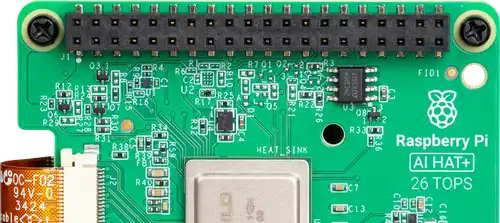
The AI HAT+ has two versions: a 13 TOPS model with a Hailo-8L chip and a 26 TOPS model with a Hailo-8. Both ratings describe INT8 operations. The chip is integrated into the board and communicates over the Pi 5's PCIe connection. Neither model is a general-purpose replacement for the CPU, nor does installing it automatically accelerate every AI application.
Raspberry Pi's camera software provides supported pipelines for object detection, image segmentation and pose estimation. These are inference tasks: a trained model analyses new input. Training a custom network is a separate workflow, and a Python script using an arbitrary neural network will not automatically use this HAT.
Technical specifications and the original AI Kit
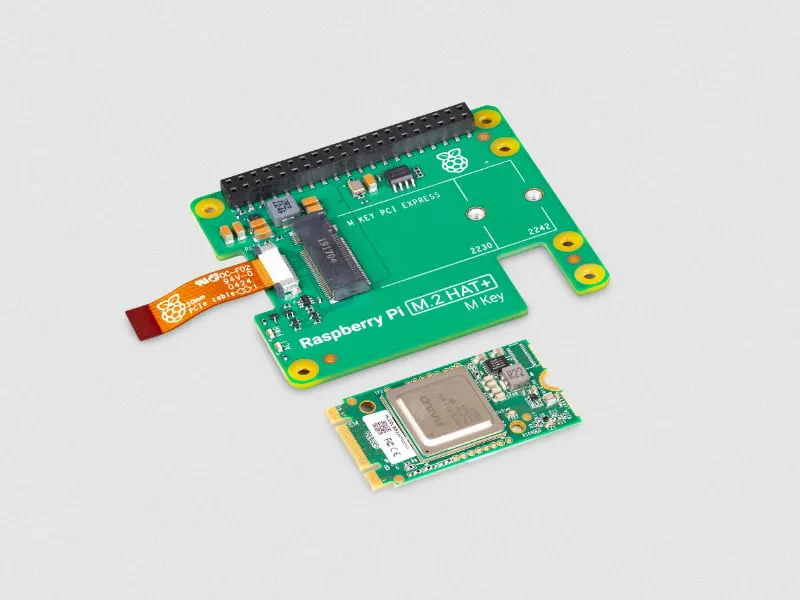
The earlier product was the Raspberry Pi AI Kit, rather than an original product called the AI HAT. It combined an M.2 HAT+ with a removable Hailo-8L module. Our AI Kit article explains that design. The Kit is now out of production, although existing units remain covered by Raspberry Pi's documentation.
| Product | Accelerator | Headline capacity | Physical design |
|---|---|---|---|
| AI HAT+ 13 TOPS | Hailo-8L | 13 TOPS, INT8 | Accelerator integrated on the HAT |
| AI HAT+ 26 TOPS | Hailo-8 | 26 TOPS, INT8 | Accelerator integrated on the HAT |
| Original AI Kit | Hailo-8L | 13 TOPS, INT8 | Removable module on an M.2 HAT+ |
The 26 TOPS version offers more accelerator capacity, including scope for larger supported models or concurrent workloads. It does not guarantee twice the frame rate in a complete camera application. Camera capture, image preparation, inference, drawing results and recording can each become the limiting stage. A 13 TOPS device is not restricted to exactly one model at 30 frames per second either.
Useful projects and model compatibility
Practical projects include identifying objects in a camera feed, estimating poses for an educational demonstration, or using segmentation to distinguish objects from their surroundings. For automation, first decide which observation should trigger an action and what happens when a detection is wrong. A demonstration recognising a person is not proof that a security or safety system will behave reliably in every scene.
Hailo's tooling prepares compatible networks for its accelerator and produces compiled HEF model files. Framework names alone do not establish compatibility: supported operators, input shape, compilation target and runtime versions matter. Hailo also distinguishes its Model Zoo branches: Hailo-8 and Hailo-8L use the v2.x branch, whereas the repository's newer main branch targets different hardware. Check the Hailo Model Zoo compatibility notice before following a generic installation tutorial.
For a first experiment, use a supplied model and camera demo before attempting conversion. That separates hardware and driver problems from problems in your own model. Record the model name and software versions alongside results so a later package update does not leave you guessing what changed.
Hardware, cooling and project costs
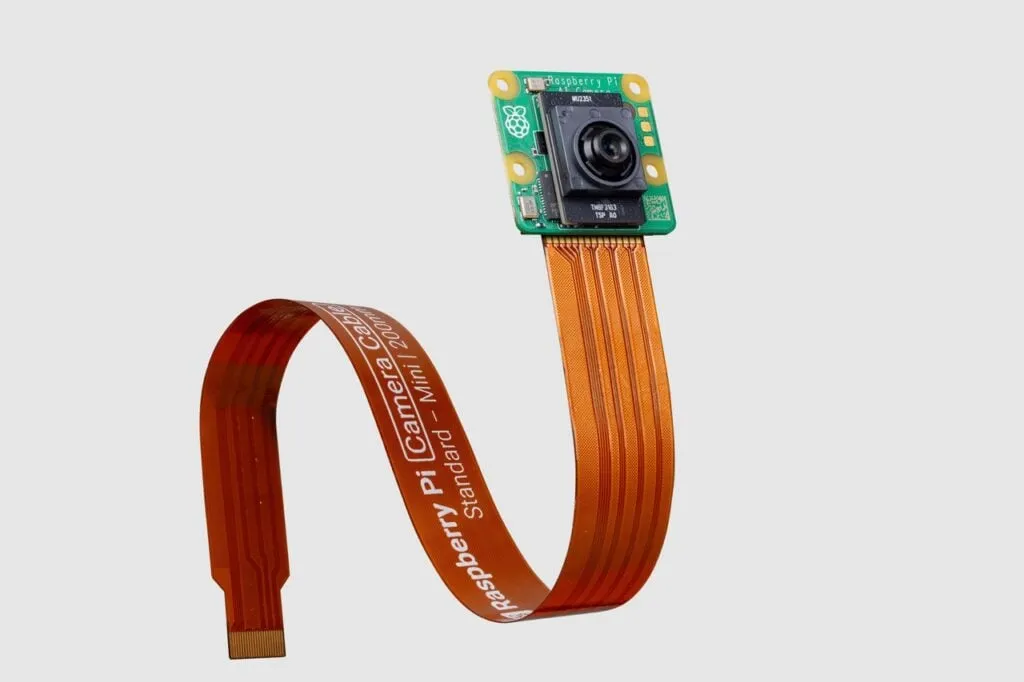
The supported host is a Raspberry Pi 5. Plan for a suitable power supply, cooling, storage, camera and physical clearance rather than budgeting for the HAT alone. Do not assume the accelerator guarantees longer battery life; the complete system's power draw and workload determine runtime.
Disconnect power before assembly and follow the official fitting instructions. Raspberry Pi recommends an Active Cooler and connecting a camera before fitting the AI hardware. The PCIe ribbon is the accelerator's data connection; the GPIO stacking connector does not turn it into a GPIO-only device. Check compatible expansion hardware before planning another accessory on the same PCIe connection.
Install and verify the supported software
For a fresh setup, Raspberry Pi's current AI software guide uses 64-bit Raspberry Pi OS Trixie. Back up an existing installation before changing its OS or package stack. Run the update block below, reviewing package changes, and wait for the first reboot to finish before running the dependency block.
sudo apt update
sudo apt full-upgrade
sudo rpi-eeprom-update -a
sudo reboot
The AI HAT+ applies the PCIe Gen 3 setting automatically. The manual Gen 3 configuration described for the original AI Kit is not an extra required HAT+ step. Install the Hailo-8/8L dependency package, then reboot again:
sudo apt install dkms
sudo apt install hailo-all
sudo reboot
After reconnecting, identify the accelerator:
hailortcli fw-control identifyCheck the reported device architecture, rather than treating the board-name line as the only identifier. Some identification fields can show N/A on a HAT without indicating a fault. This command checks communication with the device; it is not a PCIe-speed benchmark or a test of camera accuracy.
Check a camera demo before measuring performance
On a graphical Pi desktop with a supported, connected camera, install the camera utilities and check the ordinary preview first:
sudo apt update && sudo apt install rpicam-apps
rpicam-hello
Once capture works, the documented YOLOv8 example is:
rpicam-hello -t 0 --post-process-file /usr/share/rpi-camera-assets/hailo_yolov8_inference.jsonStop it with Ctrl+C. For a headless test, consult the documented no-viewfinder and textual-output options. If inference fails while ordinary capture works, check installed model assets and compatible runtime versions before replacing the camera. Matching the compiler, runtime and driver is particularly important for custom compiled models.
Evaluate the whole pipeline
Use representative scenes: normal lighting, difficult lighting, partially hidden objects and an empty frame. Note missed objects and false detections, not just whether boxes appear. Keep resolution, model and confidence settings consistent when comparing devices. Separately observe CPU load, temperatures, recording quality and response time over a sustained run. Results from one model or camera cannot establish a universal multi-camera frame rate.
Local inference can keep processing on your equipment, but storage, remote access and the surrounding application still determine where images go. Decide whether to retain footage, who can view it and how an automation handles uncertain results before connecting detections to consequential actions.
Choosing between AI products
The newer AI HAT+ 2 is a distinct Hailo-10H product with its own memory and support for generative AI workloads. Its INT4 rating should not be compared directly with the original HAT+'s INT8 figure. Its dependency package is also different. Do not use its installation instructions to configure a Hailo-8 or Hailo-8L board, or buy the original HAT+ expecting the newer product's supported LLM features.
When considering another accelerator or a complete AI computer, start with the exact model and application you need to run. Check supported formats, software maintenance, host connections and total project cost. These determine whether a product fits your task more reliably than a TOPS ranking alone.
The AI HAT+ is a useful option for supported Raspberry Pi 5 vision projects. Begin with a working reference pipeline, then add your own model or automation one change at a time. See the official AI HAT+ product page for the hardware details.