The Raspberry Pi AI Kit brought a useful AI option to the Raspberry Pi 5 when it launched in June 2024. The appeal remains clear for existing owners: a compact accelerator can run compatible computer-vision models while the Pi manages the camera, application and other tasks. It is a great way to explore how an inference pipeline works.
Availability context: Raspberry Pi now lists the original AI Kit as no longer in production and recommends an AI HAT for new designs. The historical launch price was US$70 for the kit, not a complete camera computer. This article explains the original hardware and the supported software path for owners, rather than presenting it as a newly released product.
What Is a Raspberry Pi?
A Raspberry Pi is a single-board computer with a processor, memory and input/output connections on one board. With an operating system, power supply and storage, it can run applications and interact with electronics. Different models have different interfaces; the AI Kit discussed here is intended for the Raspberry Pi 5's PCIe connection, not any Pi with a GPIO header.
Adding an accelerator does not replace the Pi's CPU or make every program faster. The application must send supported neural-network work to the accelerator. Image capture, decoding, resizing, networking and application logic can still consume host resources.
What the Original AI Kit Contains
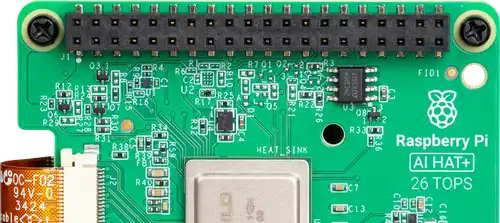
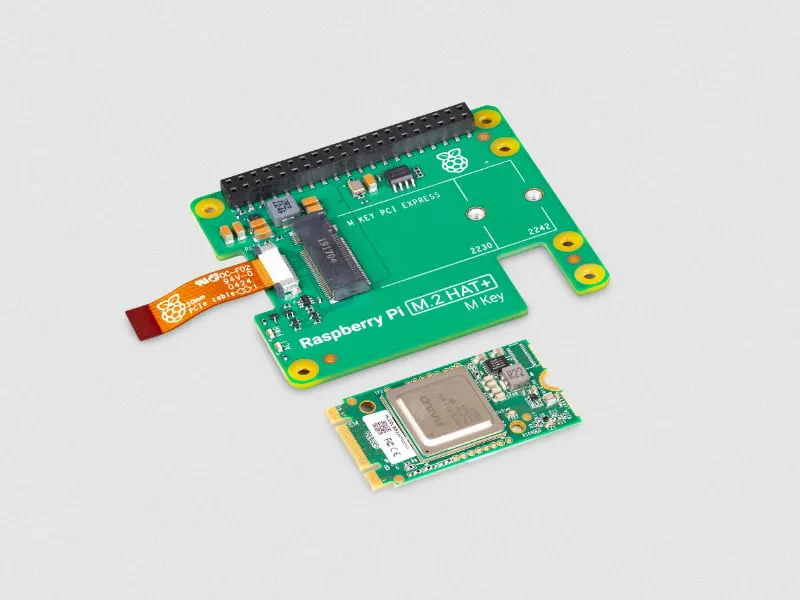
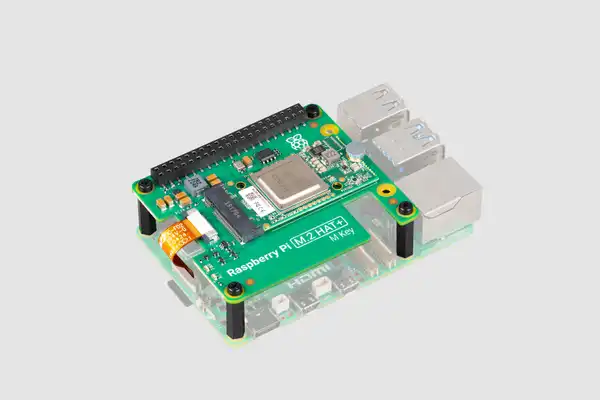
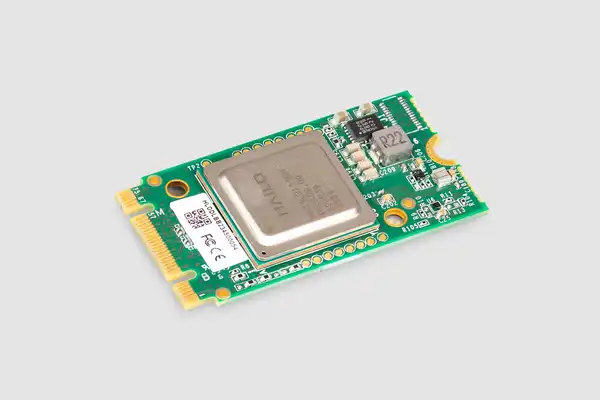
The kit combines a Raspberry Pi M.2 HAT+ with a pre-installed Hailo-8L module. The HAT provides the PCIe connection, mounting and power arrangement; the module supplies the neural processing unit, or NPU. The package also includes its thermal pad, ribbon cable, mounting hardware and a stacking GPIO header.
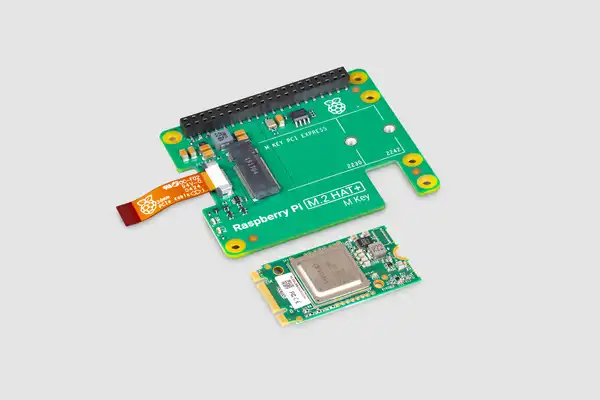
| Component or rating | Verified detail |
|---|---|
| Accelerator | Hailo-8L, rated at 13 TOPS for neural-network inference |
| Module format | M.2 2242 fitted to the M.2 HAT+ |
| Host | Raspberry Pi 5 using its PCIe connection |
| Cooling arrangement | Supplied thermal pad; mounting hardware accommodates the Pi Active Cooler |
| Current software guide | 64-bit Raspberry Pi OS Trixie and the Hailo stack for this hardware |
TOPS means tera-operations per second, a hardware capability rating. It is not a camera frame-rate specification and cannot by itself predict how many streams your project will process. Model architecture, input size, accuracy requirements and the complete pipeline affect results. There is no universal 30 FPS or sub-15-millisecond promise for every model.
How the Inference Pipeline Works
A camera supplies frames; software prepares the input expected by a compatible model; the NPU performs inference; and post-processing turns outputs into useful information such as boxes and labels. A detector finding a person is different from identifying that person's face or deciding whether an event should trigger an alarm.
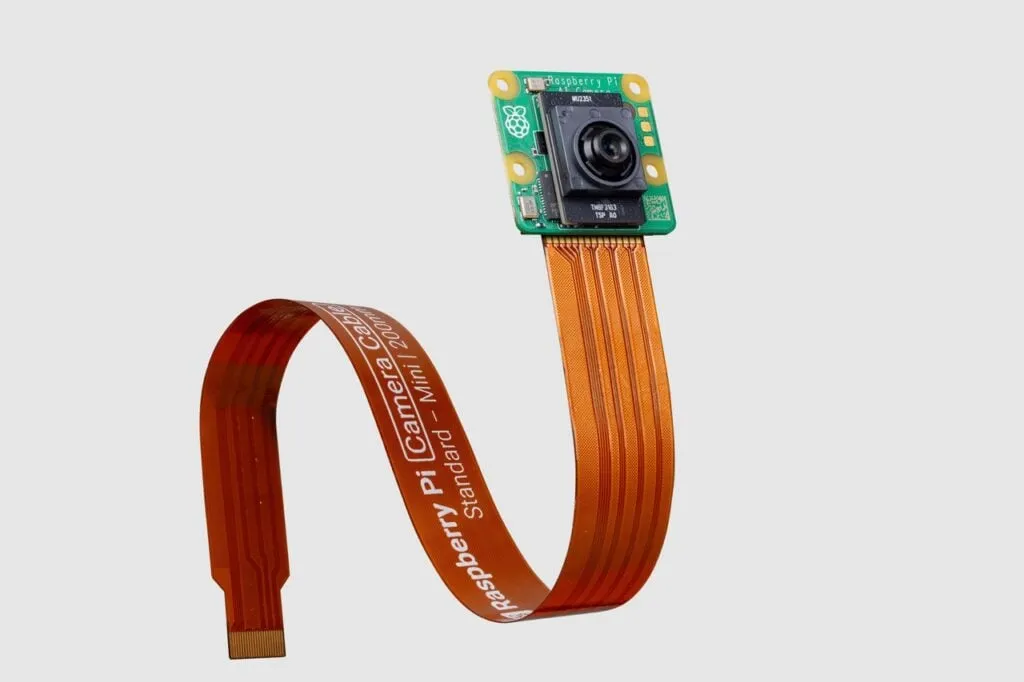
Raspberry Pi's rpicam applications support Hailo post-processing stages. The supported software dependencies are still necessary: fitting the board alone does not install all drivers, firmware, middleware and models. A USB or third-party camera also needs a supported capture path; the kit is not a guarantee that every existing camera works with every demonstration.
The publisher's traffic-detection video illustrates a prepared application, rather than a benchmark for an arbitrary multi-camera system:
Software Setup for an Existing AI Kit
Use Raspberry Pi's AI Kit hardware guide for assembly. Disconnect power before connecting the camera, PCIe ribbon and HAT. Check cable orientation and cooling clearance rather than forcing a connector. The photographs show the original arrangement and are retained for reference.
The current AI software guide uses a Pi 5 running 64-bit Raspberry Pi OS Trixie. For a fresh supported setup, update its software and firmware, then reboot:
sudo apt update
sudo apt full-upgrade
sudo rpi-eeprom-update -a
sudo reboot
After reconnecting, the publisher recommends enabling PCIe Gen 3 for the original AI Kit through raspi-config: select Advanced Options, PCIe Speed, enable the setting, finish and reboot. Gen 2 uses 5 GT/s and Gen 3 uses 8 GT/s; these are transfer rates, not application throughput guarantees. Do not assume numbered menu entries stay identical between releases.
sudo raspi-configInstall the matching dependencies and restart before checking the accelerator:
sudo apt install dkms hailo-all
sudo reboot
Then verify detection:
hailortcli fw-control identifyFor the original kit, inspect the output for the HAILO8L device architecture. A successful identification establishes that the runtime can communicate with the device; it does not yet prove a camera or your chosen model works. The newer AI HAT+ 2 uses a different package, hailo-h10-all, which the current guide says cannot coexist with hailo-all. Do not mix the two hardware instructions.
Verify the Camera Before an AI Demo
Install the camera applications and run a basic preview first:
sudo apt update
sudo apt install rpicam-apps
rpicam-hello
Once the camera preview works, the documented YOLOv8 example is:
rpicam-hello -t 0 --post-process-file /usr/share/rpi-camera-assets/hailo_yolov8_inference.jsonStop the continuous preview with Ctrl+C. If it fails, separate hardware identification, camera access, installed assets and runtime/model compatibility instead of immediately changing several packages. For custom models, use Hailo's documented tooling and ensure the compiled model targets Hailo-8L with matching runtime requirements. A model name in a repository is not proof every variant is ready to run on this module.
Useful Projects and Their Limits
- Home monitoring: detect objects or activity, then build suitable event rules. Face identification and alerts require additional models and application logic.
- Pet projects: start by recognising a supported animal class. Behaviour analysis and treat dispensing are separate software and hardware tasks.
- Education: compare lighting, occlusion, confidence thresholds and model tradeoffs using your own test images.
- Inspection experiments: a demonstration can help explore defect detection, but a factory decision system needs representative data, validation and recovery behaviour.
Measure more than inference speed. Check missed objects, false alarms, end-to-end delay, temperatures and sustained host load. Local inference can reduce the need to upload footage, but the application still controls recording, remote access and retention.
Using It with Frigate
Frigate documents Hailo-8 and Hailo-8L detector support, including the hailo8l detector type. Follow the driver, container-access and model requirements for the Frigate release you install. The accelerator handles supported detection work; it does not automatically accelerate every video-decoding or recording task.
Plan camera count and resolution from measured host and pipeline load rather than an assumed latency figure. Our Frigate guide provides related installation context; it is separate from the camera preview commands above.
Conclusion
The original AI Kit remains a useful learning platform for owners, with an approachable route to supported vision demonstrations. New buyers should compare the currently recommended AI HAT options and their different software requirements. See the original launch announcement and official AI Kit page for the historical product and current availability context.