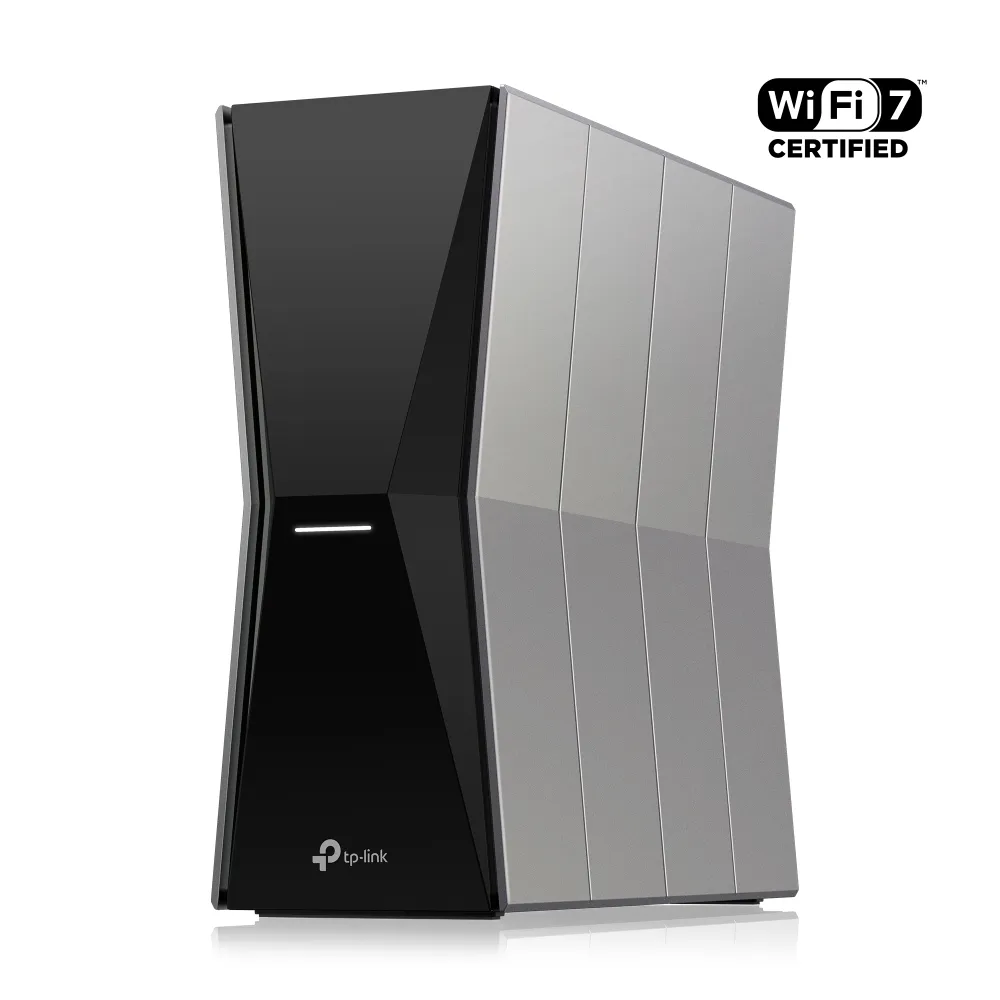
The TP-Link Archer BE805 combines tri-band Wi-Fi 7 with a particularly useful wired feature: separate 10 Gbps Internet and LAN connections. I consider it a strong option for demanding households upgrading their network, especially when capable wireless clients and fast local devices can make use of the hardware.
That positive view still comes with practical conditions. A powerful standalone router needs a suitable position, and the ISP connection determines internet speed. Its BE19000 label does not make an old laptop faster or guarantee good reception through every floor. This buying guide explains verified specifications and useful checks; it does not claim measurements from a tested review unit.
What the BE805 actually offers
The Archer BE805 V1 datasheet lists the following hardware. Check the region and revision of the unit offered locally before relying on any particular firmware feature.
| Feature | Published specification |
|---|---|
| Wireless class | Tri-band Wi-Fi 7, BE19000 |
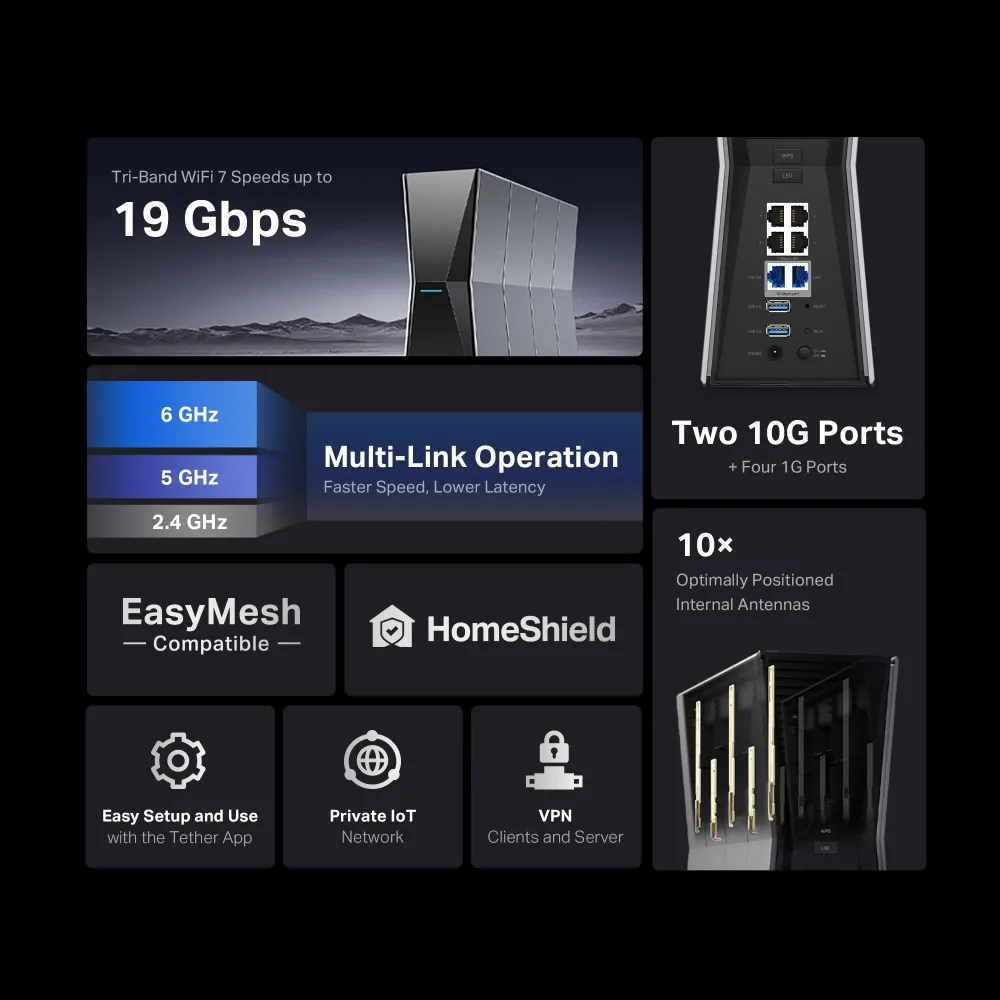
| Maximum radio rates | 6 GHz: 11520 Mbps; 5 GHz: 5760 Mbps; 2.4 GHz: 1376 Mbps |
| Wide channels | Up to 320 MHz on 6 GHz; 160 MHz on 5 GHz, subject to regional availability |
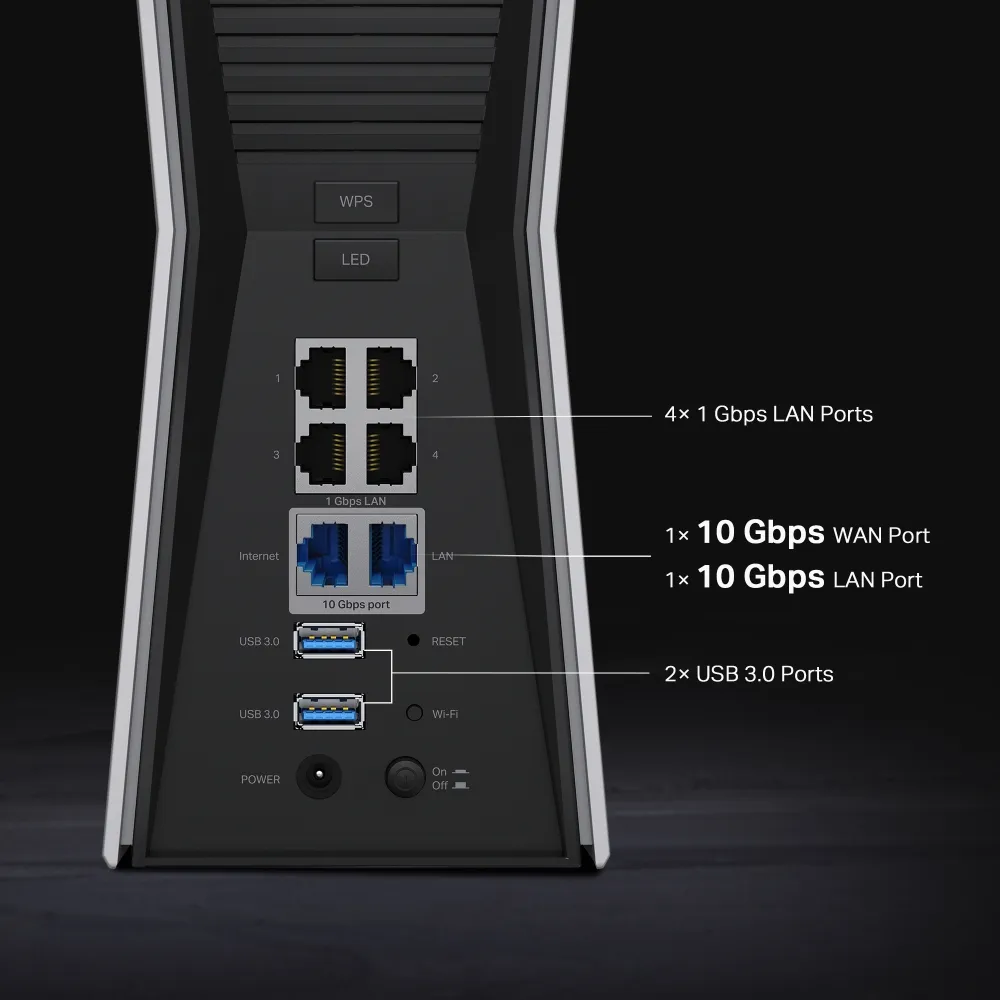
| Internet port | One 10 Gbps WAN port |
| Local ports | One 10 Gbps LAN port and four 1 Gbps LAN ports |
| USB | Two USB 3.0 ports |
| Antennas | Ten internal antennas |
| Operating modes | Router and Access Point |
These are physical signal rates and interface specifications. Adding the radio rates produces the rounded marketing class, rather than a measured internet download. Compare the actual paths your devices use: the radio, Ethernet connection, storage drive and upstream service can each impose a different limit.
Wi-Fi 7 and MLO: useful features with conditions
Wi-Fi 7 improves the tools available to a wireless network, including 4096-QAM, wider channels and Multi-Link Operation. The BE805 lists MLO support, but the connected device must support the corresponding features too. A Wi-Fi 6 client can connect without becoming a Wi-Fi 7 client.
HPE Aruba's technical explanation describes MLO implementations that combine or alternate between links. Some clients use a single radio and switch between links; others can transmit over multiple radios concurrently. Do not assume that every phone uses all three BE805 bands simultaneously, or that MLO guarantees a particular ping figure.
The wider 320 MHz option belongs to 6 GHz, while TP-Link's V1 footnotes specify 160 MHz on 5 GHz. Channel availability is region-dependent. The extra spectrum can help a suitably equipped nearby client, but 6 GHz is not interference-free and does not remove physical obstacles. If you mainly work behind thick walls, placement or a wired connection may matter more than a very wide channel.
Features such as MU-MIMO and OFDMA can improve how compatible clients share the network. They do not give each connected device the whole aggregate rating. Check your laptop's adapter, supported bands and drivers when deciding whether the wireless upgrade will help.
Using the two 10 Gbps connections sensibly
The separate WAN and LAN ports let you connect a suitable fast modem or ONT while retaining a fast local uplink. A 10 Gbps LAN switch can then provide several faster local connections. Match the switch ports and client adapters as well as the cabling; an ordinary Gigabit switch does not become multi-gigabit when connected to a 10 Gbps router port.
The four additional LAN ports are Gigabit, not 2.5 GbE. They suit devices whose needs fit that limit, such as many televisions or consoles. For a fast workstation and NAS, connect them through suitable faster ports or a switch, then consider whether their traffic needs to cross the router at all.
A 10 Gbps interface is also not proof of 10 Gbps routed performance under every security or VPN configuration. Actual speed depends on the features enabled and the rest of the path. Check the ISP's handoff requirements and compare a wired baseline before attributing a slow result to Wi-Fi. An Ethernet-only router may still need the modem appropriate to your broadband service.
USB storage and VPN: understand the roles
TP-Link's current BE805 technical table lists FTP, media and Samba servers for attached USB storage, with NTFS, exFAT, HFS+ and FAT32 partition formats. This can be convenient for sharing files, but the table does not establish Apple Time Machine support or a specific read/write speed.
Before using attached storage for important files, check access permissions and confirm you can retrieve them from the intended devices. Keep another copy elsewhere. A drive attached to the router can fail, be disconnected or become unavailable during network maintenance, so convenience is not equivalent to an independent backup strategy.
The same table lists OpenVPN and WireGuard clients and servers. A VPN client connects selected household devices to a remote VPN service; a server allows remote access back to the home network. These roles solve different problems. Verify the configuration your intended service requires and test the applications you need, rather than assuming encryption has no throughput cost.
For remote access, investigate public addressing and ISP restrictions before buying specifically for a VPN server. A router's support for a server does not itself make it reachable through upstream carrier-grade NAT. Avoid exposing file-sharing services to the internet merely to make remote access easier.
EasyMesh expansion: check the exact partner
The BE805 supports EasyMesh expansion, but compatibility depends on the actual products and firmware. TP-Link's datasheet warns of possible firmware conflicts between vendors. Consult the compatibility list before buying an extender or another router, and verify support for the intended backhaul and operating mode.
TP-Link's mesh compatibility guide explains that Archer and Deco are different mesh systems. A Deco cannot simply become a BE805 EasyMesh satellite because it shares the same brand. You can use separate systems on a network, but that is different from forming one unified mesh.
Try a sensible central router position before adding hardware. For a wireless extender, choose a location with a useful upstream connection, rather than placing it at the most distant dead spot. If existing cabling is available, check the exact EasyMesh partners' wired-backhaul support instead of assuming all models offer the same arrangement.
Security and firmware deserve part of the budget
HomeShield and WPA3 are useful features, with wireless security choices that depend on client support. TP-Link distinguishes basic and paid HomeShield services, so check current plan terms for the parental controls or protection you intend to use. Device prioritisation should not be interpreted as guaranteed per-application bandwidth or a promise that a download cannot affect a game.
Use the model-specific support page to locate the documentation, then select the official site for your purchase region and the exact hardware revision. Read release notes and downgrade restrictions before updating. Later firmware fixes for MLO and VPN behaviour illustrate why features should be checked against the installed version, rather than treated as identical throughout the product's life.
For your own evaluation, compare wired and wireless transfers using the same client and destination, then repeat in the rooms where coverage matters. Check latency while uploads or downloads are busy as well as when the line is idle. Keep notes on firmware, band and distance so results help identify a real bottleneck instead of merely producing a headline number.
Who should consider the BE805?
The BE805 remains an appealing option for a home moving towards capable Wi-Fi 7 devices and fast local networking. Its two 10 Gbps ports distinguish it from routers that offer high wireless ratings while retaining a slower wired path.
Weigh that advantage against your existing devices and local price. If the internet plan is modest and most clients already work well, the benefit may be limited. If a difficult floor plan is the problem, include the cost and compatibility of coverage expansion in the decision. The original official BE805 product link provides another reference for the model.