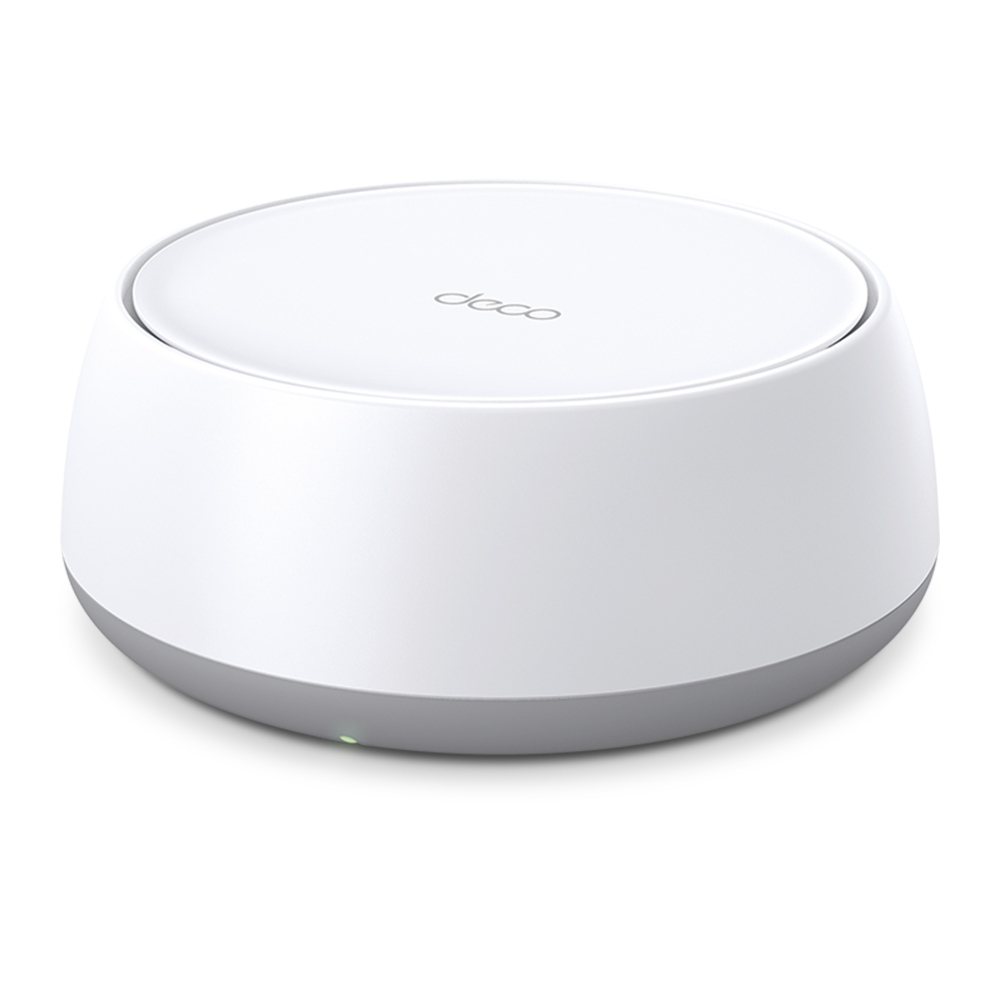
The TP-Link Deco BE25 has a low, rounded-square enclosure that explains the “giant button” description. More useful buying details are its two 2.5G Ethernet ports and dual-band Wi-Fi 7 radios. It can be a practical mesh upgrade, but the BE25 name alone does not tell you which regional wireless rating you are buying.
What a mesh system changes
A mesh system uses several access points to extend a shared wireless network. The connections between those units are backhaul links. Positioning a satellite near a weak room can help, provided that its upstream connection is also good.
Mesh cannot guarantee coverage through every wall or eliminate an overloaded internet connection. Roaming depends on the phone or laptop as well as the network. A client beside a satellite can have strong Wi-Fi while the satellite's backhaul is the weak part of the path. That distinction matters when deciding between another node and Ethernet cabling.
Check BE3600 versus BE5000
| Version | Advertised radio rates | Important condition |
|---|---|---|
| International BE3600 page | 5 GHz: 2,882 Mbps; 2.4 GHz: 688 Mbps | The specification lists 160 MHz channels. |
| US BE5000 datasheet | 5 GHz: 4,324 Mbps; 2.4 GHz: 688 Mbps | The US 1.0 datasheet lists 240 MHz bandwidth with compatible-client requirements. |
Both versions are dual-band: there is no 6 GHz radio. Their marketing classes combine advertised band rates; they are not one client's measured internet speed. Match the regional product, hardware version and datasheet to the box before comparing prices or promising an upgrade.
The international BE25 page and US BE5000 datasheet document the difference. Some web specifications can be inconsistent about channel width, so the matching datasheet and firmware documentation matter more than a generic Wi-Fi 7 feature list. A client also needs the relevant band, channel and modulation support.
MLO and older clients
Multi-Link Operation allows compatible equipment to use more than one wireless link. On this dual-band model the available radios remain 2.4 and 5 GHz. It does not create 6 GHz capability or turn every older phone into a multi-link client.
TP-Link advertises combined wired and wireless backhaul on the BE25. That is a capability to verify in the installed configuration, not proof that every transfer receives the sum of all radio and Ethernet ratings. Interference, distance, traffic and firmware behaviour still affect the result.
Older clients can connect using supported Wi-Fi standards, but compatibility also includes encryption and their particular drivers. Test important laptops and smart devices before changing security or roaming settings across the household. “Works with older Wi-Fi” does not mean every device can use WPA3 or all Wi-Fi 7 features.
Two ports need a wiring plan
Each unit has two 2.5G WAN/LAN auto-sensing ports. On the main Deco, the internet uplink uses one. If the other provides wired backhaul, you need a suitable switch for additional wired clients. On a satellite, a backhaul cable likewise consumes one of its ports.
Draw the path from the provider equipment to the main unit, switch, satellite and client. A Gigabit switch anywhere in that path prevents a native 2.5G link across that segment. The cable, network adapters, provider plan and storage endpoint also matter. Buying BE25 units does not establish a guaranteed 1,200–2,300 Mbps home result.
In Router mode, satellite wiring belongs downstream of the main Deco's LAN side. In AP mode the upstream router can supply the shared LAN. Check the Ethernet backhaul diagrams before connecting extra cables. An app Ethernet indicator confirms link type rather than a completed throughput benchmark.
The button-shaped enclosure
The published dimensions are 150 × 150 × 62 mm. Its low height may fit places where a taller tower will not, but a tight media cupboard or metal TV stand is not automatically a good radio location. Leave ventilation room, use the intended power supply and try the position before permanently mounting anything.
A useful placement test starts with the same laptop beside the main unit and then in the problem room. Repeat an internet test and a real task such as a video call. Record which node it used. Move one satellite at a time and repeat; otherwise it is difficult to identify what improved the result.
Features and ongoing maintenance
The Deco app provides setup and management, with Router and Access Point modes. Choose the mode according to whether Deco or an existing router will manage addressing and routing. Check the current feature list for that mode rather than assuming every app option remains available.
HomeShield includes basic and subscription features. Read the current plan terms for the function you need instead of treating a subscription as mandatory for ordinary Wi-Fi. An IoT network may help older gadgets use compatible bands or encryption, but a separate SSID is not itself evidence of isolation from your main devices.
TP-Link's Device Isolation explanation distinguishes those controls. If separating devices is a goal, test the actual permitted and blocked access, including any local smart-home controller. Keep firmware current for the correct hardware version and retain the network settings needed for recovery.
Is the BE25 right for you?
It is a compelling option when you need mesh coverage and can use its 2.5G ports. Its main tradeoffs are the absence of 6 GHz and having only two ports per unit. A small home with a working router may gain little from another mesh system, while a larger home may benefit more from careful backhaul planning than from a higher radio-class number.
Compare a local quote for the correct pack and regional version with alternatives. Our Deco E4 guide explains its Fast Ethernet limitation, and the M4 versus S7 comparison covers Gigabit Wi-Fi 5 options. A tri-band BE65 adds 6 GHz; check its own regional specification rather than reusing a BE25 rate table.
Choose the hardware for the problem you can identify: weak-room coverage, limited wired links or incompatible clients. A fair before-and-after test gives you evidence of improvement without assuming that “Wi-Fi 7,” an advertised device count or the enclosure's shape guarantees performance.


