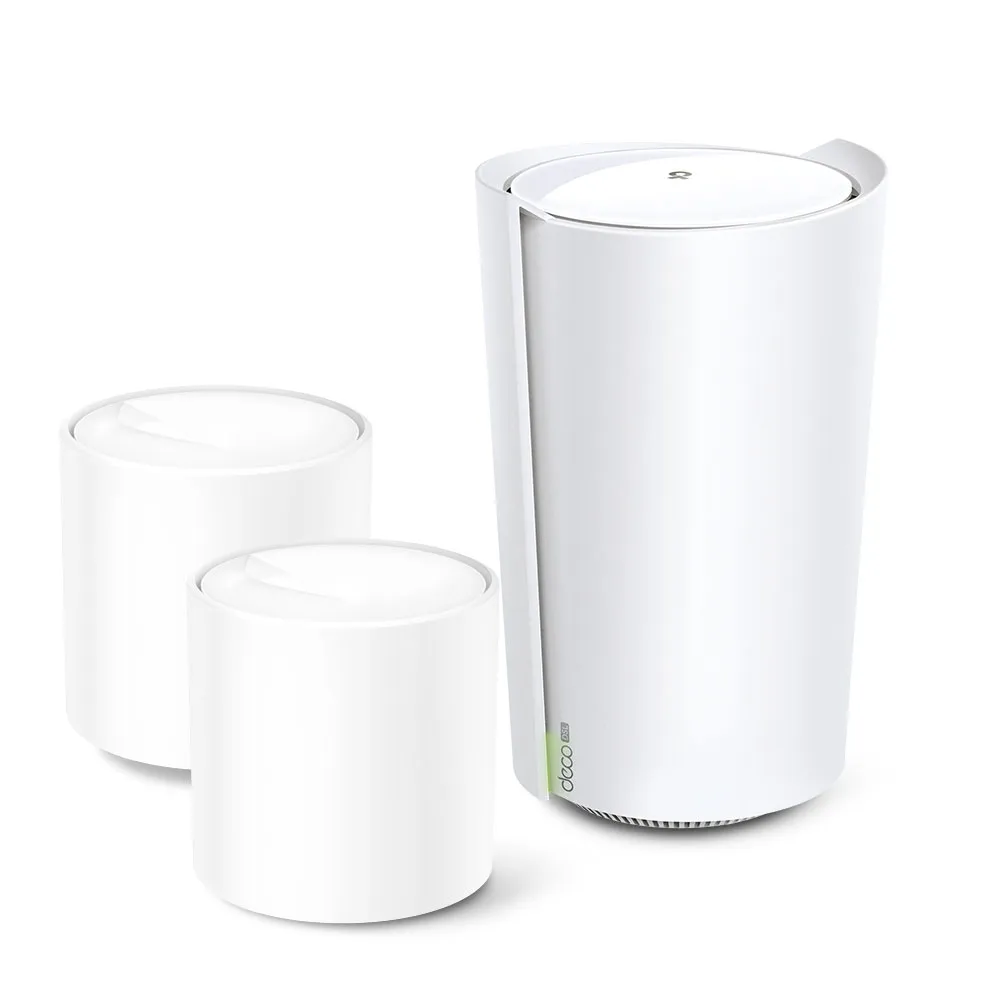
Ever walk into a room and find that a video call struggles or a download slows down? A weak Wi-Fi signal may be part of the problem, even when the broadband connection itself works properly. Mesh Wi-Fi can help extend coverage by placing several coordinated nodes around the home. The TP-Link Deco X73-DSL adds a useful option for households still using compatible ADSL or VDSL: a DSL modem, router and mesh gateway in one unit.
That combination remains appealing when you want fewer separate boxes and better placement options for Wi-Fi. It cannot turn a slow copper line into a faster broadband service, however. Check the ISP connection, telephone requirements and exact pack contents before deciding whether an integrated DSL model is the right starting point.
What mesh and Wi-Fi 6 can improve
Each mesh node provides another coverage area and needs a reliable connection to the rest of the network. Think of it as adding useful access points along the route through your home rather than making a single signal infinitely strong. Walls, floors and furniture still affect reception. A wireless satellite belongs where it receives a good upstream signal, not at the centre of a room that already has no useful connection.
Wi-Fi 6 introduces efficiency features such as OFDMA and MU-MIMO for compatible devices. X73-DSL's AX5400 class combines advertised physical rates of 4,804 Mbps on 5 GHz and 574 Mbps on 2.4 GHz. These are radio ratings, not a 5.4 Gbps DSL service or a guaranteed transfer rate to one phone. Compatible channel widths, client hardware and the environment determine practical performance.
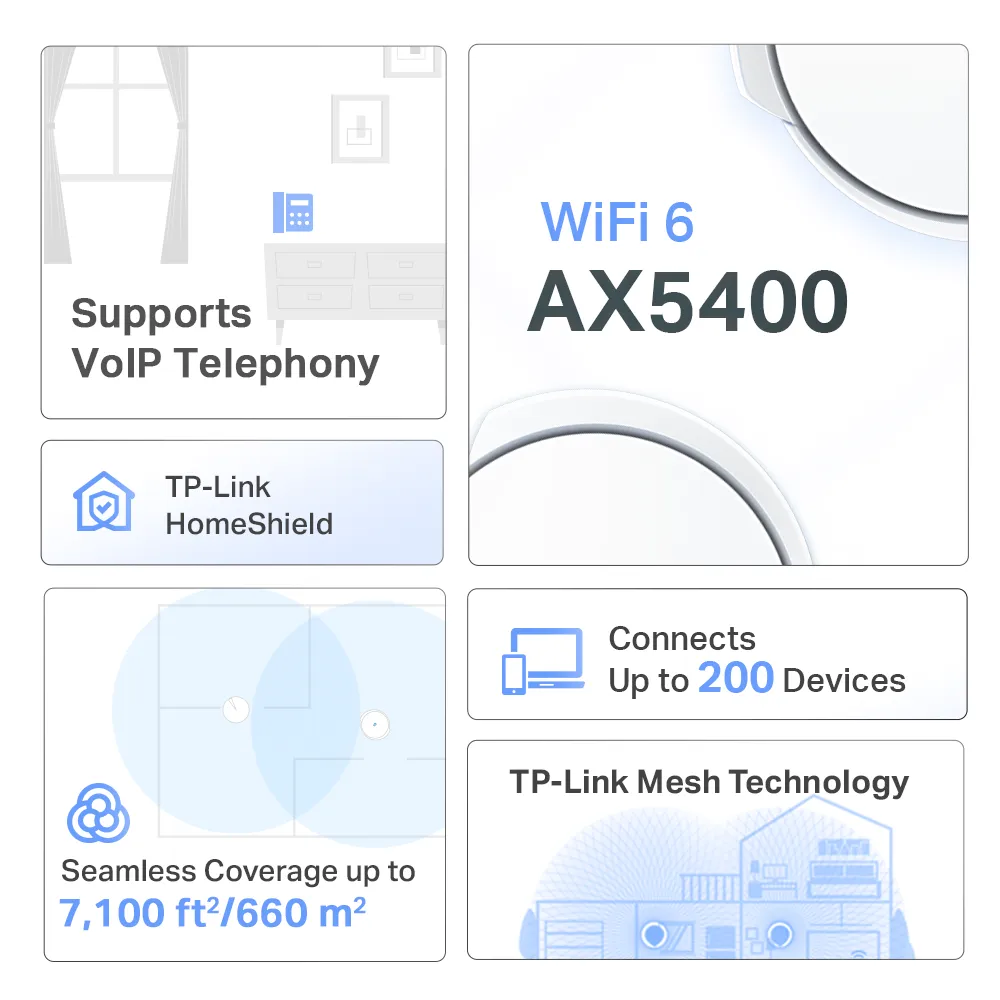
This is a dual-band system, so do not assume a separate third radio is dedicated to wireless backhaul. Ethernet backhaul can reduce the demand on wireless links where a cable is practical. Roaming also depends on the client and its support for the relevant features; the shared network name does not guarantee that every call remains uninterrupted as you move between rooms.
Hardware and pack contents
| Feature | X73-DSL specification |
|---|---|
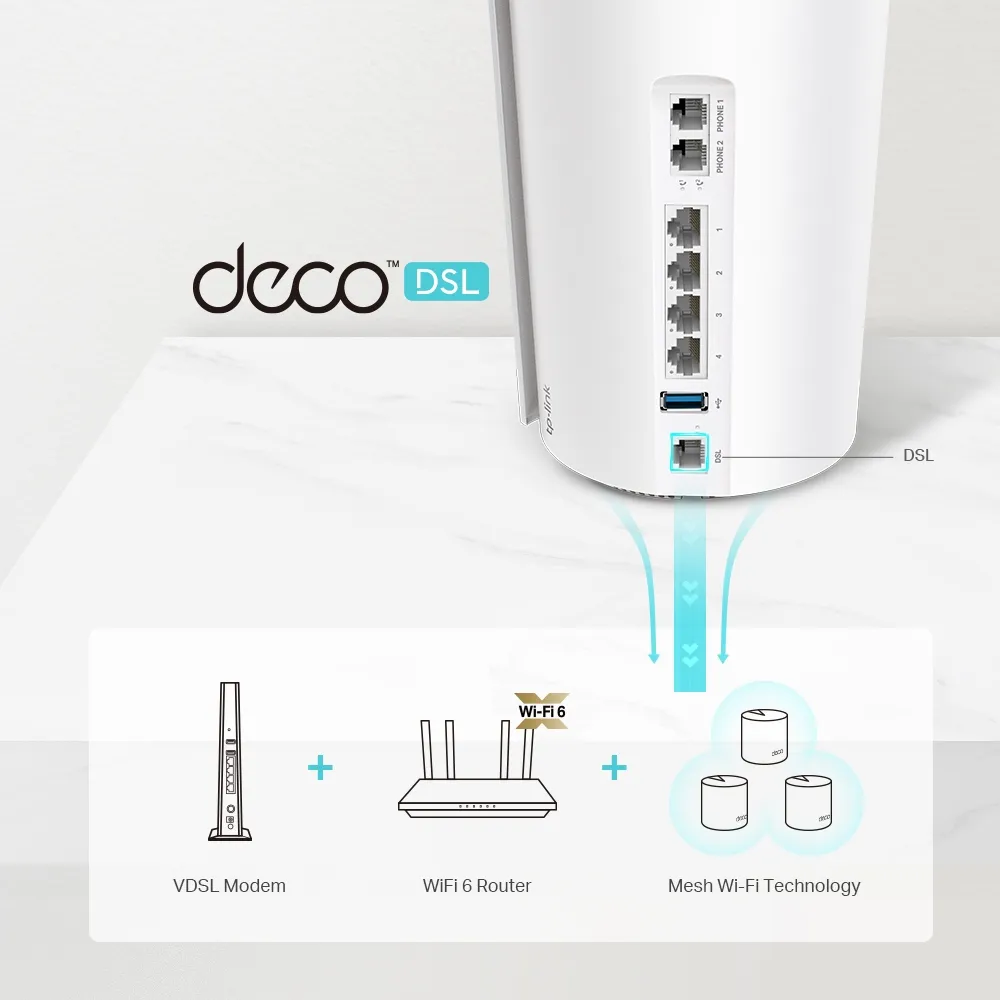
| DSL compatibility | VDSL2, ADSL2+, ADSL2 and ADSL; exact regional/ISP requirements still apply |
| VDSL2 | Up to Profile 35b (POTS), with G.vector and G.INP listed |
| Ethernet on the DSL unit | Four Gigabit WAN/LAN ports |
| Other DSL-unit connections | One RJ11 DSL socket, two RJ11 FXS phone sockets, one USB 3.0 port |
| Wi-Fi | Dual-band Wi-Fi 6, AX5400 |
| Antennas | Four internal antennas on the DSL unit |
| Modes | DSL modem/router, wireless router, access point |
| Security package | HomeShield; free basic and paid options |
Pack contents matter. The published EU two-pack contains one X73-DSL plus one X73 satellite, and the three-pack contains one DSL unit plus two X73 satellites. The ordinary X73 has two Gigabit ports and does not include the DSL modem or the DSL unit's telephone connections. Count the sockets on each type of node when planning wired devices and backhaul.
DSL compatibility before replacing the ISP router
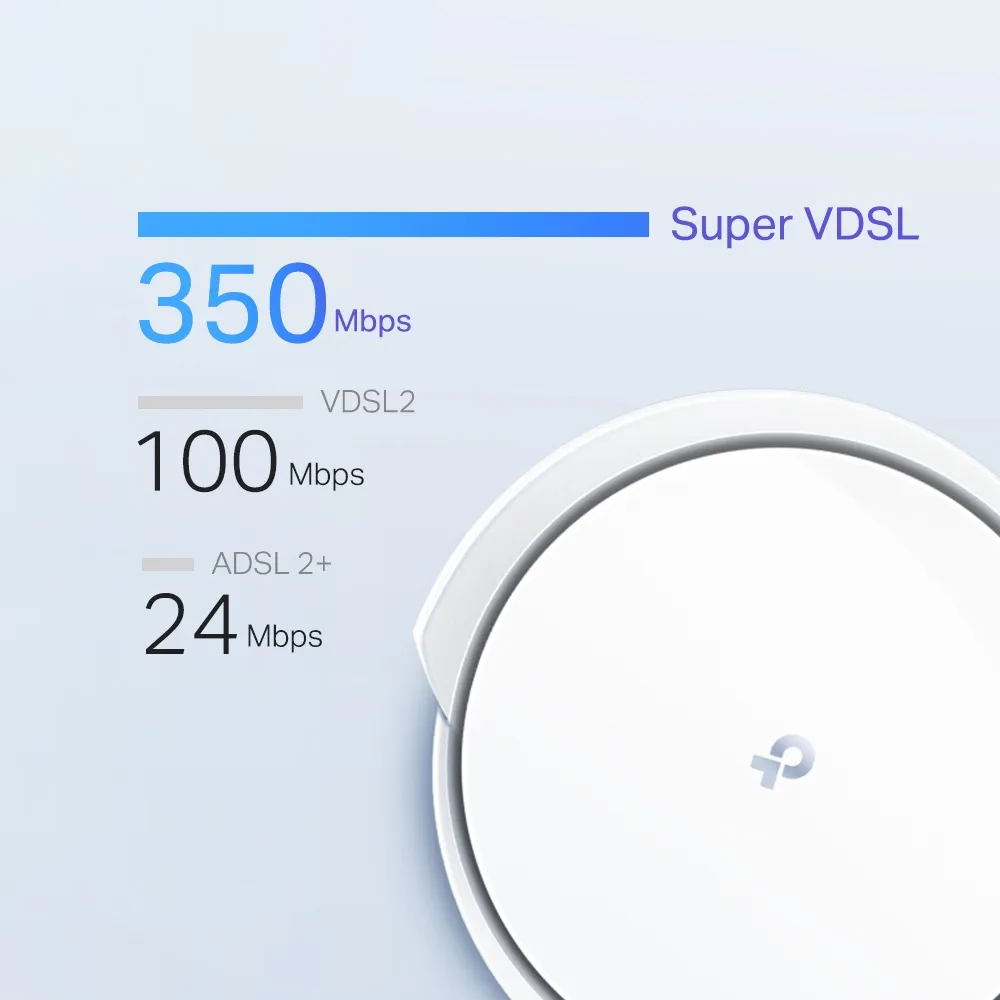
TP-Link advertises Profile 35b downstream capability up to 350 Mbps, with explicit qualifications about actual household speeds. Your service plan, line conditions, distance and network equipment determine what the line can provide. Buying a higher modem rating cannot overcome a lower provisioned rate or an incompatible service.
Ask the provider to confirm the connection standard and settings needed for third-party equipment. These can include the connection type, credentials, VLAN settings and line-specific compatibility requirements. Do not copy one operator's settings into another service. TP-Link's TalkTalk guide, for example, asks readers to confirm its Dynamic IP and VLAN details with the provider before replacing the hub.
If the provider supplies an Ethernet handoff from another termination device, treat that as an Ethernet-router setup rather than assuming the telephone cable should connect to the Deco's DSL socket. Keep the existing working equipment and settings available until internet and any required telephone service have been checked. A successful DSL sync alone is not proof that every ISP service has been transferred.
Telephone service and the FXS ports
The two FXS sockets connect compatible analogue telephones for supported internet telephony. They are separate from the DSL input, despite using a similar connector. A cordless telephone normally connects through its base; the presence of these sockets is not evidence of a built-in DECT radio for registering handsets directly.
TP-Link's telephony guide explains provider account details, such as the registrar, authentication and proxy settings. Confirm that the provider permits their use and supplies the necessary information. Replacing an ISP router does not automatically transfer a proprietary voice service or make every existing telephone arrangement work.
The documented features include voicemail, call forwarding and call blocking. Their usefulness depends on correct account registration, the service and configuration. Test incoming and outgoing calls, both phone connections if used and voicemail behaviour. Plan for loss of power or broadband according to the provider's requirements rather than assuming an internet-based phone connection behaves like an independently powered traditional line.
Router, access point and bridge-mode choices
The documented modes are DSL modem/router, wireless router and access point. Access point mode extends an existing routed Ethernet network; it is not a synonym for a pure DSL modem bridge. If you intend to use a separate firewall as the only router, confirm the exact DSL bridge capability with TP-Link before choosing this device for that design.
In a May 2024 support reply covering X73-DSL, TP-Link staff stated that Deco DSL models did not support DSL bridge mode at that time. The current product's mode list does not document such a mode. Do not build a plan around an unverified bridge setting or assume an IPTV option labelled “Bridge” provides transparent DSL bridging. Check current regional firmware documentation for any later change.
With an existing ISP router retained, access point mode can avoid adding another routing layer, but some Deco routing and parental-control features become unavailable. In router mode, satellite backhaul connections belong on the LAN side of the main Deco or a switch connected there. Choose the topology deliberately, and verify link type in the app rather than connecting every node indiscriminately to the equipment ahead of the router.
Performance, management and future use
HomeShield replaces the HomeCare label sometimes associated with other Deco products. Check which controls are available for your firmware, mode and plan. Device-priority QoS can help decide which traffic receives limited resources, but it cannot create extra upstream bandwidth or guarantee lag-free SSH, gaming or calls. A slow DSL upload may still be the limiting factor during cloud backups.
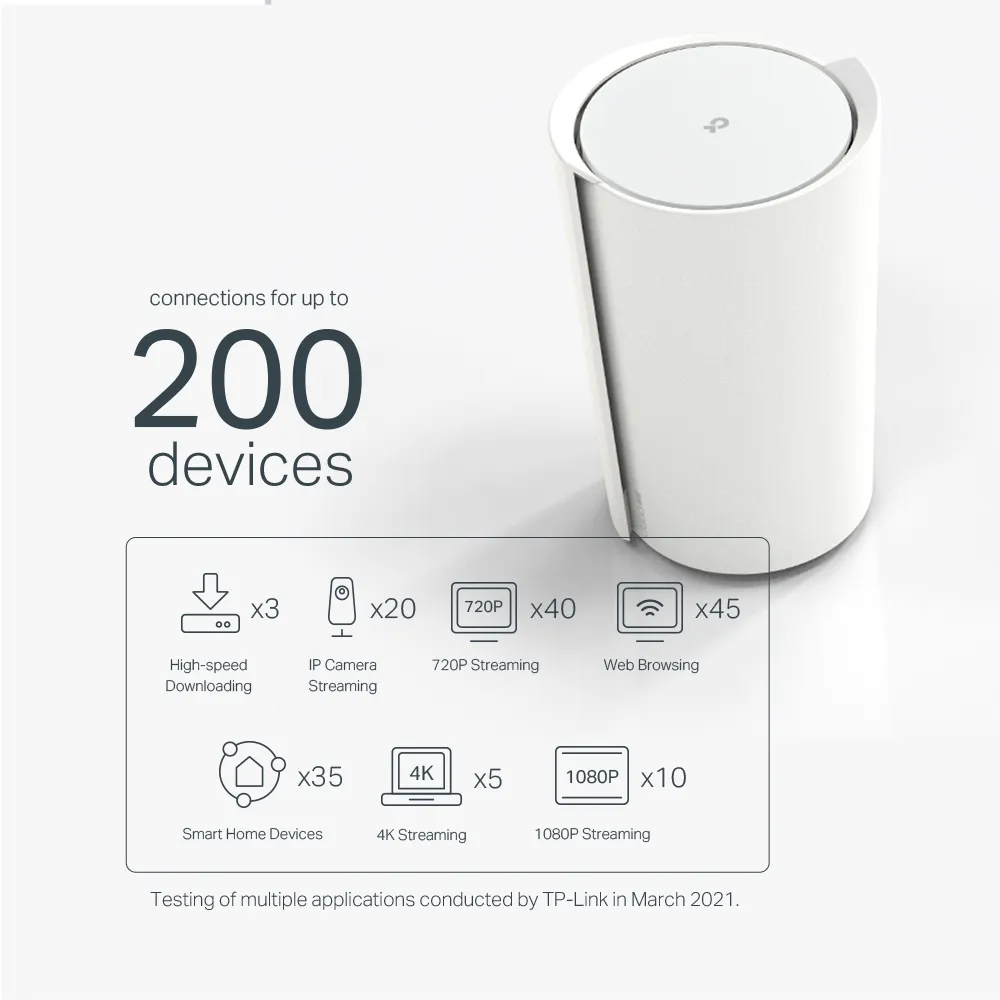
WPA3 is supported with compatible clients. The WPA3 guide explains its role, and the WPA2/WPA3 comparison provides further background. Keep firmware and app versions current, use strong credentials and check required settings for older devices. Treat advertised coverage and device counts as planning claims, not guaranteed outcomes for your walls and workload.
The unit can also be used as an Ethernet router if you later obtain a compatible fibre ONT or other Ethernet service. Confirm the provider's handoff and settings, and remember that its Gigabit interfaces remain the ceiling on each wired link. Adding a newer multi-gigabit Deco does not upgrade these physical sockets. Ordinary compatible Deco nodes can expand coverage without requiring another DSL modem in every room.
Is the X73-DSL a good fit?
I still see the integrated design as a compelling option for a compatible DSL household that wants convenient Deco management and wider Wi-Fi coverage. Start with the rooms that need service, suitable node locations and whether wired backhaul is practical. Compare a pack's actual mixture of gateway and satellites with the number of wired devices you plan to connect.
For a purchase today, check regional availability and support expectations as well as price. TP-Link's UK page marks X73-DSL “End of Life”; that regional product label is a reason to check the exact unit's firmware and security-support information, rather than infer a universal support-end date. Verify ISP and voice compatibility before retiring equipment that already meets those requirements.
Use the official X73-DSL specifications, telephony guide and your provider's current instructions to make the final decision. Better Wi-Fi coverage and an integrated modem can be valuable, provided they solve the right problem in your home.


