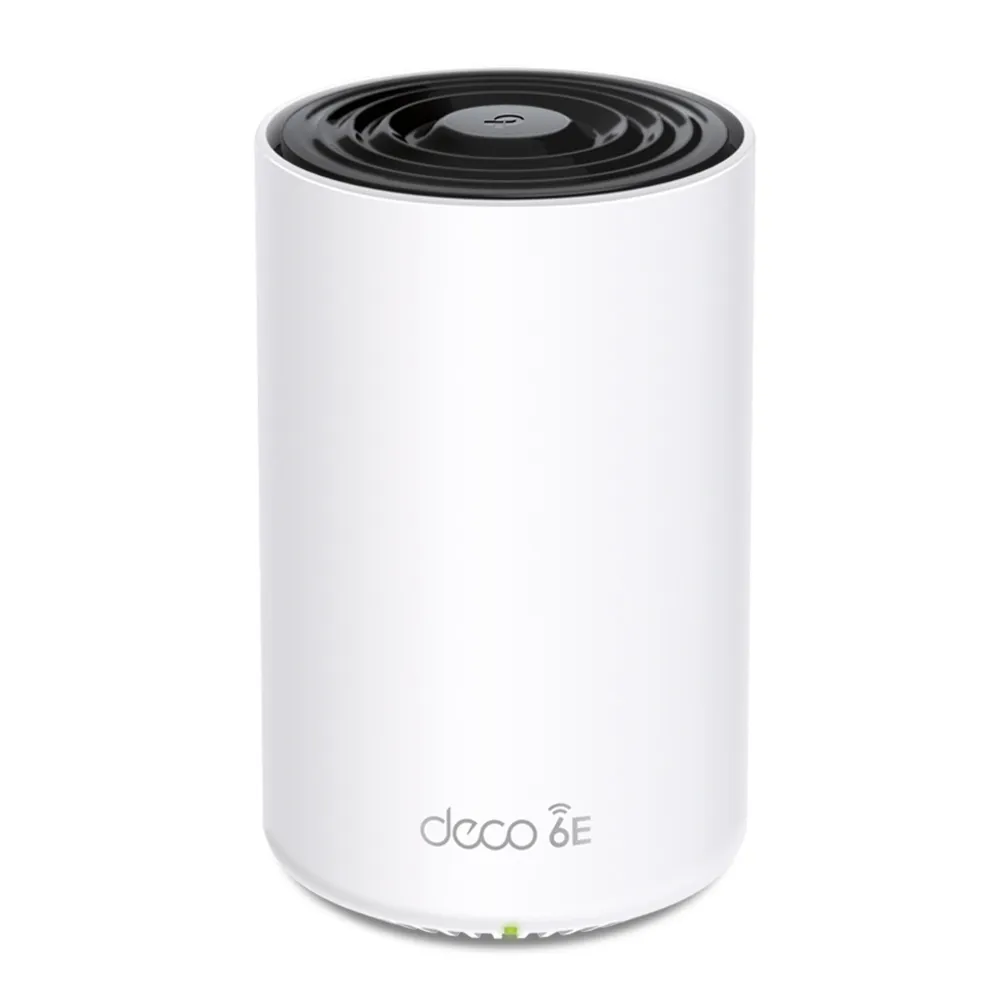
The TP-Link Deco XE75 Pro is a tri-band Wi-Fi 6E mesh system for homes that need more coverage and want to use compatible 6 GHz devices. Its extra Ethernet capability over the standard XE75 is useful, but there are limits worth understanding before buying a multi-unit pack.
The correct product name is XE75 Pro. Do not confuse it with the Wi-Fi 6 Deco X75: the linked product and images here concern Wi-Fi 6E hardware. The favorable view remains that it is a capable option for demanding homes, provided its client support, coverage plan and price fit the household.
What mesh changes in your home
Several nodes can provide Wi-Fi closer to the rooms where you work, stream or play. They share network management through the Deco app, making guest settings, device lists and supported controls easier to manage than unrelated routers scattered through the house.
Each satellite needs backhaul to the rest of the network. A node with a strong signal to your laptop can still perform poorly if its upstream link crosses difficult walls or floors. Place wireless satellites where they can reach the main unit well, then test the rooms farther away. Adding a node in a complete dead zone may extend a weak connection rather than fix it.
Roaming also involves the client. The system can assist compatible devices, but it cannot promise that every phone instantly chooses the strongest node or that a moving video call will never pause. A stable wired path is useful for fixed equipment when practical.
The 6 GHz advantage has conditions
Wi-Fi 6E extends Wi-Fi 6 into the 6 GHz band. That provides additional spectrum for compatible equipment, but it does not automatically make the entire internet path faster or remove all interference. Other nearby Wi-Fi 6E and Wi-Fi 7 equipment can also operate there.
A phone or laptop needs actual 6 GHz support, suitable drivers and an operating system that enables the feature in your region. Ordinary Wi-Fi 6 clients without 6E support remain on the supported 2.4 or 5 GHz bands. Their presence on a tri-band network does not give them the missing radio.
Wi-Fi 7 products are now available, so compare current local alternatives rather than treating Wi-Fi 6E as the newest standard or assuming a future upgrade is required. XE75 Pro does not provide Wi-Fi 7 MLO or 320 MHz operation. The best value depends on your clients, ports and budget, not only the generation number.

Verified XE75 Pro hardware
| Feature | Published specification | Buying implication |
|---|---|---|
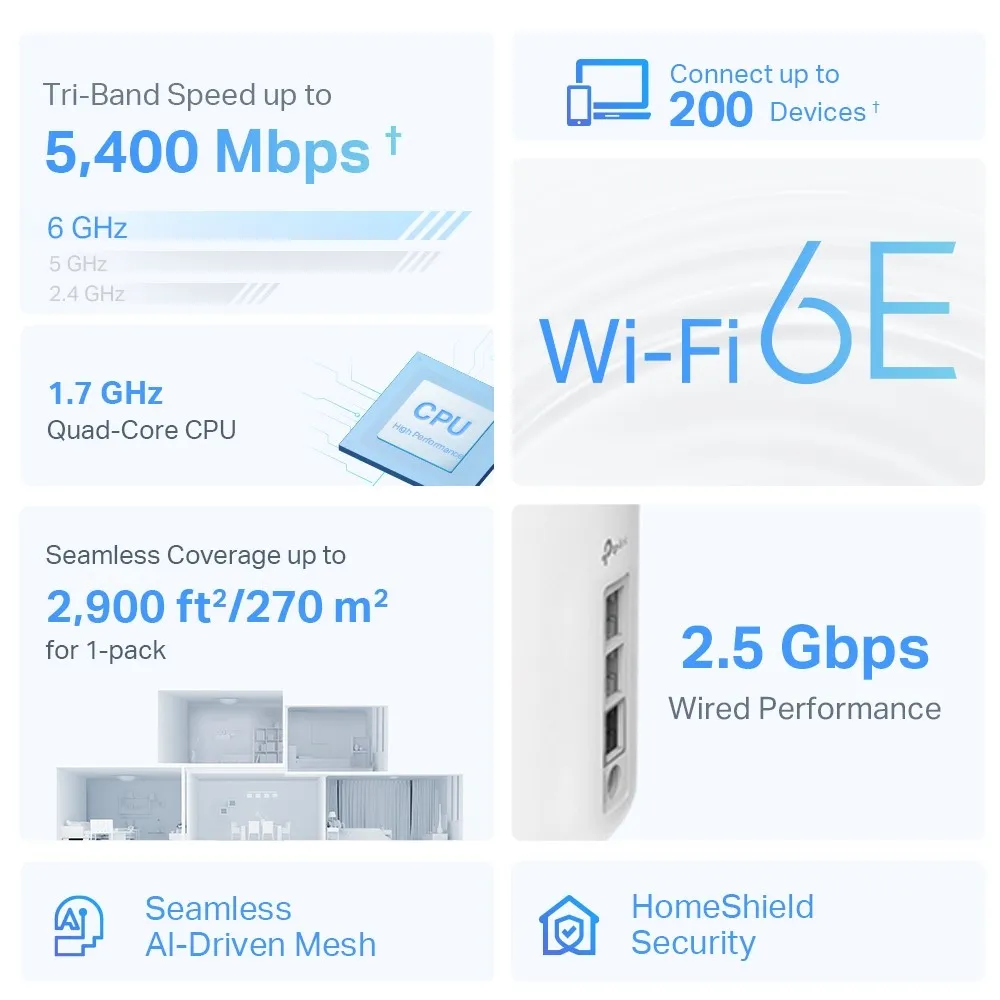
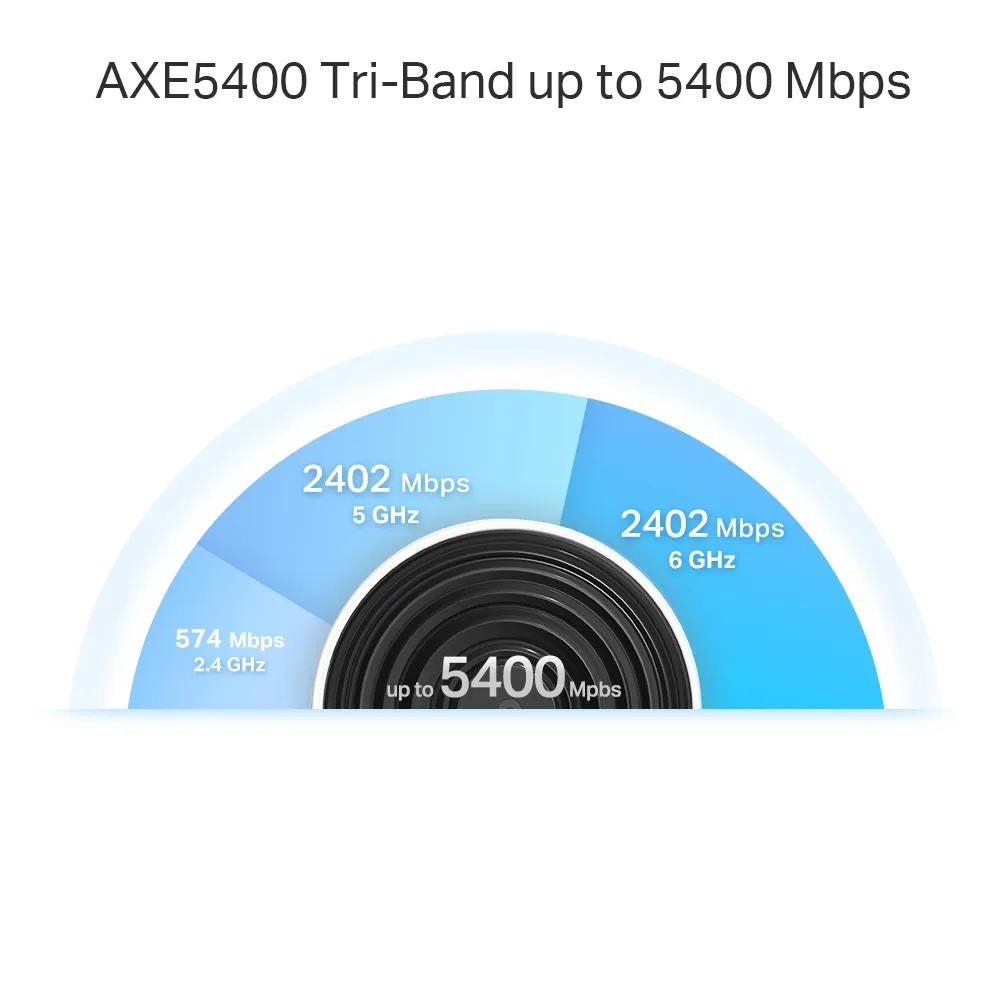
| Wireless class | AXE5400: 2,402 Mbps on 6 GHz, 2,402 Mbps on 5 GHz and 574 Mbps on 2.4 GHz. | Aggregate radio class, not a 5.4 Gbps download for one device. |
| Radios and streams | Tri-band Wi-Fi 6E; six streams, 2×2 MU-MIMO, four internal antennas. | Check the client's band, width and stream support. |
| Ethernet per unit | One 2.5 GbE socket and two Gigabit sockets, WAN/LAN auto-sensing. | Only one fast socket is available for WAN, LAN or backhaul. |
| Operating modes | Router or access point. | Gateway functions and topology depend on mode. |
| Security services | WPA3 support and HomeShield. | Check client compatibility and which controls require payment. |
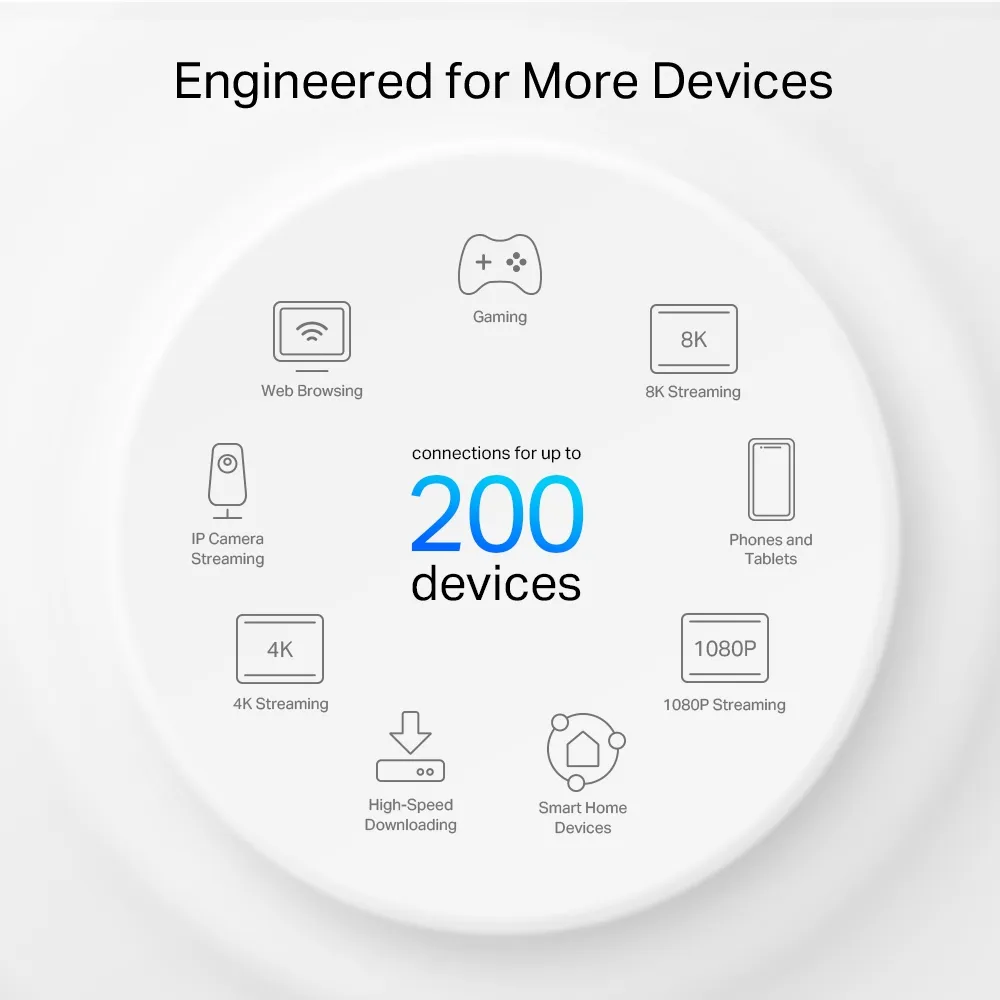
These figures come from TP-Link's specification and the EU/US V2 datasheet; they are not tests performed for this guide. Channel availability depends on local rules. The original artwork contains manufacturer coverage and device-count claims, so it should be read together with the conditional specification footnotes.
XE75 Pro versus standard XE75
The verified radio-rate class is the same for both models. The standard XE75 has three Gigabit Ethernet ports, while the Pro replaces one with a 2.5 GbE port. Do not buy Pro expecting a different radio-rate specification solely because of the name.
For internet above Gigabit, the Pro's fast socket can connect the suitable modem or ONT. However, the two remaining main-unit sockets are Gigabit. If you use one for wired backhaul, that segment has a Gigabit limit even if the satellite end uses its 2.5 GbE socket.
The reverse tradeoff also matters. If the fast main-unit socket is used for a wired LAN path, a fixed-line connection on a Gigabit socket remains limited by that socket. There is no topology trick that gives this unit a second independent 2.5 GbE interface.
A satellite's fast port can serve a NAS through wireless backhaul, but this does not establish a guaranteed 2.5 Gbps transfer to another room. The wireless link, client path, storage and other traffic still matter. For several wired multi-gigabit devices, a suitable switch on the LAN side can help local switching, while the link back to the router retains its actual limit.
Backhaul and the 6 GHz settings
The original 2022 XE75 Pro manual describes 6 GHz dedicated backhaul as the default, with an option to make that band available to compatible clients. This is useful historical guidance, but the manual itself says functions and screens can vary with model and software. Check the current app and firmware rather than expecting an unchanged menu.
Keeping a band unavailable to household clients does not exclude neighboring 6 GHz networks or guarantee wire-like stability. Allowing compatible clients onto it also does not establish a measured 1,600 Mbps transfer. Inspect the current backhaul and client connections, and test your intended locations.
Where Ethernet is available, TP-Link says to add all nodes to the same Deco network first, then connect the cables. In Router mode, satellites belong behind the main Deco's LAN side, directly or through its downstream switch. In Access Point mode, the existing router handles the gateway role and permits different wiring arrangements.
Check the network map to confirm wired backhaul rather than assuming a plugged-in cable has taken effect. If a switch causes instability, test a direct connection and inspect the cable and ports before replacing the whole mesh. Respect reserved IPTV ports and the switch requirements documented by TP-Link.
Useful household scenarios
The XE75 Pro can be a good choice for multi-room work calls, several streaming devices and compatible 6 GHz laptops. The use case is strongest when the node placement and upstream connections suit the home. Mesh cannot turn a slow provider connection into a faster subscription.
For gaming, judge stability and responsiveness under ordinary household traffic, and consider Ethernet for a fixed console or PC. For streaming, check the actual stream's requirements and connection reliability. Neither activity is guaranteed lag-free or buffer-free merely because the marketing graphic names it.
Smart-home equipment may use older 2.4 GHz radios. Verify onboarding, security compatibility and any discovery needed between devices. A large connected-device figure includes very different workloads: an idle sensor and a video camera uploading continuously do not require the same capacity.
Setup, security and a practical comparison
Decide whether Deco should route or extend an existing gateway. Access Point mode leaves routing with the upstream device and does not provide every Router-mode function. Verify the specific parental, addressing and forwarding requirements before changing mode.
HomeShield offers basic and paid features; review the current plan and app for your model. WPA3 is useful where clients support it. Learn why WPA3 is important. Test the intended guest restrictions against local devices under the actual mode, and keep firmware and administrator credentials maintained.
During evaluation, compare the same client near the main unit, at a satellite and in the problematic room. Record band, backhaul and negotiated link alongside actual transfers. TP-Link explains that a displayed link speed is a negotiated connection rate, rather than the application's usable speed.
Compare equal pack sizes, regional hardware versions, return terms and any extra switch or cable cost. If your internet and wired equipment are all Gigabit, standard XE75 may meet the same radio needs at a better price. If multi-gigabit WAN is important, Pro deserves consideration, subject to its single-fast-port tradeoff.
A capable option when the plan fits
The XE75 Pro remains a strong shortlist candidate for a home that can use tri-band Wi-Fi 6E and its faster Ethernet socket. Its strengths are useful coverage planning, centralized management and supported 6 GHz operation. The original recommendation to consider requirements, compatibility and cost remains the right approach.
Choose it for the complete network you intend to build, then verify performance where it matters. Visit the official page for the TP Link Deco XE75 Pro


