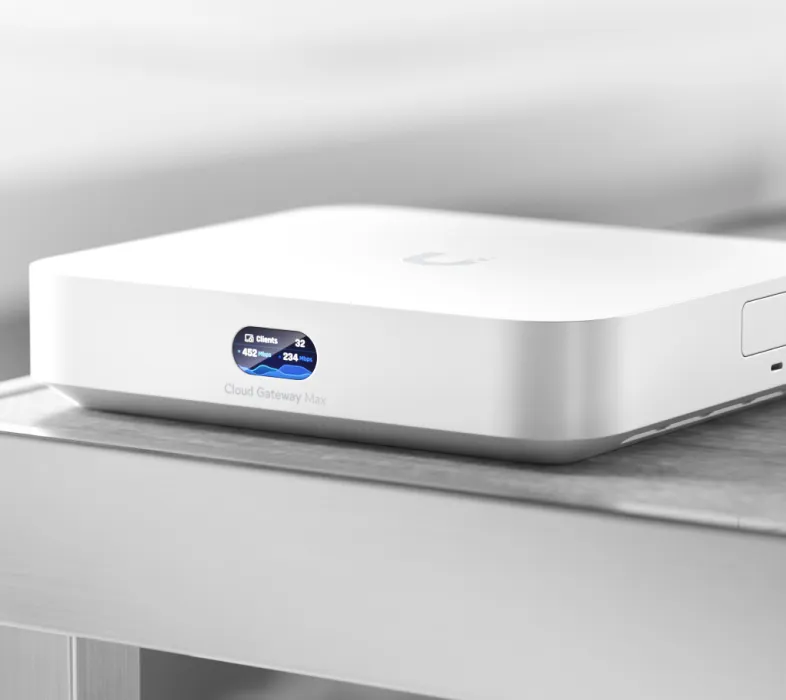
Ubiquiti is an appealing choice for people who want more control over a home or small-business network. Its modular equipment and central management can make a network easier to expand without replacing every component. The attraction is the combination of capable hardware, useful software and accessible pricing, rather than a promise that every model provides every enterprise feature.
Understanding the product families and management roles is the first step. An access point, a gateway and a management host perform different jobs. Choosing the right combination matters more than buying several products with the same logo.
History and Product Families
Ubiquiti's official director biography says Robert Pera founded the company in October 2003 and current operations began in 2005. That distinction explains why different corporate sources use different dates. Its investor site identifies UniFi and UISP as professional platforms for unified IT management and distributed Internet access respectively.
UniFi covers networking and related applications such as Protect cameras, Access door control and Talk phones. UISP serves a different service-provider context, including wireless links and other infrastructure. Names such as airMAX, airFiber and EdgeMAX identify equipment families; they should not be read as a promise that every Ubiquiti device is adopted into UniFi Network.
AmpliFi addresses consumer networking with a different product experience. Check the support documentation for the exact device rather than assuming that a familiar brand name provides UniFi's VLAN controls, controller compatibility or application support. U-verse is not a Ubiquiti product family and does not belong in this catalogue.


Gateways, Switches and Access Points
A gateway connects networks, routes traffic and applies firewall policy. A switch connects wired devices. An access point supplies wireless access. A management host runs the application used to configure and monitor supported equipment. Some appliances combine roles, but the roles remain distinct.
| Purchase decision | What to check |
|---|---|
| Gateway | WAN/LAN ports, enabled security throughput and supported applications |
| Switch | Port speeds, uplinks, PoE output standard and total power budget |
| Access point | Bands, uplink, power requirement and mounting position |
| Management host | Included applications, device capacity, backups and recovery |
Do not apply one gateway's published IDS/IPS throughput to the entire range. Features such as inspection and VPN encryption can affect routing performance. Likewise, an Ethernet port with a high link rate does not prove the appliance routes every workload at that rate. Match the specification and test conditions to the features you plan to enable.
PoE also needs careful reading. The original USW-Flex-Mini can receive PoE power but does not supply PoE outputs to access points or cameras. A PoE-powered device is not automatically a PoE switch. For an actual supplying switch, count the devices and their required standards, then check both the per-port limit and the shared budget.
Management and Hosting Options
UniFi Cloud Gateways include UniFi Network as part of their control plane. A CloudKey provides a management host without becoming the network's router. Ubiquiti also offers official hosting and self-hosting choices. These options should be selected before device adoption, since Cloud Gateways cannot be managed by an external UniFi OS Server.
The current self-hosting documentation identifies UniFi OS Server as the newer option replacing the legacy Network Server. It lists an x86-64 processor, at least 2 GB RAM and 10 GB free storage, along with operating-system requirements. The newer host is not offered as a standalone Docker or Podman container; third-party containers for the legacy application are a separate community choice.
A self-hosted management application does not turn a general-purpose server into a UniFi gateway or make all UniFi applications self-hostable. The current guide limits self-hosting to Network and the supported OS features; other applications require compatible UniFi consoles. Keep the distinction in mind before choosing hardware for cameras as well as networking.
If the host goes offline, adopted devices continue using their last available configuration, while management and monitoring are affected. That makes backups and host recovery worthwhile. Keep credentials and recovery information accessible independently of the system you are trying to repair.
Licensing and Running Costs
The original appeal of avoiding routine networking licence fees remains important. Ubiquiti describes Site Manager and UniFi OS Server as licence-free. That does not mean every optional service or operating expense is permanently free. CyberSecure is a paid security subscription that extends protection, with capabilities depending on hardware and region.
Compare the features included in the exact product with any optional service you want. Also budget for storage, hosting arrangements, electricity and support. A local recording system needs drives and a recovery plan. A hosted management option needs its own terms checked. Avoid choosing a platform on a blanket claim that every future feature and service has no recurring cost.
VLAN Segmentation and Security
Separating trusted computers, guests and smart-home devices can make a network easier to control. VLANs divide traffic at the network level, but the gateway's rules determine what may cross between them. Start with a written list of allowed communication rather than copying arbitrary VLAN numbers and assuming the network is isolated.
A smart speaker may need discovery and application traffic to reach a phone on another network. Forwarding discovery messages is not the same as granting every connection, and IGMP snooping is not an mDNS repeater. Allow only the services that are required, then check access from the less-trusted side as well as the trusted side.
Apply changes gradually and keep a reliable administration route. Test a guest device against a known local service, confirm that essential home automation still works, and document the rules. Remote access also depends on the gateway, software and Internet connection; use the supported VPN approach for the exact model rather than treating one branded feature as universally available.
Wireless Planning and Tuning
Wired access-point backhaul is attractive when suitable cabling exists. Wireless meshing can be useful elsewhere, but still needs a healthy upstream radio path. Draw the layout around the rooms and devices that matter. A new access point may also require a faster switch port or a different power supply, so replacing only the radio is not always a complete upgrade.
Ubiquiti warns that minimum RSSI is not a universal roaming setting. It disconnects weak clients, which must choose where to reconnect; they can return to the same AP if there is no better option. A fixed threshold can therefore create repeated disconnections. Survey coverage and client behaviour before applying it broadly.
Channel width and transmit power also need to match the environment. Wider channels can consume scarce spectrum, and more transmit power does not repair a weak client transmitter. Measure coverage and interference, change one setting at a time, and compare normal usage after the change. A stable video call is a more relevant goal than an impressive dashboard number.
Protect and Buying Perspective
UniFi Protect provides local video storage on compatible hosts, with recording and detection capabilities that depend on the selected hardware. Check the recorder, camera and storage requirements together. Local storage is useful, but access permissions, updates and backup decisions still affect privacy and resilience.
Ubiquiti remains a compelling modular option for people willing to learn the network and maintain it. Central visibility reduces some administration effort; it does not eliminate the need for someone to configure, troubleshoot and recover the installation. Compare the assembled cost and your preferred support arrangement with a simpler consumer mesh before committing.
The original Ubiquiti introduction link remains available. The original article also referenced two external videos: optional Ubiquiti video 1 and optional Ubiquiti video 2. These links are provided for readers who wish to open them separately.