So you've embarked on the exciting journey of building your own homelab. As you are busy hosting more and more cool services, saving you some money but also putting your data in your control, the reality of security is starting to weigh you down. Managing a multitude of logins, ensuring only the right people access the right services, and protecting your data from prying eyes can quickly feel like battling a many-headed hydra. This is where Authentik steps in, offering a powerful and elegant solution to tame the beast.
What is Authentik, and Why Should You Care?
Imagine your homelab is a bustling digital city. Each self-hosted service is a building with its own set of keys and security guards. As the city grows, managing all those keys and ensuring every guard is doing their job becomes a logistical nightmare.
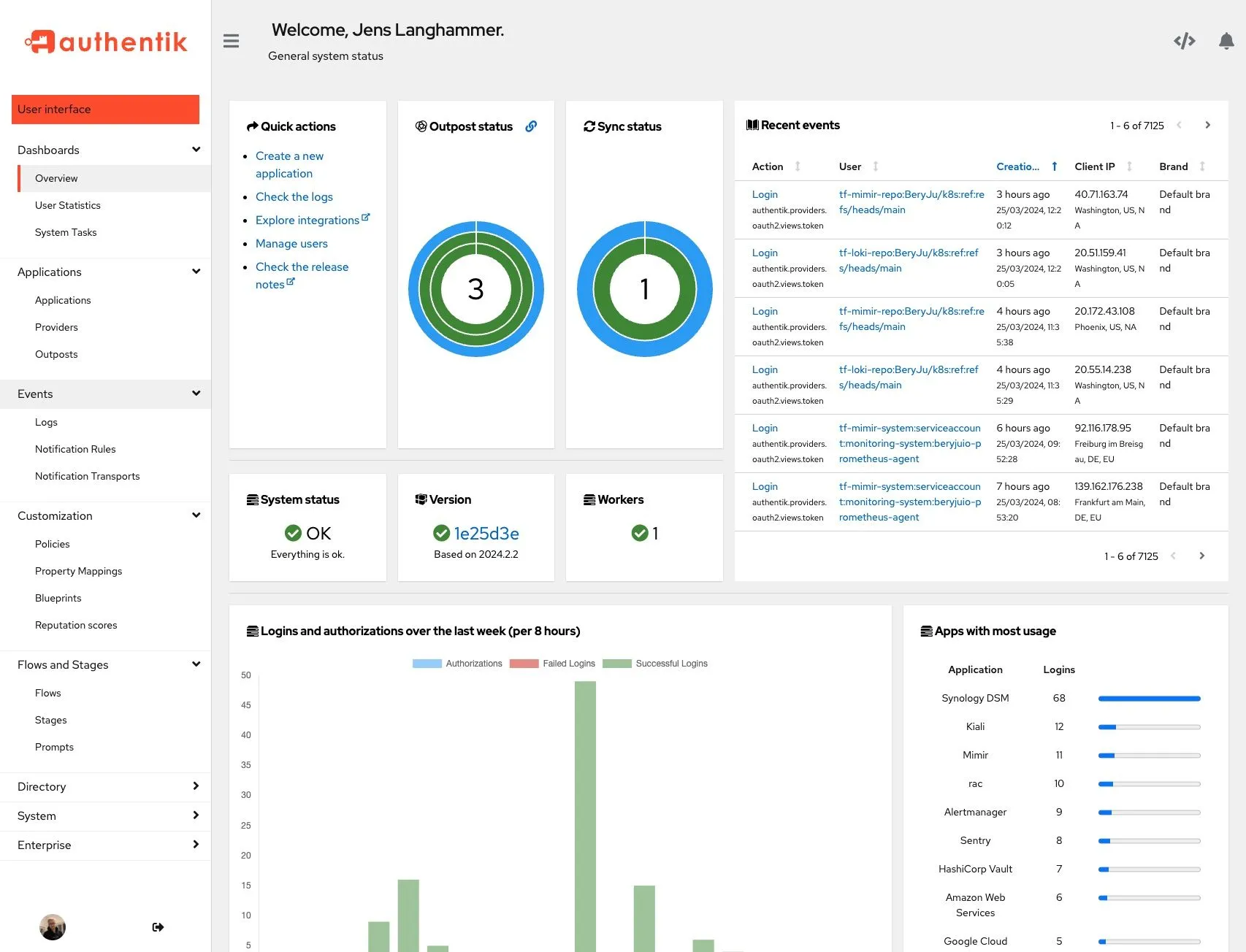
Authentik acts as your central security hub and master key system. It's what's known in the tech world as an Identity Provider (IdP). In simple terms, Authentik verifies identity for the services you integrate with it. Application permissions still need to be mapped and enforced; installing an identity provider alone does not secure every device or service.
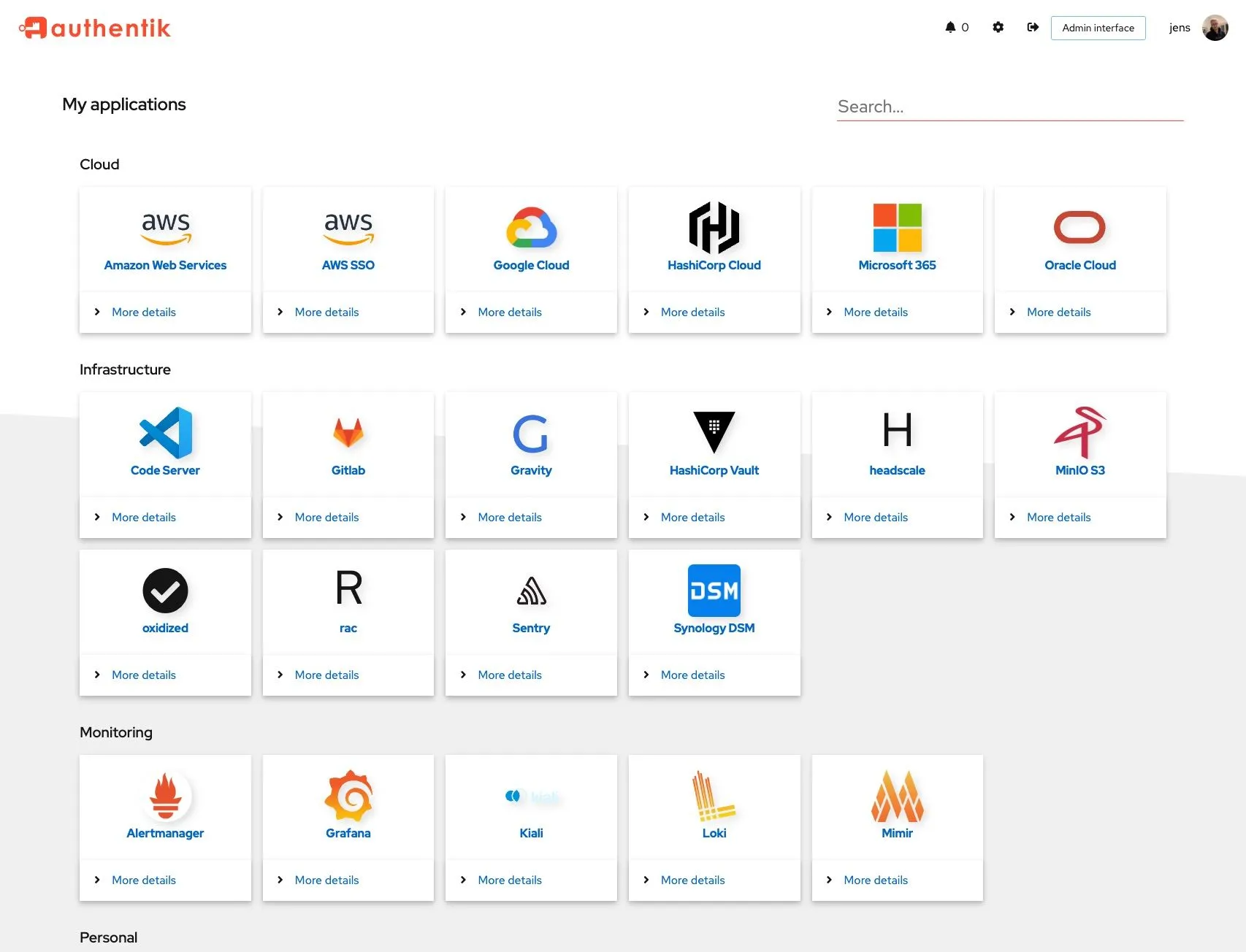
Think of it this way: instead of showing your ID and getting a separate key for every building you want to enter, you head to the central security office (Authentik). There, you present your credentials, perhaps even a secret handshake (we'll get to that later). Once verified, you're given a master pass that grants you access to all the buildings you're authorized to visit. This is the magic of Single Sign-On (SSO). With Authentik, you log in once to your central dashboard and then seamlessly access all your connected services without re-entering your credentials.
The Homelab Headache Authentik Solves
Without a solution like Authentik, you're likely facing some common homelab headaches:
- Password Pandemonium: Every service requires its own login. To stay secure, you need unique and strong passwords for each. Juggling dozens of these can lead to "password fatigue" and the dangerous temptation to reuse passwords – a major security risk.
- Access Anarchy: If you share your homelab with family or friends, managing who can access what can be a hassle. Granting and revoking access to individual services is often a manual and error-prone process.
- Security Scramble: Ensuring each service is properly secured can be a constant battle. Are you using strong enough authentication methods? Is your data protected from unauthorized access?
Authentik tackles these headaches head-on by providing a centralized and robust security and access management platform.
How Authentik Secures Your Homelab Haven
Authentik doesn't just offer convenience; it significantly bolsters the security of your self-hosted services in several key ways:
- Centralized Authentication: Users of integrated services can log in through Authentik. This means you have a single point of control for managing user accounts, enforcing strong password policies, and monitoring login activity.
- Multi-Factor Authentication (MFA): Remember that secret handshake? Authentik allows you to implement MFA, adding an extra layer of security beyond just a password. This could involve using an authenticator app on your phone, a physical security key, or other methods to prove it's really you trying to log in.
- Granular Access Control: Authentik empowers you to define precisely who can access which services. You can create different user groups with specific permissions, ensuring that only authorized individuals can reach sensitive applications.
- Application-Level Security: Authentik can act as a protective layer in front of your services, even those that don't have built-in authentication or strong security features.
Playing Nicely with Others: Authentik and Your Homelab Ecosystem
Authentik isn't a lone wolf; it thrives by integrating with other essential homelab tools, further enhancing your security posture:
- Reverse Proxies (like Nginx Proxy Manager or Traefik): Think of a reverse proxy as the main gate to your digital city. It directs incoming traffic to the appropriate buildings (your services). Authentik can integrate seamlessly with your reverse proxy, acting as the security checkpoint at that main gate. For routes protected by forward auth, the proxy consults an Authentik outpost before authorizing the request. Application traffic still flows through the reverse proxy. Direct backend access or unprotected routes can bypass that checkpoint, so restrict backend network access and test the actual routes.
- Password Managers: While Authentik reduces the number of passwords you need to remember for your self-hosted services, a good password manager remains an indispensable tool for managing credentials for external websites and services. Authentik and your password manager can coexist harmoniously, each playing a vital role in your overall security strategy. A password manager does not automatically gain native SSO support from being behind a proxy; check its browser, mobile, API and synchronization requirements separately. You can still use something like Vaultwarden with Authentik.
Weaving Authentik into Your Homelab Fabric
While "non-technical" and "setting up an authentication system" might seem like an unlikely pairing, Authentik has made significant strides in user-friendliness. It's typically deployed using Docker, a popular containerization technology that simplifies application deployment.
Here's a high-level glimpse of how you might welcome Authentik into your homelab:
- Installation: You'll likely use Docker Compose to define and run the Authentik service alongside its PostgreSQL database, server and worker. Older releases used Redis; Authentik removed that dependency in version 2025.10.
- Initial Setup: Once Authentik is running, you'll access its web interface to configure your initial administrator account and basic settings.
- User and Group Configuration: You'll create user accounts for yourself and anyone else who will be accessing your homelab services. You can organize these users into groups for easier management.
- Application Integration: This is where the magic happens. You'll tell Authentik about your self-hosted services and how they should be protected. This often involves setting up "providers" within Authentik that define how it interacts with each application.
- Reverse Proxy Integration (Optional but Recommended): You'll configure your reverse proxy to work with Authentik, ensuring that all traffic to your protected services is first authenticated.
While this might sound a bit daunting at first, there's a wealth of documentation and a vibrant community around Authentik to guide you through the process. The learning curve is well worth the significant boost in security and convenience.
Authentication Protocols Supported by Authentik
One reason Authentik stands out in the homelab ecosystem is that it speaks several widely used identity protocols, letting you connect modern and legacy self-hosted apps alike:
- OIDC/OAuth 2.0 and SAML: Connect an application using the protocol, callback URL, client credentials and claim mappings that its actual version supports. A login integration does not automatically provision users or grant the correct administrator role.
- Forward auth: Authentik can work with proxies such as Traefik, nginx and Caddy to protect web routes. Use the proxy-specific integration and decide whether each application needs its own access policies. Domain-level forward auth cannot apply separate application policies in the same way as single-application mode.
- LDAP and RADIUS: These require the appropriate provider/outpost and a compatible client. They are not interchangeable with browser SSO. LDAP code-based MFA has its own input and flow constraints; a browser passkey prompt cannot simply be inserted into every LDAP bind. Authentik's RADIUS provider documents authentication requests, rather than a complete accounting service.
Sample Docker Compose Deployment Overview
Use the publisher's current Compose installation guide and its downloadable compose.yml, rather than assembling an older Redis-based example. The documented starting requirements are two CPU cores and 2 GB RAM. Review the version references and any Docker socket mount before starting the stack: the worker can use that socket to manage outposts, which gives it substantial host control.
For a fresh installation in a dedicated directory, create the .env secrets once. The following Bash example refuses to overwrite an existing environment file; do not regenerate these values during a routine restart or upgrade:
if [ -e .env ]; then
  echo "An .env file already exists; keep the existing secrets." >&2
  exit 1
fi
umask 077
printf 'PG_PASS=%s\n' "$(openssl rand -base64 36 | tr -d '\n')" > .env
printf 'AUTHENTIK_SECRET_KEY=%s\n' "$(openssl rand -base64 60 | tr -d '\n')" >> .env
docker compose pull
docker compose up -d
Use the local address http://SERVER-LAN-IP:9000 for the current initial setup, substituting your actual server address. Older instructions may point directly to /if/flow/initial-setup/; follow the instructions matching your installed release. Configure HTTPS and a stable hostname before integrating services.
Testing Access and Recovery
Start with one low-risk application and a non-administrator test user. Verify an allowed user can enter, a disallowed user cannot, and direct backend access is restricted. Test the application on its mobile client as well as in a browser; an API expecting a token may not understand an interactive proxy login. When an application trusts identity headers, ensure only the trusted proxy can supply them and user-supplied copies cannot override them.
Enrolling a WebAuthn device is different from requiring it. Bind an authenticator validation stage to the intended login flow and confirm that users cannot skip it through another flow. Test recovery with a second administrator and an independently stored recovery method before tightening access. Avoid making access to your only recovery instructions depend on the same identity provider.
Back up the PostgreSQL database, configuration, persistent data and existing secrets. Read each intervening release's upgrade notes and update outposts to match the server version. Central login makes administration easier, but also creates a service whose outage can affect many applications. Maintain a documented recovery route and check application sessions after removing a user; existing application tokens or cached LDAP credentials may need separate revocation.
The Road Less Traveled: Security Without Authentik
Imagine, for a moment, that you decide not to use a centralized authentication system like Authentik but still want to achieve the same level of robust security. Brace yourself for a Herculean effort:
- Individual Service Configuration: You would need to individually configure security settings for each and every self-hosted service. This means grappling with different authentication methods, password policies, and access control mechanisms for each application.
- Manual User Management: Adding or removing users would require logging into multiple systems and making changes in various places, increasing the risk of errors and inconsistencies.
- MFA Mayhem: Implementing MFA across all your services, if they even support it, would be a complex and fragmented process.
- Inconsistent Security: Maintaining a consistent and high level of security across a diverse set of applications would be a constant and time-consuming challenge.
Centralized identity can reduce repetitive administration, especially as the service count grows. It still needs careful configuration, updates and recovery planning; a small private lab may reasonably begin with well-maintained individual logins.
Take Control of Your Homelab Security with Authentik
Authentik empowers homelab enthusiasts to take control of their digital security in a way that was once the domain of large enterprises. It provides a robust, flexible, and increasingly user-friendly platform for managing user access and securing your valuable self-hosted services.
If you're serious about protecting your homelab and simplifying your digital life, we wholeheartedly encourage you to explore Authentik. Visit their website at https://goauthentik.io/, read their documentation, and join their community. You'll discover a powerful tool that can help you transform your homelab from a potentially chaotic collection of services into a secure and well-managed digital haven.