
TP-Link's Deco BE lineup brings Wi-Fi 7 and multi-gigabit ports to a managed home mesh. The BE65, BE75, BE85 and BE95 offer different radio and wired-network capabilities, so the highest model number is not the only useful buying guide. Start with the rooms you need to cover, the available backhaul route and the devices that will use it.
We remain positive about these systems for households planning an upgrade. This comparison explains the specifications behind that recommendation and distinguishes regional variants. It does not claim hands-on speed measurements: an advertised radio total is different from a measured file transfer or internet download.
For individual pages on each unit: Deco BE65 - Deco BE75 - Deco BE85 - Deco BE95
Why Deco?
Multiple Deco nodes can extend coverage beyond a single router's useful range, with one app managing the network. Place satellites where they can communicate reliably with their upstream node, rather than inside the dead zone you are trying to fix. A satellite needs both a good client connection and a good backhaul path.
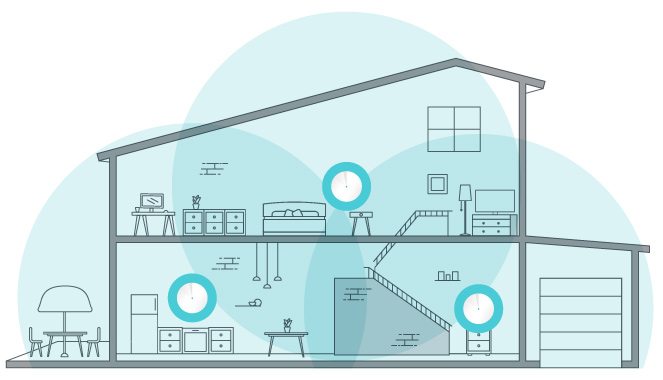
A shared network name helps devices move around the home, but roaming also depends on the client and its support for the relevant protocols. No system guarantees that every device switches instantly or that every building has no buffering. Evaluate the rooms and applications you actually use, including a call while walking between nodes.
What Wi-Fi 7 Adds
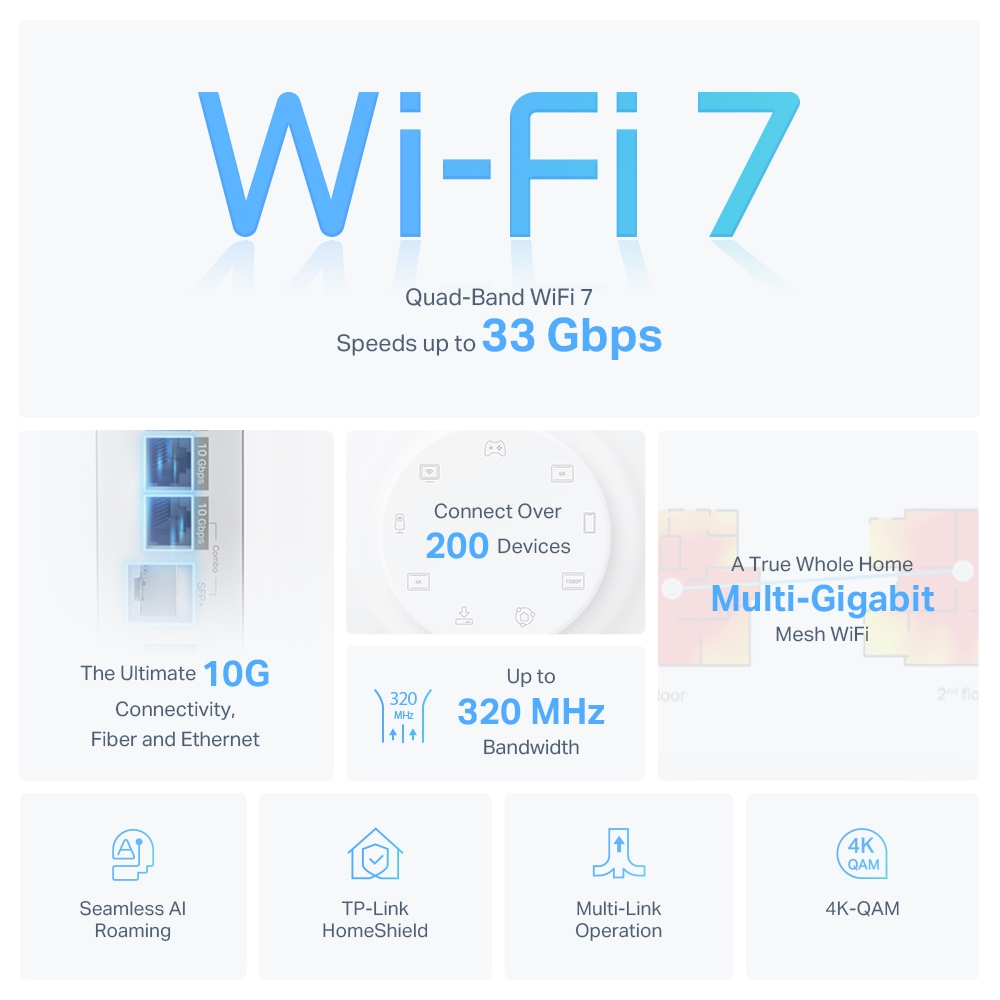
Wi-Fi 7 features include Multi-Link Operation, wider supported channels and 4096-QAM. Their benefits require compatible clients, suitable signal conditions and permitted spectrum. OFDMA and MU-MIMO were already used in earlier Wi-Fi generations; they are not entirely new inventions introduced by Wi-Fi 7.
These four models include 6 GHz, subject to the local version and regulatory availability. That band was already used by Wi-Fi 6E. A 320 MHz channel is a Wi-Fi 7 capability on 6 GHz, rather than a guarantee that every client uses 320 MHz or that every region permits the same channel choices.
MLO can use supported links together, but the client’s radios, firmware and operating system determine the usable combinations. Neither a 33 Gbps whole-system rating nor a standard's theoretical maximum tells you what a particular phone can transfer. A 2.4 GHz-only smart-home device gains coverage and management benefits, not new 6 GHz hardware.
Radio Profiles: Check the Region and Version
The following examples come from the linked manufacturer pages. Rates are nominal physical-layer figures, summed for the speed class; they are not guaranteed application throughput. They also explain why a retailer's BE65 or BE85 listing may differ from another region.
| Model and source profile | Published band rates | What to check |
|---|---|---|
| BE65, global V1 BE11000 page | 6 GHz: 5,760; 5 GHz: 4,320; 2.4 GHz: 574 Mbps | The current default global page instead describes a BE9300 profile. |
| BE75, global BE17000 page | 6 GHz: 11,520; 5 GHz: 4,320; 2.4 GHz: 688 Mbps | Regional availability and current support status. |
| BE85, current US BE22000 page | 6 GHz: 11,530; 5 GHz: 8,647; 2.4 GHz: 1,376 Mbps | The current global BE19000 page lists 5,765 Mbps on 5 GHz instead. |
| BE95, global BE33000 page | Two 6 GHz radios at 11,520 each; 5 GHz: 8,640; 2.4 GHz: 1,148 Mbps | Quad-band operation and the spectrum available locally. |
Small rounding differences appear in some manufacturer headings and technical tables. Use the exact regional hardware-version page when comparing a purchase. Do not assume a firmware update converts one radio profile into a different regional hardware product.
Ethernet and USB Ports
| Model | Ethernet per node | USB listed on the referenced page |
|---|---|---|
| BE65 | Four 2.5 Gbps RJ45 ports | One USB 3.0 port |
| BE75 | One 10 Gbps RJ45/SFP+ combo and three 2.5 Gbps ports | One USB port; the global table does not specify its generation |
| BE85 | One 10 Gbps RJ45, one 10 Gbps RJ45/SFP+ combo and two 2.5 Gbps ports | One USB 3.0 port |
| BE95 | One 10 Gbps RJ45, one 10 Gbps RJ45/SFP+ combo and two 2.5 Gbps ports | One USB 3.0 port |
A combo interface provides alternative copper or SFP+ connectivity for one interface; it is not two independent 10-gigabit links. Count the WAN connection and backhaul before allocating ports to computers or a switch. The BE65's 2.5-gigabit WAN port limits a single wired internet path, so an internet plan above that rate is not a reason to expect the full plan speed through it.
The BE75 has only one 10-gigabit interface. Using it for WAN leaves 2.5-gigabit wired LAN interfaces. The BE85 and BE95 have two 10-gigabit interfaces, allowing a compatible WAN connection and a separate fast LAN or backhaul link. Routing, cables, transceivers, switch ports and the end devices can still limit actual throughput.
USB file-sharing features can be useful, but are not a substitute for a separately backed-up NAS. Check supported storage formats and protocols before connecting a drive. A USB generation or Ethernet link rate is not a measurement of the router's file-server performance.
Backhaul and Mixed Models
The BE95's extra 6 GHz radio gives it a different wireless design from the tri-band models. Avoid assuming that it is always exclusively reserved for backhaul in every configuration, or that 6 GHz will cross several difficult floors reliably. Walls, distance and regional channel options remain part of the decision.
Ethernet backhaul is worth considering where routes already exist. Follow TP-Link's mode-specific wiring guidance: in Router mode, satellites belong behind the main Deco's LAN connection; Access Point mode uses the existing router's network. Check the actual product firmware for any combined wired/wireless backhaul feature rather than applying one configuration assumption to every Deco.
Different Deco models can share a network. For example, a BE85 main node and BE65 satellites can provide different port capabilities in different rooms. A BE25 is another possible extension, but its dual-band design does not acquire 6 GHz just by joining a tri-band mesh. The satellite and backhaul still define what a device in that room can use.
Choosing the Right Unit
- BE65: Our strong option for households whose wired requirements fit its 2.5-gigabit ports and whose clients benefit from tri-band Wi-Fi. Compare local pricing and the exact radio profile.
- BE75: Consider its larger 6 GHz radio capability and one 10-gigabit interface, while checking lifecycle and availability. TP-Link's US page currently marks it End of Life; that label alone does not establish a universal firmware-support cutoff date.
- BE85: Still our balance of high radio capacity and two 10-gigabit interfaces for demanding homes, with the US/global radio distinction checked before purchase.
- BE95: Our top-capacity option among these four, particularly when its quad-band design fits the planned wireless layout. A higher aggregate rating does not prove better coverage through your walls.
Before Buying
Compare equal pack sizes and installed costs, including switches or wiring. Coverage figures apply to particular packages and test conditions, not guaranteed floor area. Confirm Router or AP mode, the HomeShield functions available in that mode, and any paid plan needed for a desired feature. Test the same capable client in the key rooms and inspect backhaul quality before deciding that a more expensive radio total solves the problem.


