
Duplicati is a flexible backup tool with a browser interface, scheduling and support for many storage destinations. Its combination of accessible configuration and encrypted, space-efficient backups makes it a useful addition to a home server. The value comes from having a recoverable copy of your data, so destination choice and restore testing matter as much as the first successful backup.
What Duplicati does
Duplicati can back up selected files and folders to local storage, network locations or supported remote services. It tracks versions and deduplicates data at block level, allowing later backups to reuse unchanged content. Deduplication is part of its backup design, rather than a separate feature you must remember to enable.
Compression can reduce suitable data, although already compressed media may offer little saving. Backup encryption protects the stored backup content when configured. Select the encryption option deliberately and keep its passphrase somewhere recoverable if the source machine is lost. A backup stored on another drive in the same computer still shares risks such as theft, power damage and loss of that machine.
Backup and synchronisation serve different purposes. A synchronisation service can propagate a deletion or unwanted change, while a retained backup version may let you recover the earlier file. Duplicati does not replace Nextcloud’s sharing and collaboration features, and Nextcloud sync does not replace a properly tested backup plan.
Understanding the interface
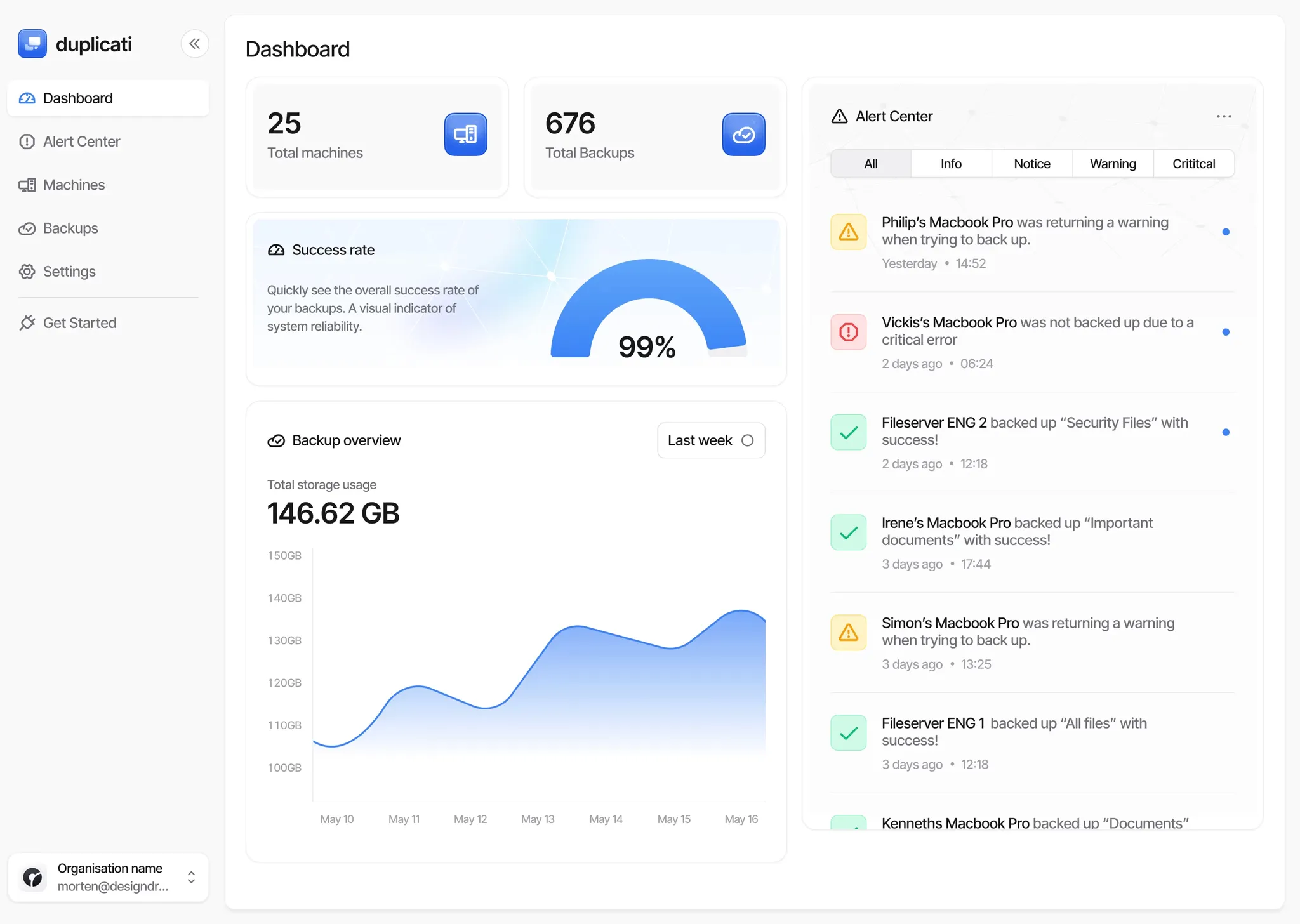
The interface depends on the installed release and the Duplicati service you are using. The 2.2 release introduced a redesigned local interface, so older instructions and dashboard illustrations may not match each label on your screen. Follow the matching documentation for your installation. The core decisions remain the backup name, encryption, destination, source, schedule and retention.
Configure a backup
- Name and encryption: create a new backup and use a descriptive name. Choose backup encryption and retain its passphrase outside the source machine. This passphrase is separate from the web-interface password.
- Destination: select a supported backend and test its connection. Give each backup job its own destination folder; two jobs writing into the same folder can break their backup sets. Confirm available space, credentials and remote-service costs.
- Source: choose the actual folders to protect and review filters. Exclude temporary data where appropriate, but ensure important configuration and database exports are included. A container can only read paths mounted into it.
- Schedule: pick a time when the machine, source and destination are available. Consider whether a sleeping laptop, disconnected NAS or limited mobile link will prevent the job from running.
- Retention: keep enough versions to recover mistakes discovered later. Check the deletion policy and available storage, then run the first backup and review its result.
Export the job configuration using the supported interface and store it securely. Credentials may be included depending on the export choices. If the export is password-protected, record that password separately too. Check notifications and logs after subsequent runs; a configured schedule is not proof that new versions are arriving.
A Linux container example
This Compose example follows the LinuxServer Duplicati image documentation. It assumes Docker Compose on a Linux host and existing source folders. Adapt those paths and the host user/group IDs before use. Prepare writable config, backup and restore directories with permissions for that user; the source mounts are read-only.
services:
  duplicati:
    image: lscr.io/linuxserver/duplicati:latest
    container_name: duplicati
    restart: unless-stopped
    environment:
      PUID: "${DUPLICATI_UID:?Set the host user ID}"
      PGID: "${DUPLICATI_GID:?Set the host group ID}"
      TZ: Etc/UTC
      SETTINGS_ENCRYPTION_KEY: "${DUPLICATI_SETTINGS_KEY:?Set a persistent generated key}"
      DUPLICATI__WEBSERVICE_PASSWORD: "${DUPLICATI_UI_PASSWORD:?Set a strong UI password}"
    volumes:
      - ./config:/config
      - ./backups:/backups
      - ./restore:/restore
      - /opt/docker-stacks:/source/docker-stacks:ro
      - /mnt/nas/documents:/source/documents:ro
    ports:
      - "127.0.0.1:8200:8200"
Supply the required variables through your environment or a protected Compose environment file. The required-value expressions make missing or empty values an error. Generate a long settings key and a strong interface password; do not publish them in a repository. LinuxServer documents a minimum of eight alphanumeric characters for the settings key, but the minimum is not a useful strength target.
The port mapping binds the published interface to the host’s loopback address. Access it locally at http://127.0.0.1:8200, or arrange authenticated remote access through a suitable SSH tunnel, VPN or configured reverse proxy. Do not assume that setting a password alone makes an internet-exposed administration interface an appropriate deployment.
The latest tag follows image updates; choose and document an update policy, or pin a verified version for your installation. In the backup wizard, select paths under /source and, for a local destination, /backups. Use /restore for a staged recovery test. These container paths differ from the host paths on the left of each volume mapping.
Protecting keys and settings
Three secrets have different roles: the web-interface password controls access, the settings encryption key protects sensitive stored configuration fields, and the backup passphrase decrypts the backup itself. Duplicati’s documented server-database protection is field-level encryption; it does not make the entire SQLite database unreadable.
Keep the persistent config directory and its settings key together in your recovery plan, while protecting access to both. Losing the key can prevent Duplicati from reading encrypted settings. A headless container should not rely on an operating-system key store being available. Retaining settings alone also does not substitute for retaining the remote backup credentials and backup passphrase.
Encryption protects confidentiality. It does not stop an account with deletion privileges from deleting backup objects. Consider an independent copy and storage protections appropriate to the chosen backend, checking how they interact with retention and pruning. Avoid describing a single writable repository as automatically ransomware-proof.
Databases and Nextcloud
Reading a running application’s files is not always enough for a consistent recovery. Nextcloud’s backup guide identifies its configuration, custom apps where installed, data, theme and database as relevant parts. Follow the application’s maintenance and database-export procedure so that the copied files and database represent a consistent state.
Duplicati can then protect the resulting files and database export. A read-only source mount prevents this container from writing into those folders; it does not freeze another application while that application changes them. Record the application version and recovery procedure alongside the backup. Test restoring a copy before depending on it for the live service.
Sizes, performance and alternatives
Block size and remote-volume size affect different things. Smaller blocks can reuse more fine-grained changes but increase tracking work. Larger remote volumes reduce object counts but may require more downloading to recover a small part of their contents. There is no universal setting that guarantees a dramatic speed improvement for every dataset.
Duplicati documents that the block size cannot be changed after a backup’s initial run. Review the supported options before creating a large backup, and test a representative dataset rather than copying a tuning table blindly. Measure initial upload, later backups and restores separately.
Alternatives depend on your workflow. Restic is a command-line backup tool; Backrest adds a web interface and scheduling around restic. Kopia offers graphical and command-line interfaces. Borg provides deduplicated archives locally or through its supported SSH arrangements. Compare operating-system support, destination compatibility and a recovery procedure you can actually carry out, rather than ranking tools by an unsupported speed or encryption table.
Prove you can restore
Restore a recent version and an older version of several important files into a separate folder. Open them and check that the expected contents are present. Then test recovery without relying on the original local backup database, using the documented restore workflow and the retained remote credentials and passphrase. Rebuilding indexes can take time and remote downloads.
Record how long recovery takes, which secrets and tools it needs, and whether another trusted person could follow the instructions. Duplicati remains an appealing home-backup option, but a reviewed configuration and repeatable restore test are what turn that convenience into a dependable backup process. Start with the Duplicati project and the documentation matching your installed version.