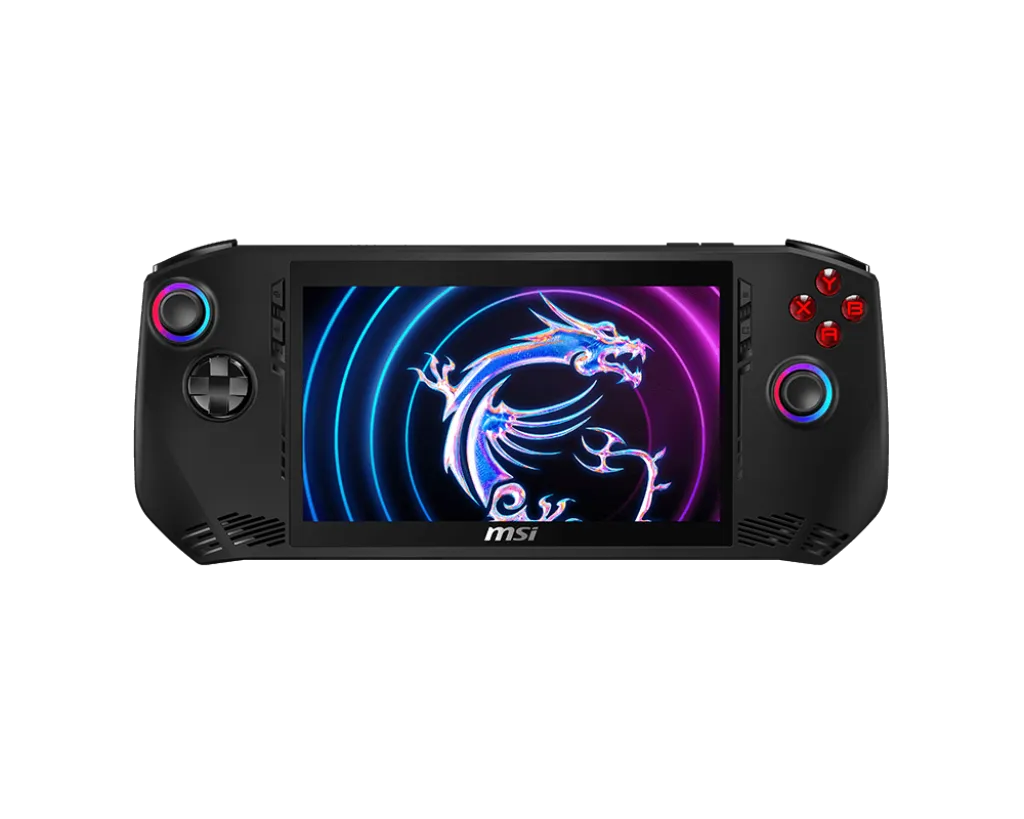
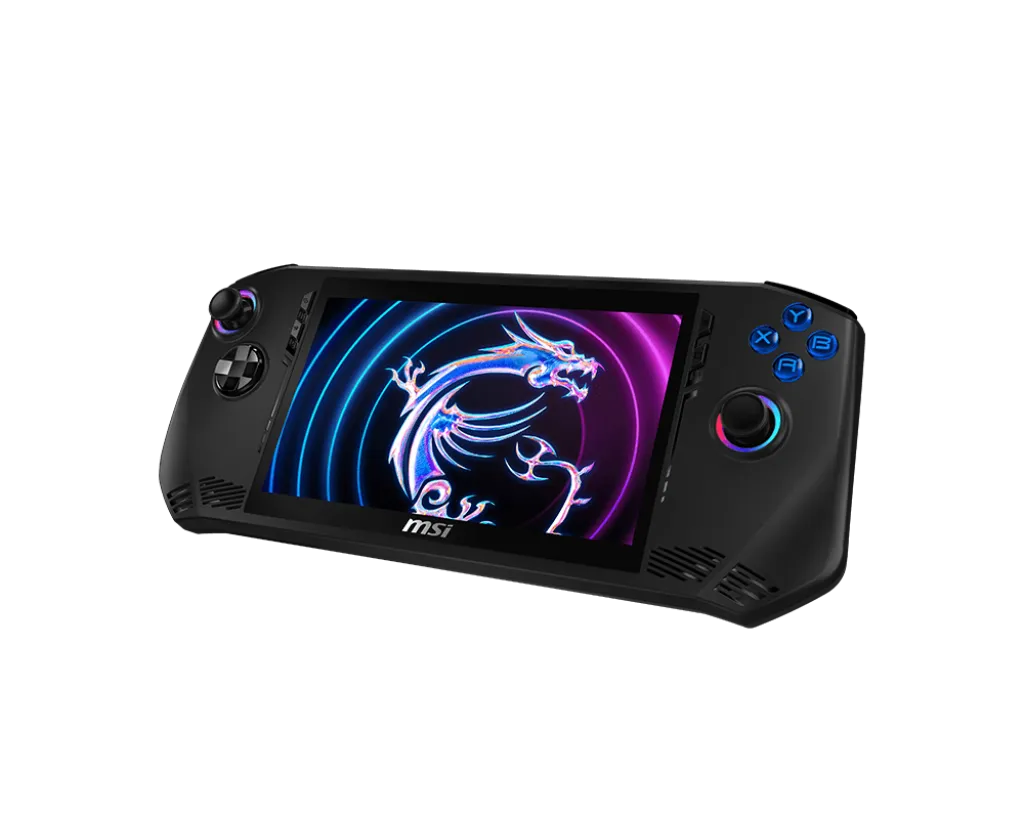
Calling all mobile gamers! MSI entered handheld PC gaming in 2024 with the Claw A1M, a handheld gaming PC that packs serious punch. Forget lugging around a bulky laptop – the Claw is designed for high-performance gaming wherever you roam.
What Is the MSI Claw A1M?
The MSI Claw is a high-performance gaming handheld that brings together cutting-edge hardware, sleek design, and a range of features tailored to enhance your gaming experience. It’s built for gamers who need a reliable and powerful machine to handle the latest AAA titles.
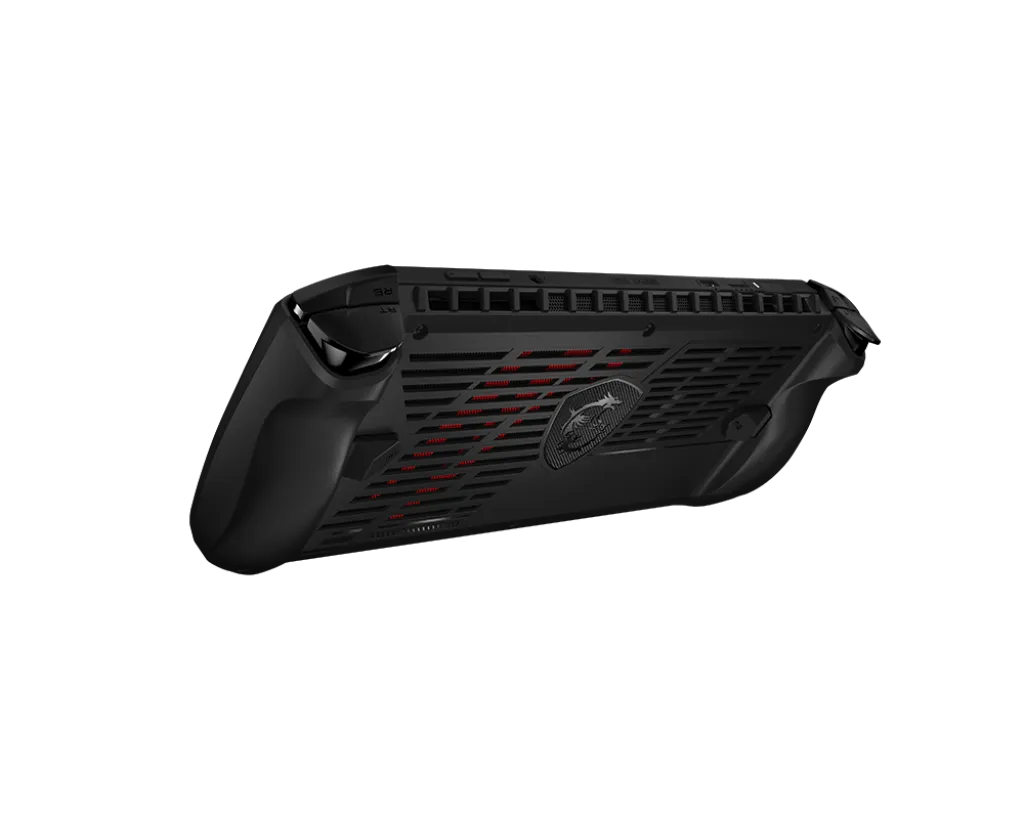
Under the Hood: Intel Core Ultra (Meteor Lake) & Arc Graphics
The Claw boasts an impressive Intel Core Ultra 7 processor, ensuring smooth gameplay even for demanding AAA titles. Supported games can also use Intel XeSS upscaling. That is an option within compatible games, rather than a feature that automatically improves every title. A processor specification alone does not establish a game’s achievable frame rate.
Here's a quick breakdown of the Claw's specs:
| Feature | Specification |
|---|---|
| Processor | Up to Intel Core Ultra 7 processor with Intel AI Boost (NPU) |
| Operating System | Windows 11 Home |
| Display | 7” FHD (1920x1080), 120Hz, IPS-Level, Touch Screen |
| Memory | LPDDR5-6400 onboard; listed US A1M configurations have 16GB. The generic global specification lists up to 32GB; check the exact SKU. |
| Storage | 1x M.2 2230 SSD slot (NVMe PCIe Gen4) |
| Graphics | Intel Arc Graphics |
| Battery | 6-Cell, 53Wh |
| Connectivity | Intel Killer BE1750 Wi-Fi 7 (802.11be) + Bluetooth 5.4 |
| Audio | 2x 2W Speaker 1x Mic-in/Headphone-out Combo Jack |
| Ports | 1x Type-C (USB / DP / Thunderbolt™ 4) with PD charging 1x Micro SD Card Reader |
Yes, you read that correctly: The MSI Claw features Wi-Fi 7. It is one of the first devices featuring the fantastic new Wi-Fi 7 standard. Although in real-life experience, the difference between Wi-Fi 6E and Wi-Fi 7 is negligible, the fact that the MSI Claw can utilise 6GHz Wi-Fi is absolutely amazing and puts it ahead in the race.
That is the article’s assessment of the wireless feature. For your own setup, 6 GHz availability depends on the router, regulatory region and software. Wi-Fi performance does not measure the handheld’s local rendering performance, and a fast radio cannot remove latency elsewhere in an online game’s connection.
Built for Comfort and Control: Hall Effect Joysticks & Triggers
Ergonomics are king with the Claw. Extensive user testing has resulted in a design that feels natural in your hands, no matter your grip style. The weight is perfectly balanced for extended gaming sessions without fatigue.
Powering Through Your Playtime: 53Wh Battery & Cooler Boost HyperFlow
The original launch-era assessment did not include independent battery-life measurements; the 53Wh battery promises enough juice to keep you gaming for a good chunk of time. The USB-C port supports PD charging. Use a suitable adapter and cable, especially when gaming and charging together; a phone charger is not automatically sufficient.
Unleash Your Gaming Potential
The Claw isn't just about power. The 7-inch, 120Hz IPS display delivers stunning visuals and silky smooth frame rates. MSI's revolutionary intraflow thermal design keeps things cool for extended use.
But wait, there's more! The Claw features:
- RGB lighting: Personalize your Claw with customizable lighting on the buttons and analog sticks.
- Hall Effect triggers: Experience precise and responsive control for those crucial in-game moments.
- Fingerprint sensor: Log in securely with a quick touch.
- MicroSD slot: Expand storage for your game library.
- Windows 11 Home: Enjoy the latest features and functionality from Microsoft.
Who Is the MSI Claw For?
The Claw is perfect for PC gamers who crave portability without sacrificing performance. It's ideal for:
- Travelers who want to game on the go.
- Students with limited desk space.
- Anyone who enjoys high-quality gaming in a compact form factor.
The Verdict: A Powerful Portable Contender
The MSI Claw A1M is, in this article’s view, an exciting device for portable PC gaming. With its powerful specs, comfortable design, and impressive features, the Claw is sure to please even the most demanding gamers. While battery life was not measured for this overview, the Claw offers a compelling package for those who prioritize power and portability.
Core Ultra 5 135H versus Core Ultra 7 155H
Check the full A1M model specification, including storage, before comparing offers. The following CPU figures come from Intel's 135H and 155H specifications:
| Specification | Core Ultra 5 135H | Core Ultra 7 155H |
|---|---|---|
| CPU cores / threads | 14 / 18 | 16 / 22 |
| Core layout: performance / efficient / low-power efficient | 4 / 8 / 2 | 6 / 8 / 2 |
| Maximum P-core turbo | 4.6 GHz | 4.8 GHz |
| Intel Smart Cache | 18 MB | 24 MB |
| Arc Xe cores | 8 | 8 |
| Maximum graphics frequency | 2.20 GHz | 2.25 GHz |
| Intel AI Boost NPU peak INT8 rating | 11 TOPS | 11 TOPS |
The Ultra 7 adds CPU cores, cache and higher maximum clocks; it does not add an eighth Xe core missing from the 135H. Neither chip's standalone maximum turbo-power specification is a promise of the Claw's sustained power profile. Cooling, firmware and the selected operating mode determine what the assembled handheld can sustain.
There is no fixed percentage advantage established by these specifications. Compare the games you play at the same resolution, settings and power mode, and include battery operation if that is your intended use. Extra CPU resources may matter differently in a strategy game than in a GPU-limited title. Storage capacity and the actual price difference can also matter more than the processor badge.
Controls, connections and maintained software
The A1M includes Hall Effect joysticks and triggers, a fingerprint sensor, a microSD reader and a Thunderbolt 4 USB-C port. Hall sensors measure magnetic fields rather than a sliding resistive contact, but that does not make the whole control assembly immune to calibration or mechanical problems. Check centring, dead zones and buttons instead of treating “Hall Effect” as an absolute lifetime guarantee.
Thunderbolt provides an expansion path for compatible docks and accessories. Check the specific enclosure, drivers, cable and power requirements before planning an external GPU. “Thunderbolt” does not mean every possible dock/eGPU combination has been tested, and the connection's signalling rate is not a game's frame rate. The single USB-C port also makes charging pass-through and dock selection relevant.
MSI documents firmware and graphics-driver updates for this model. Use the current A1M support downloads and MSI's update procedure rather than a package intended for a later Claw generation. Follow its AC-power requirement during BIOS updates. Record the installed BIOS and driver versions before comparing results; the 2024 example versions in that PDF are historical, not a claim that they are today's latest releases.
Check your own library and travel use
A useful first session includes a demanding game, a lighter game and a title that needs a third-party launcher. Check readable text, controller navigation, login prompts, sleep/resume and whether offline play actually works before travelling. Windows compatibility and a portable shape do not guarantee a console-like experience for every launcher.
Start from a repeatable graphics preset. Then change resolution, frame cap or XeSS settings in a supported game one at a time. Inspect moving fine detail and responsiveness as well as the displayed frame counter. A 120 Hz screen can display frequent updates, but it does not force the GPU to render every game at 120 FPS.
For battery planning, use elapsed time at the brightness, volume, game and power mode you actually expect to use. The 53 Wh capacity is useful for comparing battery size, but system load determines runtime. Also check the grip and the roughly 675 g device weight in your own hands where possible. The positive design verdict above remains an editorial opinion; these checks help decide whether its priorities match yours.