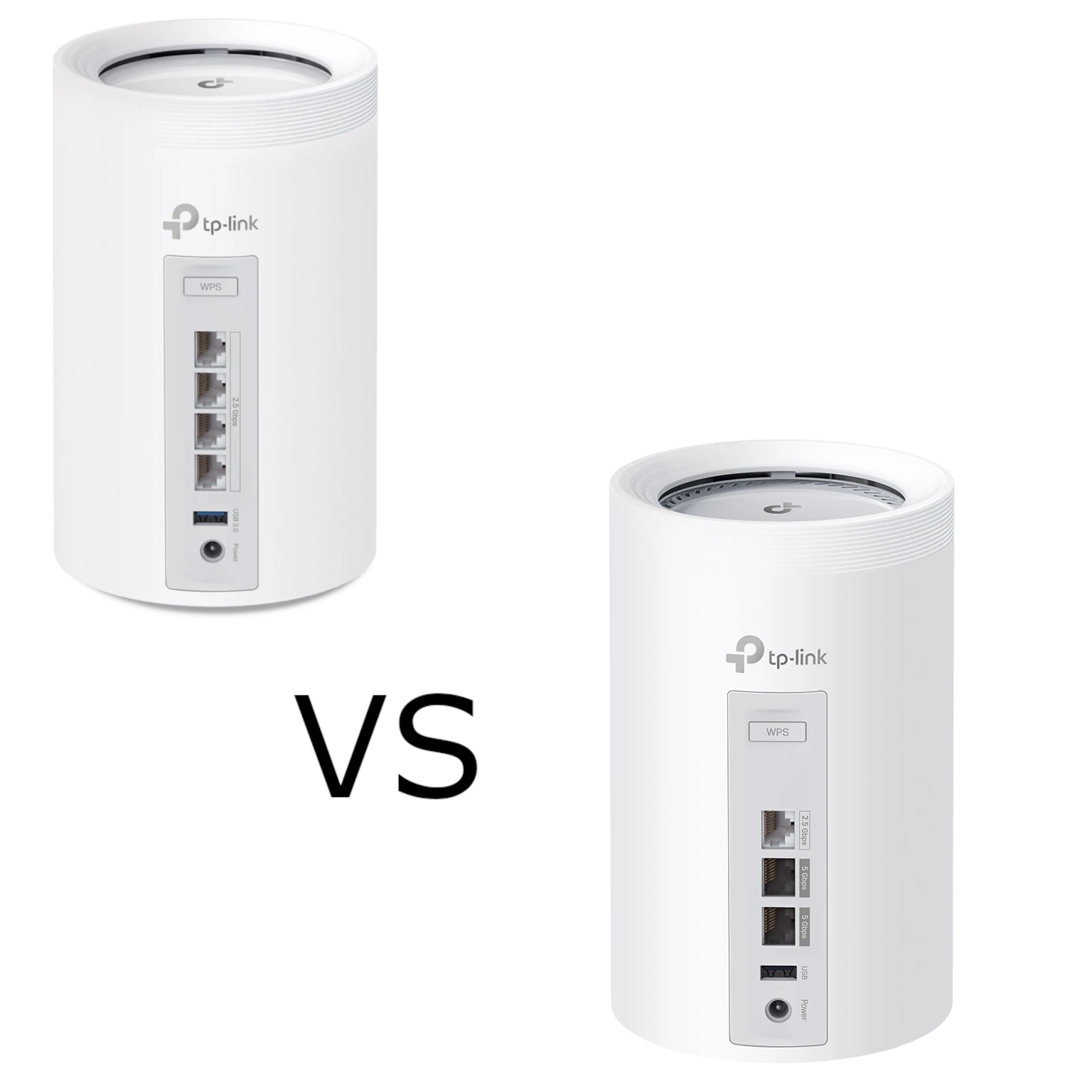
The TP-Link Deco BE65 and BE65 Pro both offer an approachable route to a Wi-Fi 7 mesh network. Our preference remains the standard BE65 for value in many homes, with the Pro particularly appealing for demanding households of gamers and streamers. The important buying detail is that the exact regional hardware matters more than the Pro name alone.
This is a specification-based comparison. The product illustrations show the profiles used in its 2024 context, while current regional pages can list different wireless rates. Treat a favourable recommendation separately from a measured performance result.
What Mesh Adds
Several Deco units can provide one managed network with coverage in more useful locations. App-based setup and the option to add compatible units are convenient, especially where a single access point struggles to reach a room.
Coverage still depends on placement, walls, interference and the upstream path between nodes. Clients participate in roaming decisions, so a call is not guaranteed to remain uninterrupted just because the system is mesh. More units also do not create additional internet bandwidth.
Wi-Fi 7 Features in Context
Both product families use Wi-Fi 7, associated with 802.11be. Features such as Multi-Link Operation, wider supported channels and higher modulation can improve a suitable connection. They need compatible hardware, software and permitted spectrum; there is no universal 30 Gbps download promise.
The cited models are tri-band, with 2.4 GHz, 5 GHz and 6 GHz radios. Wi-Fi 6E already introduced 6 GHz access for compatible clients; it was not invented by Wi-Fi 7. An older client may use another supported band, but cannot acquire the Pro's largest advertised rate merely by connecting to it.
Multi-Link Operation for a client and TP-Link's combined mesh backhaul are different uses of available links. Verify both the client capabilities and the exact Deco firmware rather than assuming every connection aggregates all advertised bands.
Shared Features and Practical Limits
- Managed mesh: both families use the Deco app and support compatible Deco expansion.
- Backhaul options: the cited Wi-Fi 7 products advertise wireless and wired combined backhaul; the actual path and capacity depend on the installed topology.
- HomeShield: basic and paid services are available, with features dependent on model, firmware, operating mode and plan.
- Security: supported settings include WPA3; see our WPA2 versus WPA3 guide for context.
- USB storage services: the product pages list supported sharing functions. This is not automatically a redundant NAS or a backup system.
Advertised coverage and connected-device counts are conditional manufacturer claims, not a promise that hundreds of clients can stream or download at full speed simultaneously. Match the pack size, region and hardware label before applying a figure to your house.
Radio Profiles Vary by Region and Revision
The two current worldwide links and other published profiles demonstrate why a blanket V1/V2 speed rule is misleading:
| Published profile | 6 GHz / 5 GHz / 2.4 GHz rates | Product class |
|---|---|---|
| BE65, current worldwide page | 5,765 / 2,882 / 688 Mbps | BE9300 |
| BE65 Pro, current worldwide page | 5,765 / 2,882 / 688 Mbps | BE9300 |
| BE65, worldwide V1 page | 5,760 / 4,320 / 574 Mbps | BE11000 |
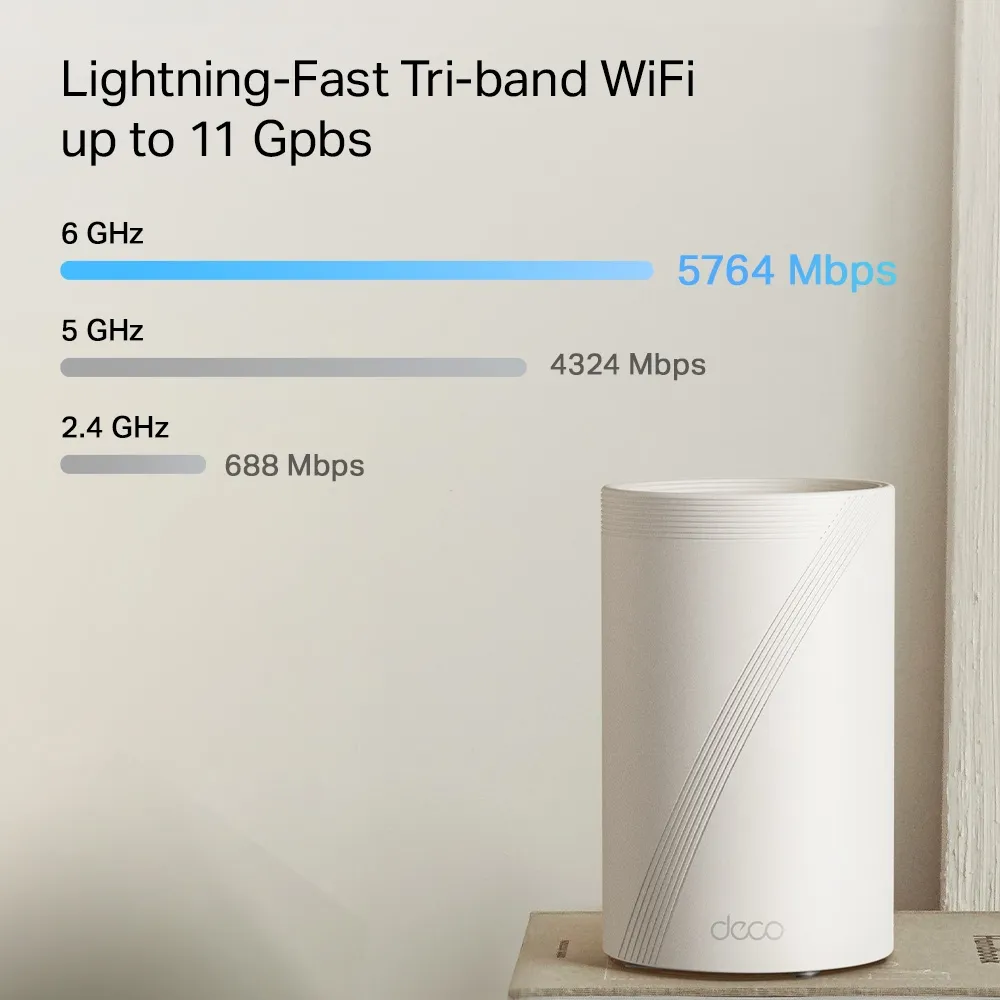
| BE65 Pro, Canadian page | 5,764 / 4,324 / 688 Mbps | BE11000 |
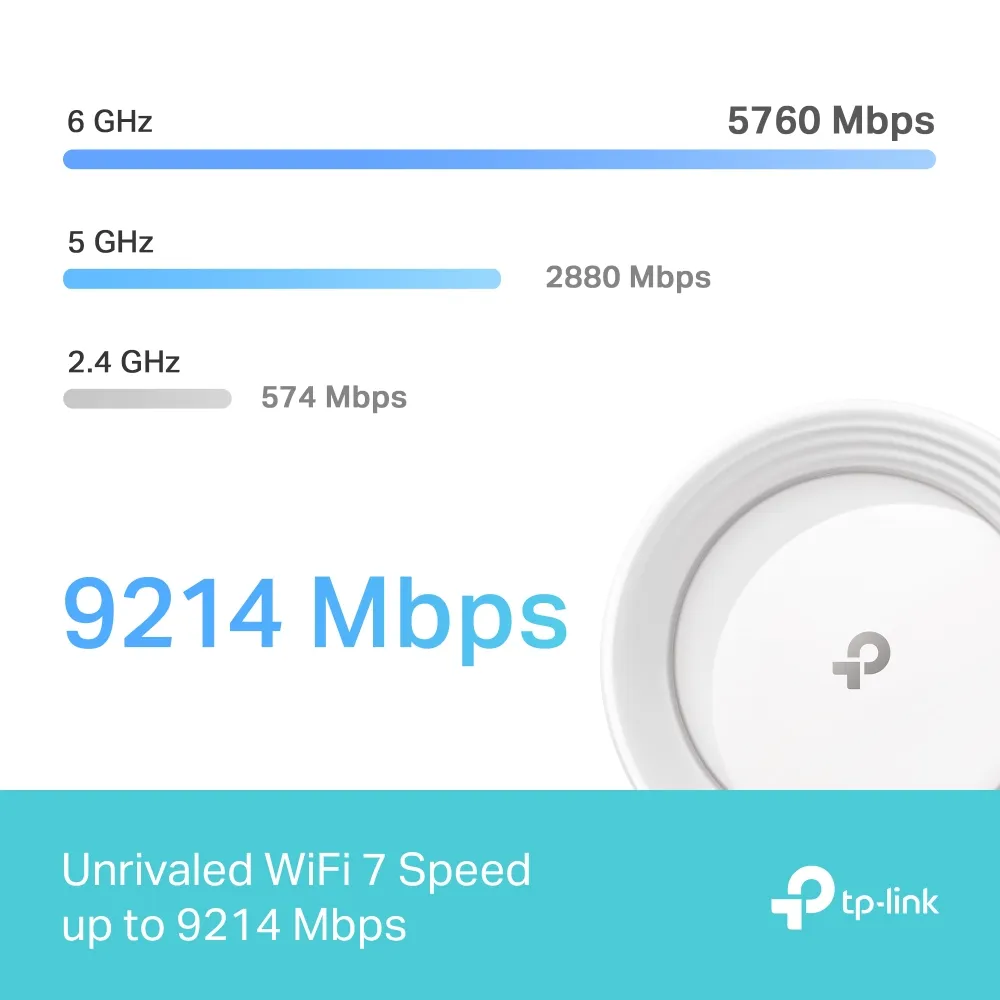
These are separate publisher profiles, not a firmware-upgrade instruction. Do not install another region's firmware to try to obtain its rating. The 2024 BE65 illustration below uses 5,760 + 2,880 + 574 Mbps, adding to 9,214 Mbps. That illustrates an earlier profile rather than proving every BE65 currently has those exact radios.
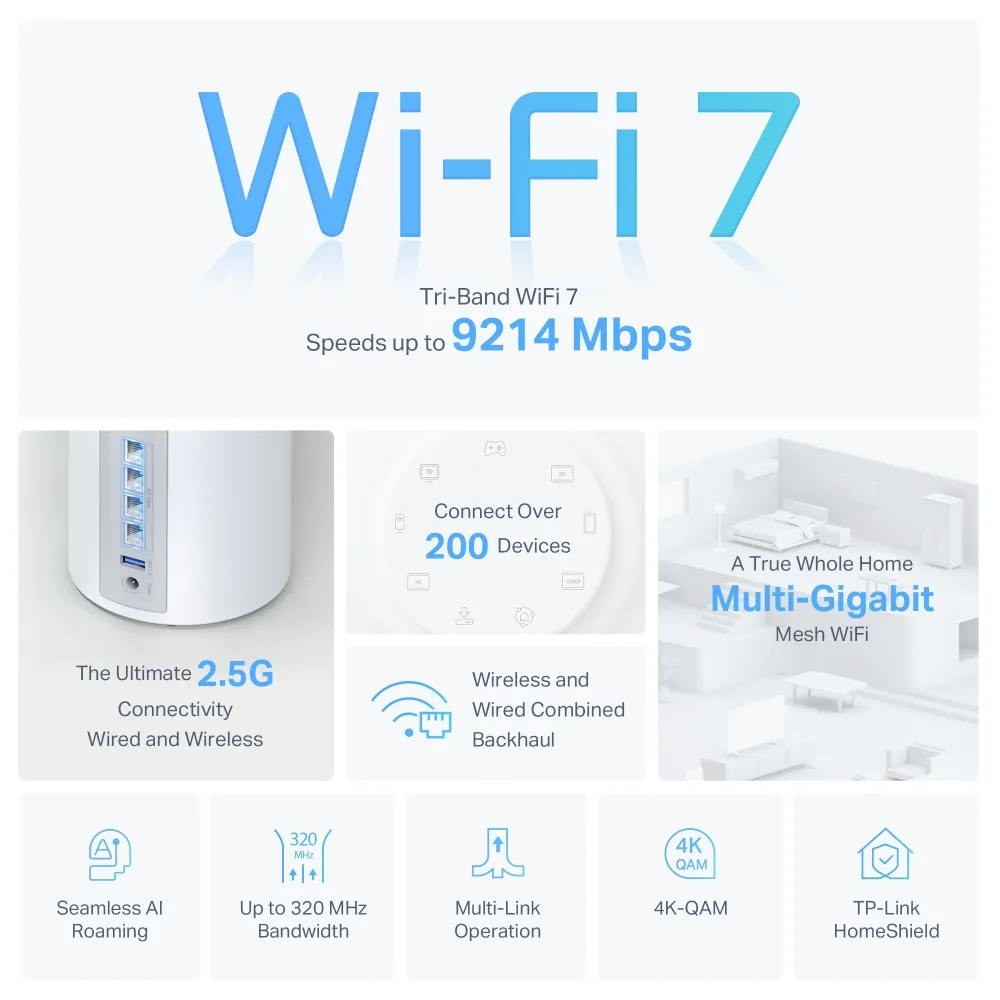
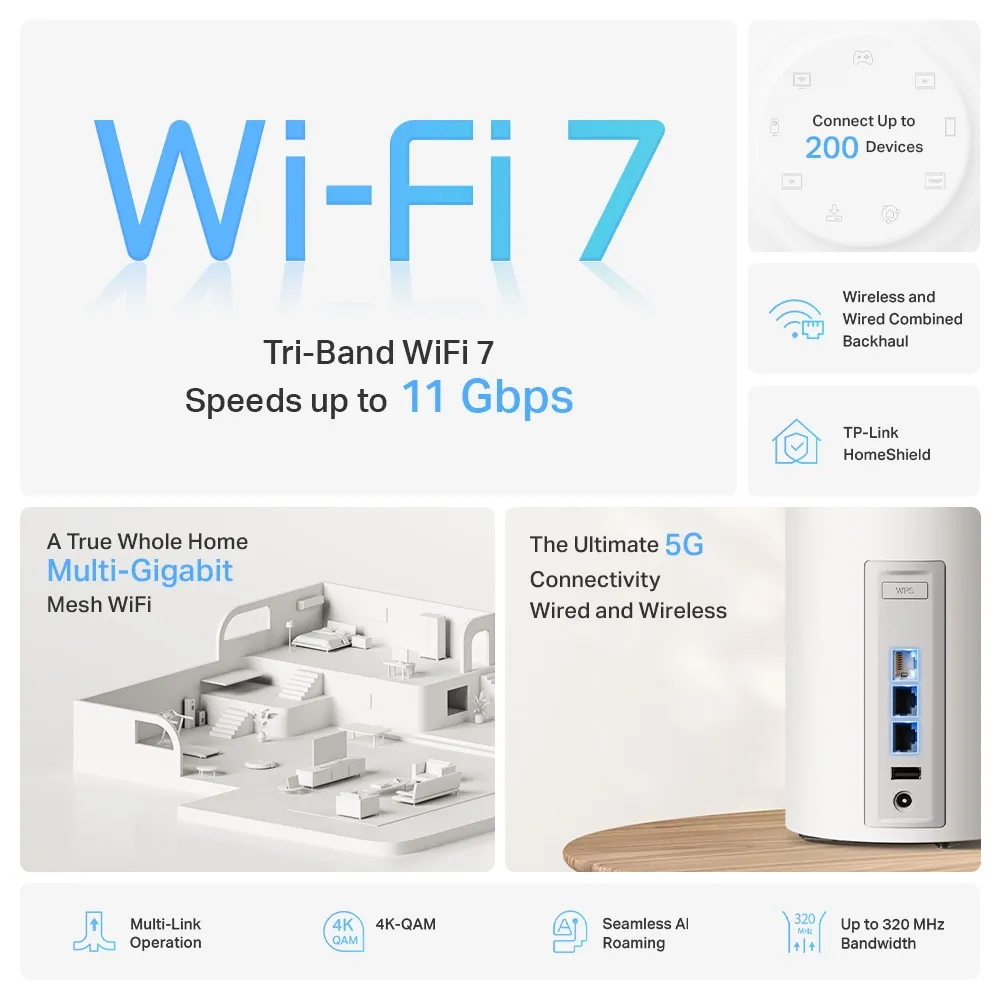
Combined radio rates are not the speed of an ordinary single-band client or the internet connection. Some older clients may be limited by their own channel width or stream count. Even a Wi-Fi 7 client can experience a difference when the chosen versions have different radio capabilities; compatibility does not make every version perform identically.
Port Count versus Port Speed
| Wired feature | BE65 | BE65 Pro |
|---|---|---|
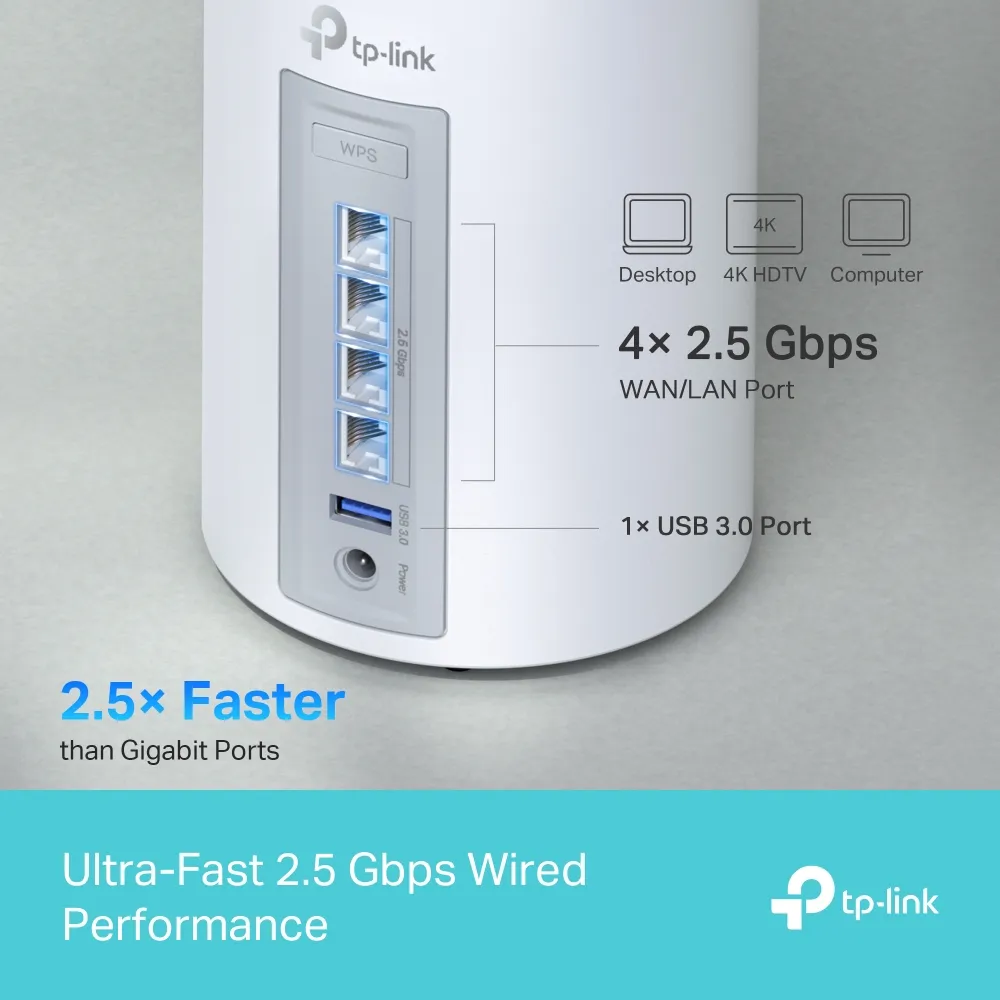
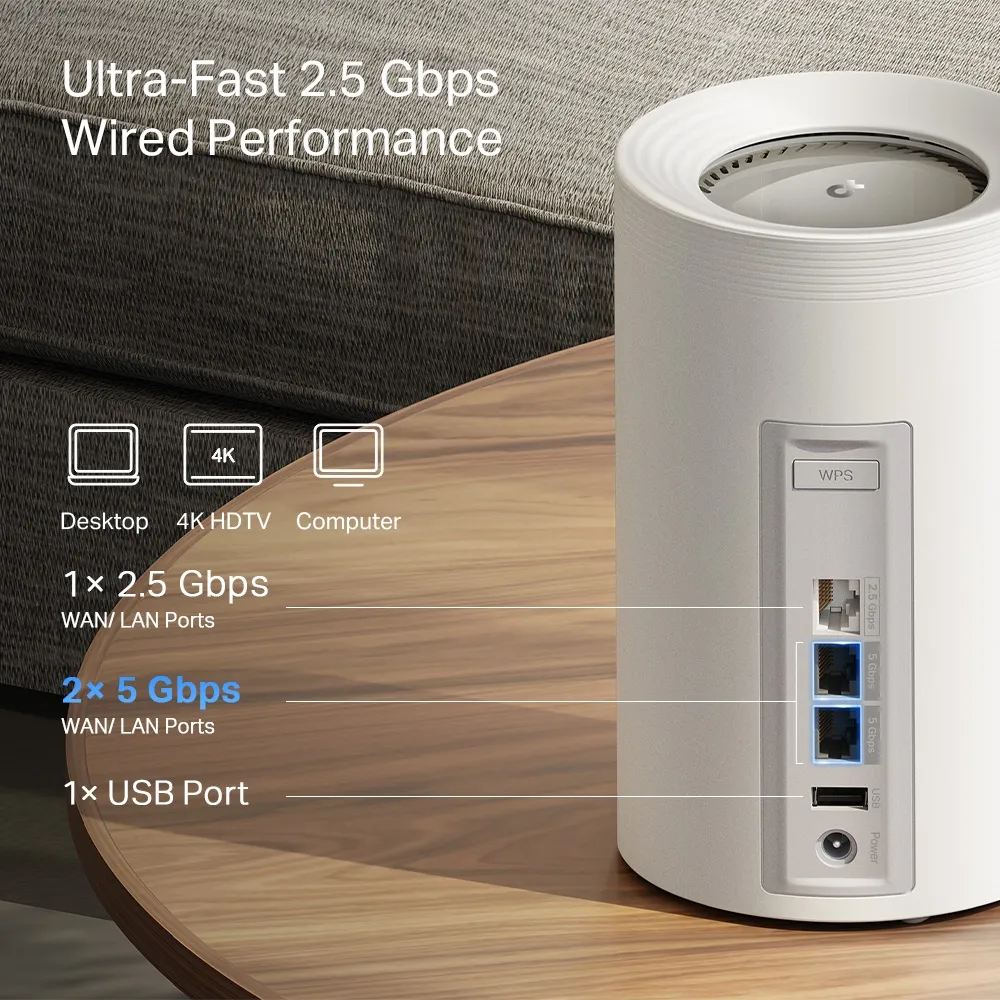
| Ethernet ports per unit in the cited profiles | Four 2.5 Gbps WAN/LAN ports | Two 5 Gbps and one 2.5 Gbps WAN/LAN ports |
| Main node with one WAN and one wired satellite | Two ports remaining | One port remaining |
| Satellite with one wired upstream link | Three ports remaining | Two ports remaining |
| Important tradeoff | More built-in Ethernet connections | A faster supported wired link, with fewer ports |
On the Pro, using both 5 Gbps ports for WAN and backhaul leaves the 2.5 Gbps port for another device. If the WAN uses the 2.5 Gbps port instead, the remaining port choices differ. Count the actual links before buying; the fastest port is not free to serve every purpose simultaneously.
A 5 Gbps path requires compatible ports at both ends and suitable cabling. Its negotiated link rate is not a measured 4,700 Mbps TCP transfer. Switches, NICs, storage, router processing and simultaneous traffic can all affect application throughput. The standard BE65 can still be more convenient when you need several nearby wired devices.
Which Design Fits Your Household?
Deco BE65: Value and More Ports
The BE65 remains our strong value candidate for everyday home use and an expanding smart home. Four 2.5 Gbps ports can make a neat installation without an extra switch when the number and speed of your connections fit. Local pricing and the actual radio profile determine the value, rather than a universal claim that one version is cheapest everywhere.
Deco BE65 Pro: A Demanding-Household Preference
The Pro remains our preference to consider for a busy household with gamers and streamers, particularly where its 5 Gbps ports solve a real WAN, LAN or backhaul requirement. That is a buying preference, not evidence that a Gigabit plan by itself requires the Pro or that it guarantees lower gaming latency.
If your internet connection is slower than the standard model's ports, a Pro can still have a useful local-network role. Conversely, an additional radio-rate advantage seen in one region may not exist in another. Compare the exact units you can buy, the number of nodes and the cost of any extra switches or cabling.
Plan the Topology and Verify the Result
Use the documented Ethernet backhaul wiring. TP-Link instructs users to create the mesh wirelessly first, then add cables. In Router mode, satellites belong downstream of the main Deco's LAN connection. Keep the distinction between wired, wireless and mixed paths described in our mesh backhaul guide.
If an existing router handles the network, review Access Point mode's feature limits before relying on HomeShield gateway functions. Verify client addresses, cable link rates, satellite uplinks and actual applications after setup. A wired baseline and a local transfer help separate an ISP limit from a mesh-path limit.
Choosing Your Champion
Our original value-versus-demanding-use preference remains: consider the BE65 for its practical value and connection count, and the Pro for households that will use its stronger wired options. Let the actual product version and connection plan support that choice. Neither the Pro label nor a large combined radio number guarantees a better result in every home.
Visit the original BE65 product page and BE65 Pro page, plus the BE65 V1 profile and Canadian Pro profile, to compare the documented examples.


