The Raspberry Pi has become synonymous with affordable, tinker-friendly computing. The Pi 5 is a compelling upgrade for projects that need more processing power or direct PCIe storage, while the Pi 4 remains a capable option when it meets your needs. Choosing between them means comparing the complete system: memory, storage, cooling, power and the accessories you already own.
Processing Power
The Pi 4 Model B uses a quad-core Cortex-A72 processor, with current specifications listing 1.8GHz. The Pi 5 moves to a quad-core Cortex-A76 at 2.4GHz. Raspberry Pi described a two-to-three-times performance improvement at launch; treat that as the manufacturer's broad comparison rather than a promise that every application finishes three times faster.
Compiling a project, opening a busy website and copying a large file stress different parts of a computer. A faster CPU helps CPU-bound work, but cannot eliminate a slow storage device, an internet bottleneck or software that does not support ARM. For emulation or video editing, check the particular emulator, codec and application you intend to use before buying either board.
RAM Options
The current range is wider than the early Pi 5 lineup. The table lists available capacities, without tying them to prices that can change.
| Memory capacity | Pi 4 Model B | Pi 5 |
|---|---|---|
| 1GB | Available | Available |
| 2GB | Available | Available |
| 3GB | Available | Not listed |
| 4GB | Available | Available |
| 8GB | Available | Available |
| 16GB | Not listed | Available |
Pi 4 uses LPDDR4-3200; Pi 5 uses LPDDR4X-4267. More capacity gives applications room to work, but buying extra RAM does not change the CPU or network port. A modest headless service and a desktop with several active applications have different requirements. Monitor memory usage under your actual workload, including any containers, before paying for a larger model. Leave reasonable headroom for the operating system and future changes.
For a closer look at choosing capacity, see our RAM Comparison for Raspberry Pi.
Graphics
Pi 5's VideoCore VII graphics processor succeeds Pi 4's VideoCore VI. The current Pi 5 product page lists OpenGL ES 3.1 and Vulkan 1.3 support, together with two micro-HDMI outputs capable of simultaneous 4K at 60Hz. Pi 4 also has two micro-HDMI outputs; choose the resolution and refresh combination supported by your installed software and displays rather than assuming both boards have identical display capabilities.
A supported graphics API is useful compatibility information, but is not a frame-rate result. Desktop responsiveness, a game's rendering speed and video playback also depend on drivers, resolution and application support. Test the display arrangement you actually need, including audio and sleep/wake behaviour.
Storage and Connectivity
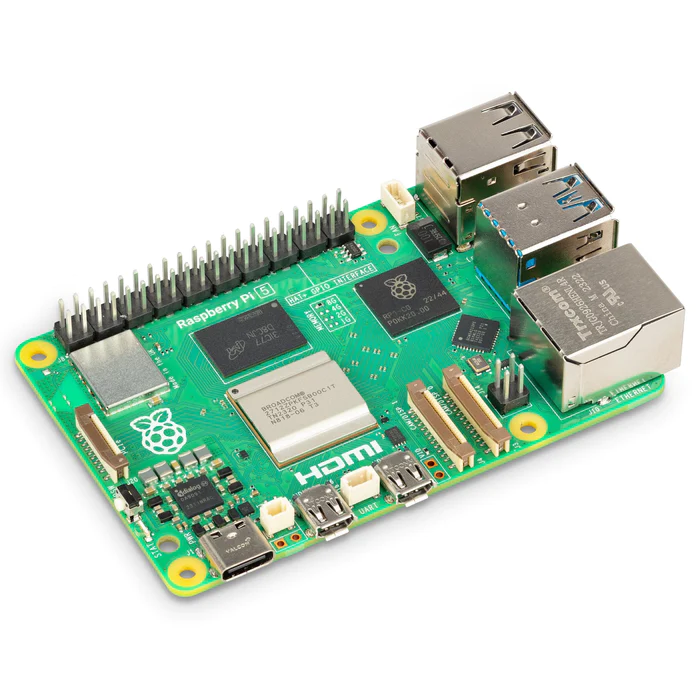
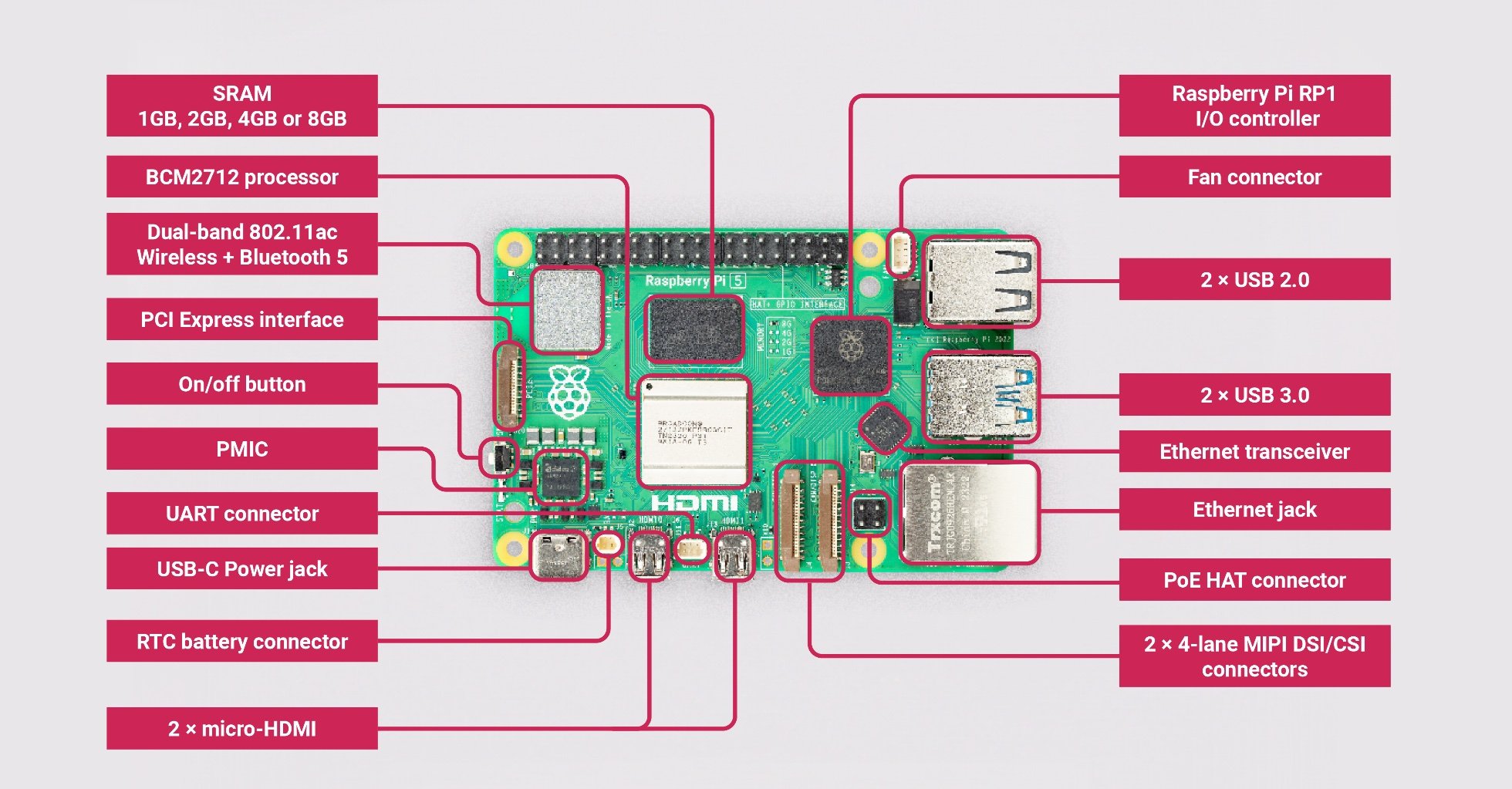
Both boards offer microSD storage and USB ports. Pi 5 adds SDR104 support for microSD and exposes a PCIe Gen 2 x1 interface through a small ribbon connector. It is not a desktop PCIe slot or a built-in M.2 socket: an appropriate adapter is needed for an NVMe drive.
The official M.2 HAT+ accepts 2230 and 2242 NVMe devices, while the Compact version accepts 2230. Match the drive's interface and physical length to the adapter; an M.2 SATA drive is not interchangeable with an NVMe drive simply because both are called M.2. Follow the adapter's installation instructions with power disconnected. Raspberry Pi warns that Pi 5 is not certified for PCIe Gen 3 and that enabling it can produce unstable connections.
Pi 4 can still use an external USB SSD. The practical choice is often between reusing a working USB enclosure and purchasing a Pi 5 adapter plus drive. Storage performance depends on the drive, connection, filesystem and workload; neither SDR104 nor NVMe guarantees a particular application-level transfer rate.
Both models retain Gigabit Ethernet, dual-band 802.11ac Wi-Fi and Bluetooth 5.0. A Pi 5 purchase does not automatically provide Wi-Fi 6 or 2.5GbE. Its RP1 controller provides a newer I/O architecture, including two USB 3.0 ports capable of simultaneous 5Gbps operation, but attached devices still need adequate power and compatible drivers.
Other Changes
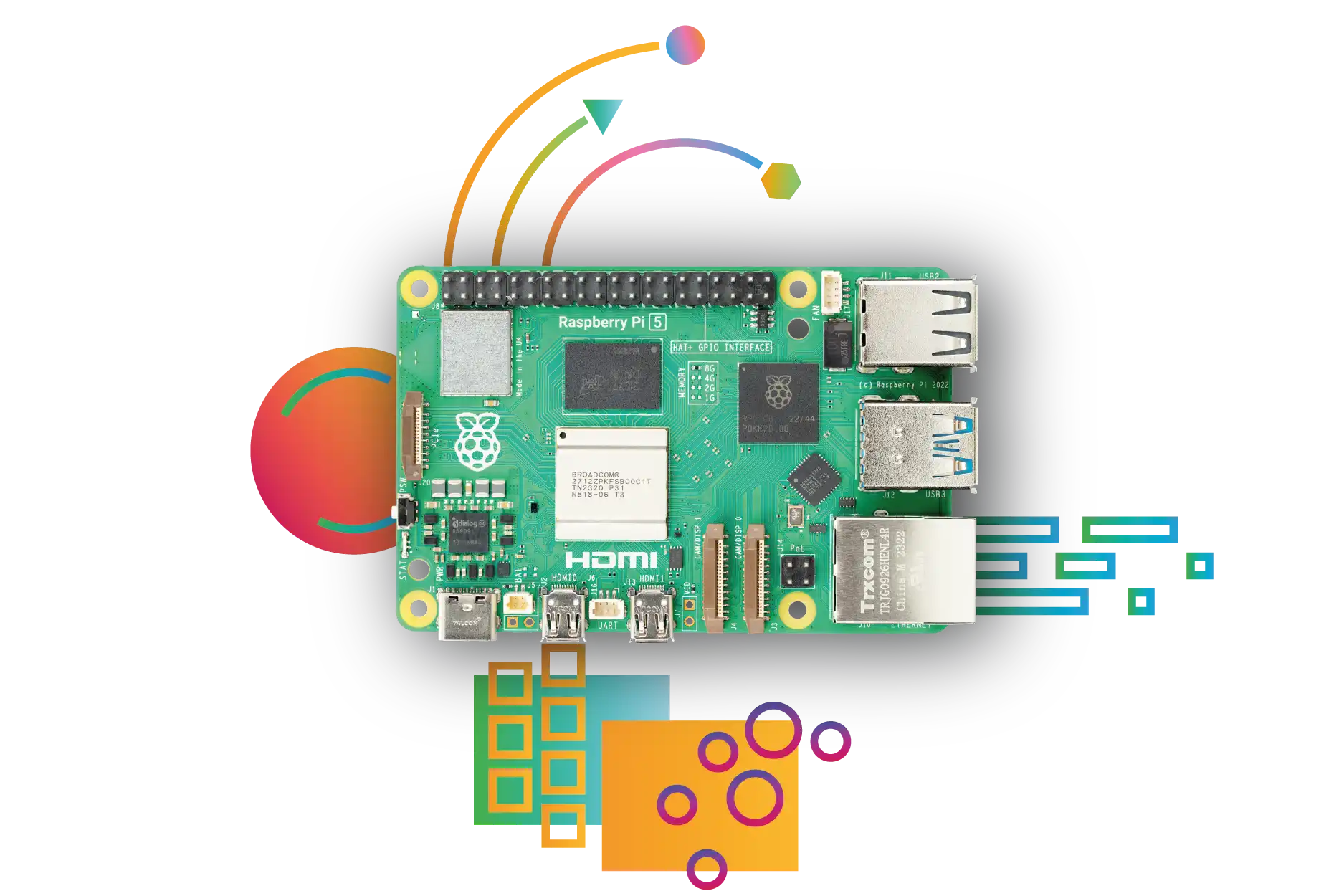
Pi 5 adds a power button, an onboard real-time clock with a connection for an optional backup battery, a dedicated UART connector and a fan connector. It also provides two four-lane MIPI connectors that can serve cameras or displays. These changes are useful for projects, but they affect case and cable compatibility.
Cost: Compare the Whole Build
Launch prices are no longer a reliable shopping guide. Raspberry Pi introduced the 3GB Pi 4 on 1 April 2026 and increased prices for higher-memory models. On 1 October 2026 it announced 2GB prices of US$67.50 for Pi 4 and US$77.50 for Pi 5. Those are dated manufacturer figures; check current approved-reseller prices, local taxes, shipping and availability before ordering.
A useful quote includes the board, suitable power supply, case, cooling, storage, adapter and any replacement cables. Compare equal memory capacities when possible, then ask whether a lower-capacity board meets the project. Reusing a Pi 4 setup can be cheaper than rebuilding around a Pi 5 even when the board-price difference looks small.
How to Compare Performance for Your Project
Use the same application version, operating-system configuration and workload when comparing boards. Record completion time, memory use, storage behaviour and whether cooling or power limits affected the run. Repeat the task rather than judging from one short burst. For a server, also test the complete client-to-server path; a local disk result is not a network file-transfer result.
Pi 5's CPU includes cryptography extensions, but the benefit depends on the algorithm and software using them. For example, WireGuard uses ChaCha20-Poly1305, so an AES benchmark cannot establish its VPN throughput. Choose measurements that match your intended encryption, backup or web-serving workload.
Upgrading: Accessory Compatibility Checklist
- Case: Choose one designed for Pi 5 and check clearance for the cooler and any HAT. The changed connector layout prevents a straightforward Pi 4 case swap.
- Power: Pi 4 recommends a 3A supply and provides a shared 1.2A USB budget. Pi 5 provides 1.6A to USB peripherals when a compatible 5V/5A supply is detected, otherwise 600mA. Its fan shares that peripheral budget. A supply's advertised wattage alone does not confirm support for the required 5V profile.
- Cooling: Consider active cooling for sustained workloads. Ambient temperature, enclosure and workload affect throttling and noise; there is no single guaranteed idle or full-load temperature.
- Camera and display: Pi 5 uses smaller 22-way connectors. Select the correct camera or display cable for both ends; check the accessory's documentation instead of reusing a ribbon just because it looks similar.
- Audio: Pi 5 has no Pi 4-style 3.5mm audio/composite jack. Plan an appropriate audio connection for your speakers or display.
- Software and data: Check OS and peripheral support, keep a backup and confirm the replacement boots and runs the services before retiring the old board.
Conclusion
Pi 5 offers a significant step forward in processing, graphics and expansion, making it a compelling choice for demanding projects. Pi 4 remains a capable choice when its performance and interfaces already meet your needs. Base the decision on the workload and complete build cost: a well-matched, reliable setup is more useful than extra specifications you never use.
Check the Pi 4 specifications, Pi 5 specifications, M.2 HAT+ documentation and October 2026 price announcement when planning a purchase.