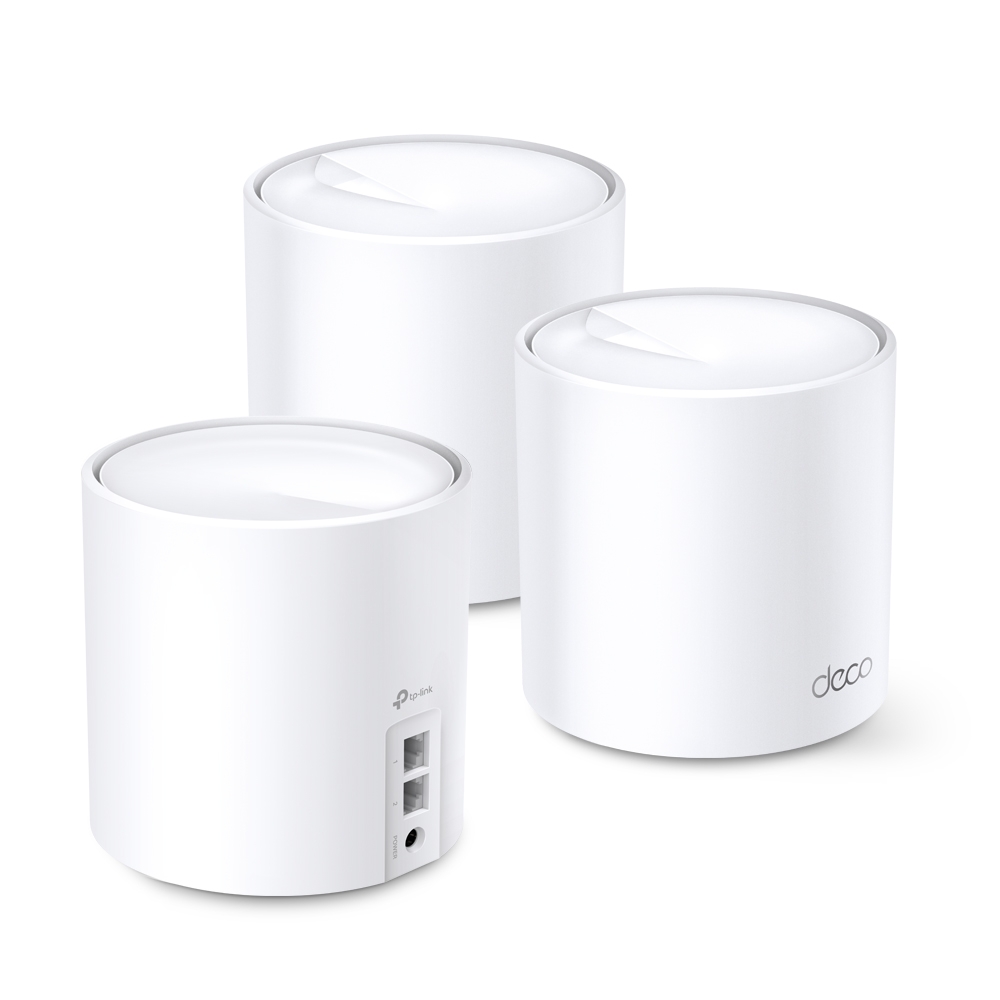
Ever feel like your Wi-Fi signal mysteriously disappears in certain corners of your house? That's where mesh WiFi comes in! Let's break down this innovative technology and explore how the TP-Link Deco X60 takes it a step further with WiFi 6.
What Is Mesh Wi-Fi and Why Is It Useful?
A single router can cover a small space well, but its signal weakens through walls, floors and other obstacles. A mesh kit adds nodes where they can serve nearby devices and communicate back to the main unit. The goal is easier whole-home coverage under one network name.
The position of the satellite matters as much as its proximity to a weak-signal room. A node placed deep inside a dead zone may have a poor upstream connection. Put it where that connection is still good, or use Ethernet backhaul. Mesh does not guarantee uninterrupted roaming or maximum speed in every room; the client and environment still affect the result.
- Coverage: Multiple well-positioned units can reduce dead zones without asking users to choose a different network in every room.
- Management: The Deco app handles setup and common settings such as guest access and device priority. Protect the management account and keep firmware updated.
- Expansion: Additional compatible Deco nodes can extend the network. An older node retains its own ports and radio capabilities rather than becoming an X60 through pairing.
Introducing the Deco X60
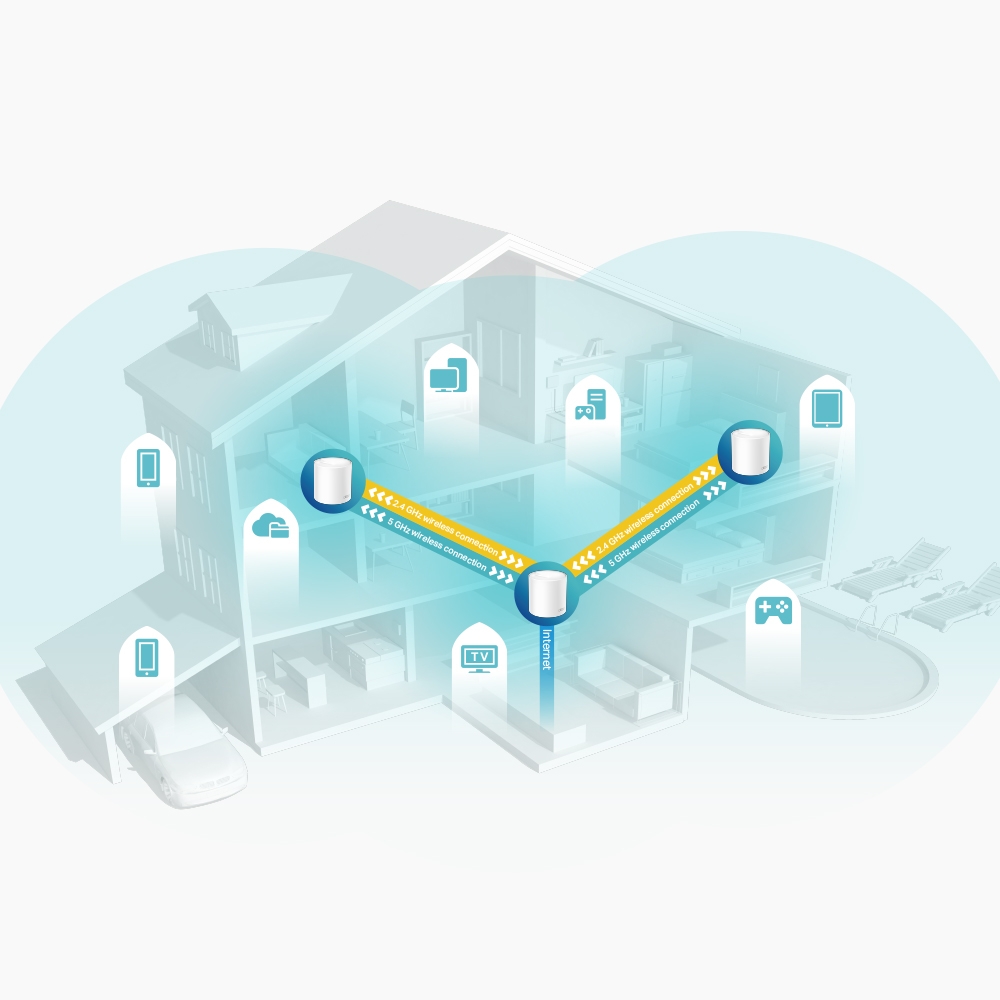
The X60 is a dual-band Wi-Fi 6 mesh family with 2.4 GHz and 5 GHz radios. It has no 6 GHz radio and does not gain Wi-Fi 7 MLO simply because newer Deco models support those features. Its appeal is a practical balance of coverage, manageable setup and capacity for an ordinary connected household.
TP-Link's quoted coverage includes up to 7000 square feet for a three-pack and 5000 for a two-pack on the checked pages. Those figures describe advertised test conditions, not guaranteed coverage through every building. Compare pack sizes and consider the walls, floors and outdoor areas you need to reach.
The “over 150 devices” illustration is also a capacity claim under particular mixed workloads. It does not mean every device can stream or download at maximum speed simultaneously. OFDMA and MU-MIMO require compatible clients for the corresponding benefits, and your internet connection can remain the limiting resource.
Check the Region and Full Hardware Revision
AX3000 and AX5400 X60 listings both exist, but a simple rule that all V3 or V4 units are AX5400 is unreliable. For example, the checked South African V2 and UK V3 pages list AX3000, while TP-Link's worldwide V3.20 and currently selected V4.20 pages list AX5400. The complete revision and region matter.
| Checked listing | Advertised maximum band rates | Management/security suite |
|---|---|---|
| South Africa X60 V2 | AX3000: 2402 Mbps on 5 GHz + 574 Mbps on 2.4 GHz | HomeCare |
| UK X60 V3 | AX3000: 2402 Mbps on 5 GHz + 574 Mbps on 2.4 GHz | HomeShield |
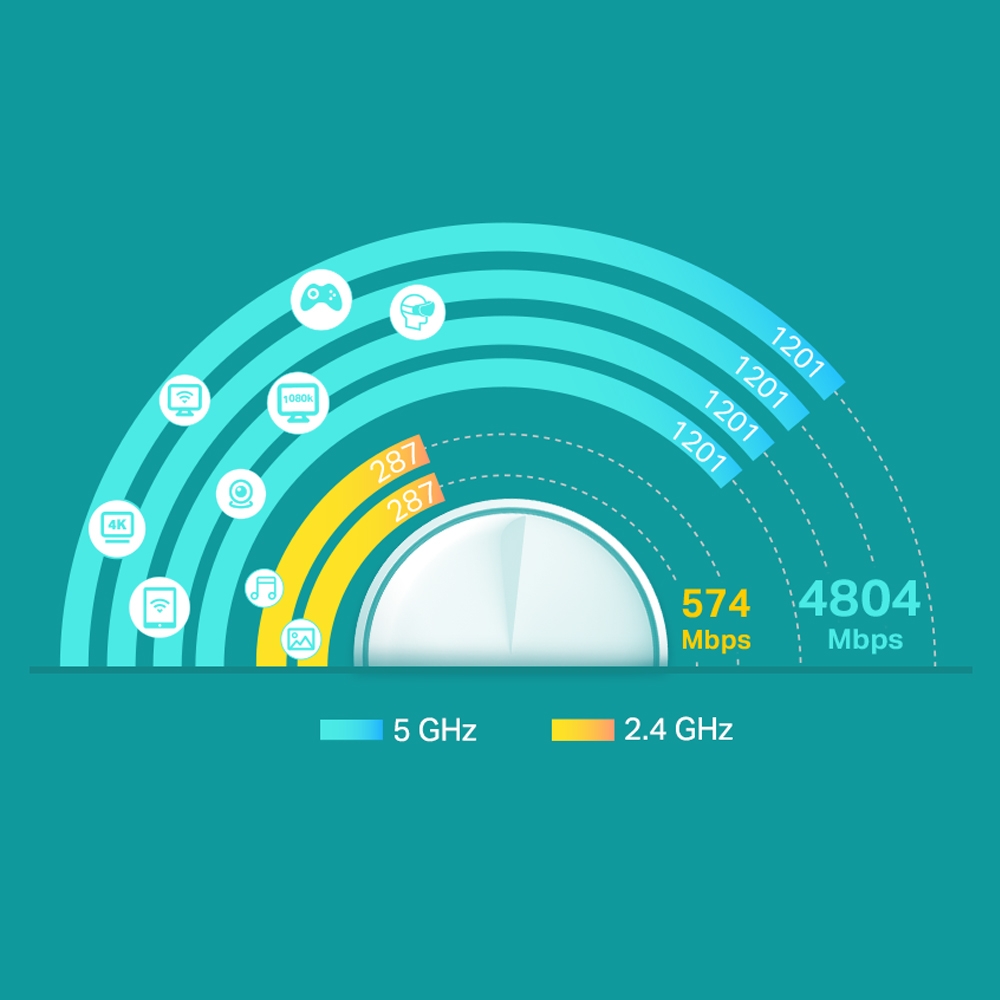
| Worldwide X60 V3.20 / V4.20 | AX5400: 4804 Mbps on 5 GHz + 574 Mbps on 2.4 GHz | HomeShield |
Check the label on the bottom of the unit and the matching regional support page before ordering or updating firmware. “V3” is not enough if a retailer has omitted the suffix. Do not install firmware for another region or hardware version merely because the model name matches.
The AX number sums theoretical signal rates across bands. It is not the transfer speed of one phone or the speed of an internet subscription. A client also has its own stream count and channel-width support, and Wi-Fi overhead reduces usable throughput. The preserved speed graphic illustrates the AX5400 band rates; it should not be read as the specification of every X60.
Ports and Security Features
| Feature | What matters in practice |
|---|---|
| Ethernet | Two Gigabit WAN/LAN auto-sensing ports per unit on the checked versions |
| Operating mode | Router or Access Point mode |
| Encryption | Listed WPA/WPA2/WPA3-Personal options; verify client compatibility and the selected setting (why WPA2 versus WPA3 matters) |
| HomeCare / HomeShield | Features differ by version, firmware and service plan; HomeShield includes a free basic plan and paid Pro features |
| Management | Deco app; check current mobile OS requirements in the app store |
Do not assume the HomeCare wording on an older product page applies to a HomeShield revision, or that every parental-control/security feature is included without payment. Network filtering is useful, but it does not replace endpoint updates, sensible account security or careful handling of passwords.
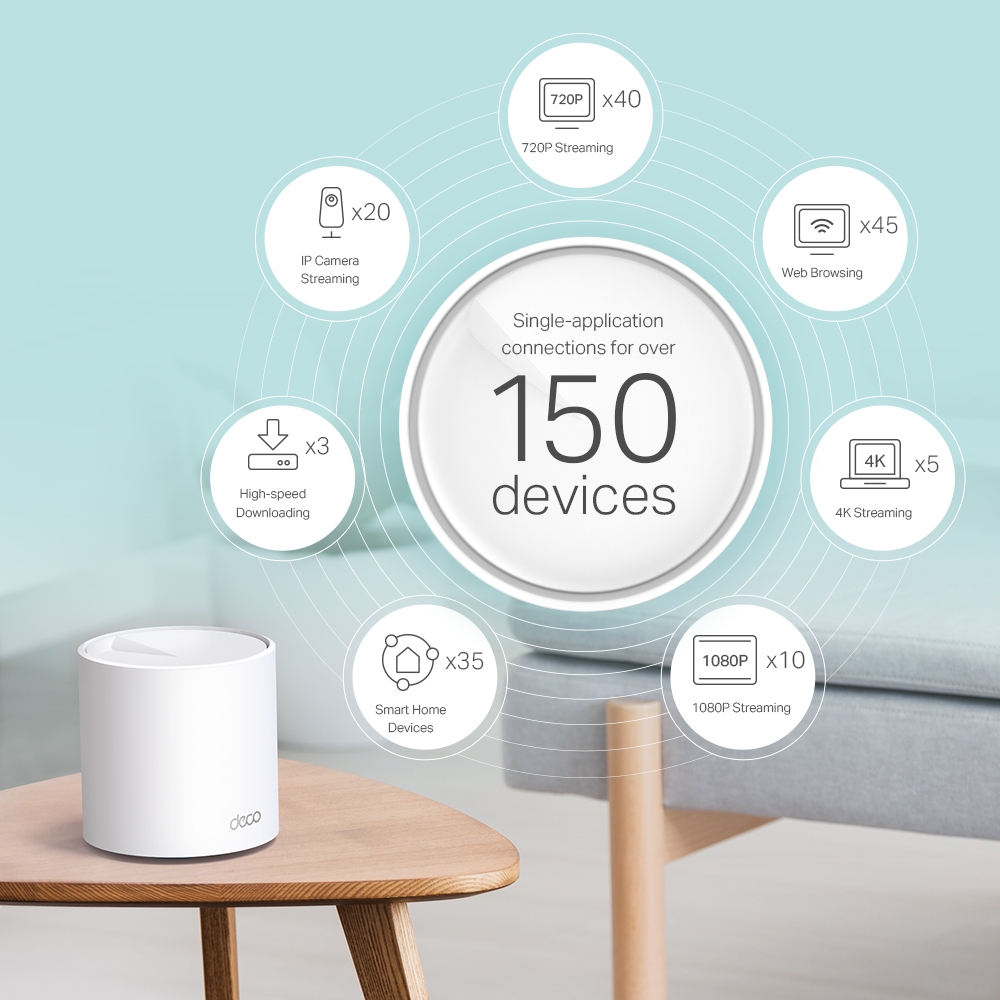
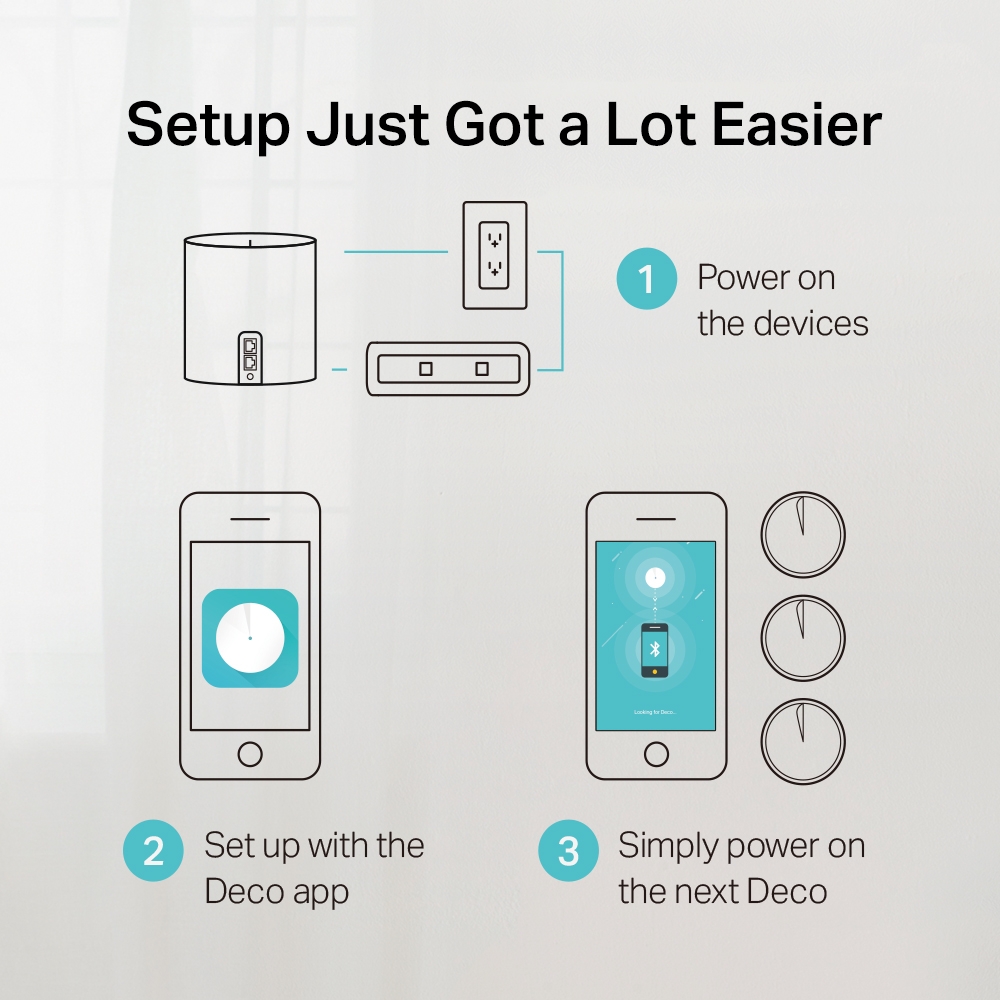
These manufacturer graphics show a mixed-device capacity example and a simplified app setup. They are promotional illustrations, not our own measured performance or a complete screen-by-screen installation record. App menus and supported features can change with the version.
Wired and Wireless Backhaul
The X60 has two Wi-Fi bands that serve clients and, in a wireless deployment, carry inter-node traffic. It does not have a third dedicated backhaul radio. A four-stream radio can help compatible node-to-node communication, but it does not guarantee twice the capacity through walls or make a two-stream laptop a four-stream client.
Ethernet backhaul can avoid the radio hop, but the built-in Ethernet connection remains Gigabit. That matters if you have internet above 1 Gbps or multi-gigabit local storage: an AX5400 wireless rating does not remove the WAN/LAN port limit. Faster local traffic and internet traffic also need to be considered separately.
Count ports before planning cabling. On the main unit, WAN and one wired backhaul connection use both sockets. A switch behind the main node may be needed for additional satellites or wired devices. A satellite with both an upstream and downstream cable likewise has no free built-in client port.
In Router mode, connect satellites behind the main Deco's LAN side, directly or through a compatible switch. In Access Point mode, the upstream router handles routing and the allowed wiring topology differs. Add the nodes to the same Deco network first, then verify the reported Ethernet backhaul in the app after cabling.
Pros and Cons
I find the X60 compelling for manageable mesh coverage and Wi-Fi 6 support without needing the newest wireless standard. That recommendation depends on the house and the offered price, rather than a promise that it solves every networking problem.
- Useful strengths: App-based management, expansion with Deco nodes, Ethernet-backhaul support and capacity for a mix of everyday clients.
- Limits to consider: Two Gigabit ports per node, shared dual-band wireless backhaul, version-dependent features and possible paid security options.
- Small-home tradeoff: One well-placed router or access point may already be sufficient. A single X60 can operate as a router, but multiple nodes are needed for a multi-node mesh.
When the X60 Makes Sense
A household with weak-signal rooms, ordinary streaming and browsing needs, and an internet connection within the Gigabit port's capability is a plausible fit. It is also worth considering where Ethernet between nodes is available. “Smart home” here means connecting Wi-Fi devices; the router is not a universal Zigbee, Z-Wave or Matter controller simply because it handles IoT traffic.
Gaming benefits from stable placement and backhaul, but the X60 cannot promise lag-free play. For a console or desktop, a wired connection may be more useful than a larger advertised wireless rate. Compare local kit prices, pack sizes, warranty and the exact revision before choosing between this and other models.
Conclusion
The Deco X60 remains a worthwhile option for improving coverage when its capabilities match your home. Start by identifying whether the problem is signal coverage, backhaul, the client or the internet service. Then choose the right revision and number of nodes, rather than relying only on the AX rating.
After setup, compare the same client near the main unit and each satellite, and check a wired internet baseline separately. Those simple comparisons make it easier to spot a poorly placed node or slow uplink and to decide whether another node, a cable or a different system is actually needed.
For the product page, visit: TP Link Main Website: Deco X60
For related comparisons, see the Deco X20 and Deco X55 versus X60 guides.


